
The problem to solve
The Plan technology for your school service needed to align better with the DfE’s Digital and technology standards. The most recent homepage iteration seen by school users grouped topics in their former categories, rather than by standards.
From several rounds of research, we knew that:
- users struggled to understand how the topics and categories in the service related to the standards
- users were overwhelmed by recommendation pages due to the amount of information shown, with right-hand navigation links and recommendation content all on the same page
- users needed to see all their recommendations for a single standard in one place
Our design implementation
The new homepage design aims to help users understand what they need to do to meet each standard.
Journeys are defined by standards, allowing users to view all recommendations for a given standard in one place. They are then able to better focus on each single recommendation at a time, reducing overwhelm.
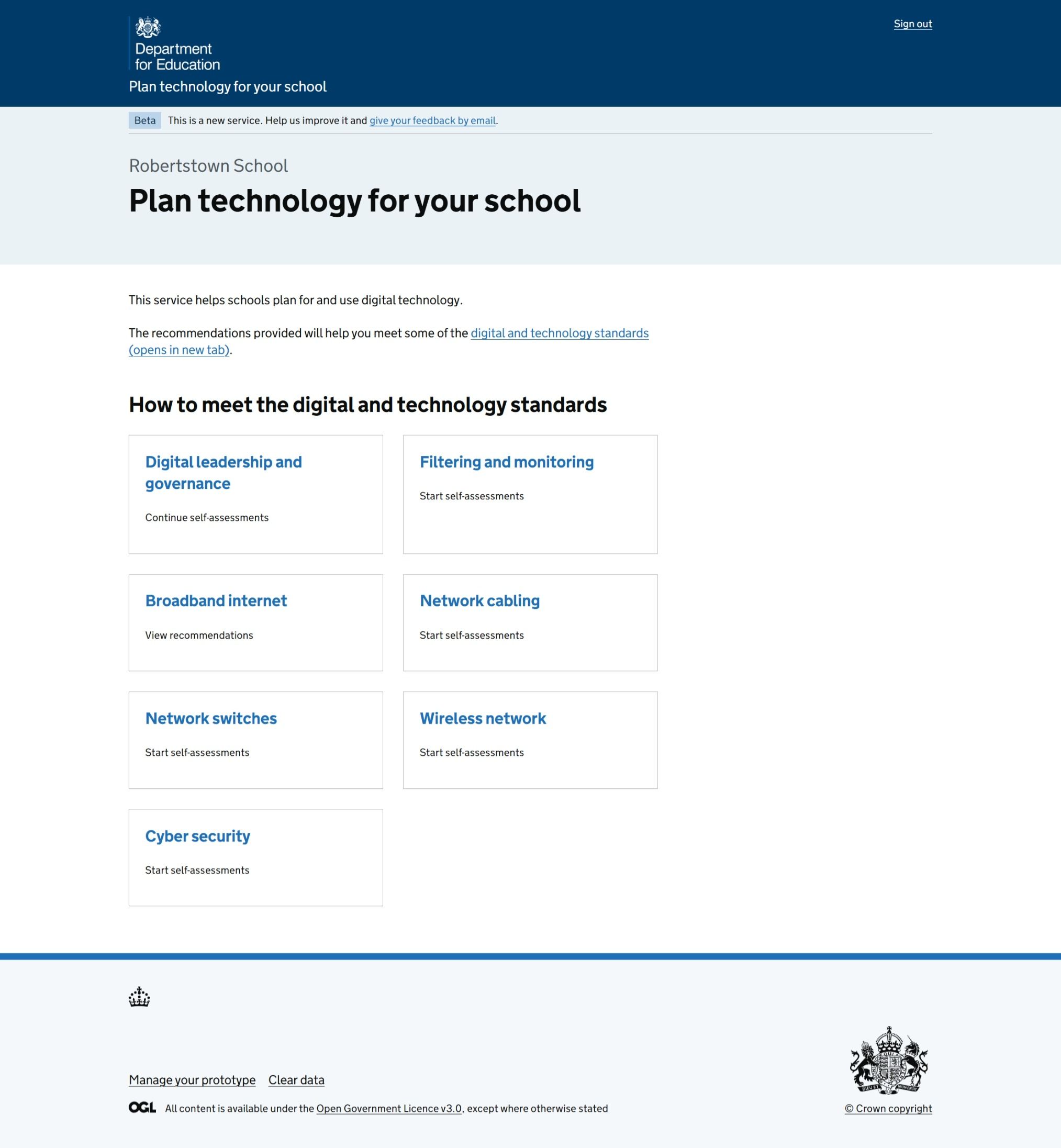
Figure 1: A screenshot of the Plan technology for your school service homepage for school users. A card is shown for each standard, with a link to the recommendations landing page for that standard.
Better aligning the service with digital and technology standards
The new design groups topics by the standard they relate to. The aim is to help users to instantly make the connection between the guidance on standards and our Plan technology for your school service.
The 4 former categories which caused confusion (leadership and governance, connectivity, filtering and monitoring, and cyber security) are no longer needed.
The main change happened in the connectivity section, which previously grouped 4 standards (broadband internet, wireless network, network switches, and network cabling ). Each topic is now shown to be its own standard.
The order of standards was also considered, with Filtering and monitoring being brought up higher to encourage users to see it as a priority (previously it was last due to having been most recently published on the service). Leadership and governance is put first as this standard helps school users take their first steps in implementing digital and technology.
Adding a recommendations landing page for each standard
A new landing page has been added where all self-assessments and recommendations related to a given standard are shown together.
From this landing page, users are directed to start or continue self-assessments for each topic. Once a self-assessment is complete, users are shown a simple list of recommendations to meet the standard.
This page aims to provide a high-level view of actions the user needs to do. It has different states depending on whether the user has completed self-assessments so that they can easily identify their next step.
It also introduces a task list design pattern which will help prepare the service for an upcoming release where users will be able to add and update the status for each recommendation.
The previous ‘overview’ pages for each topic have been removed from the service as users found them obstructing and unnecessary.
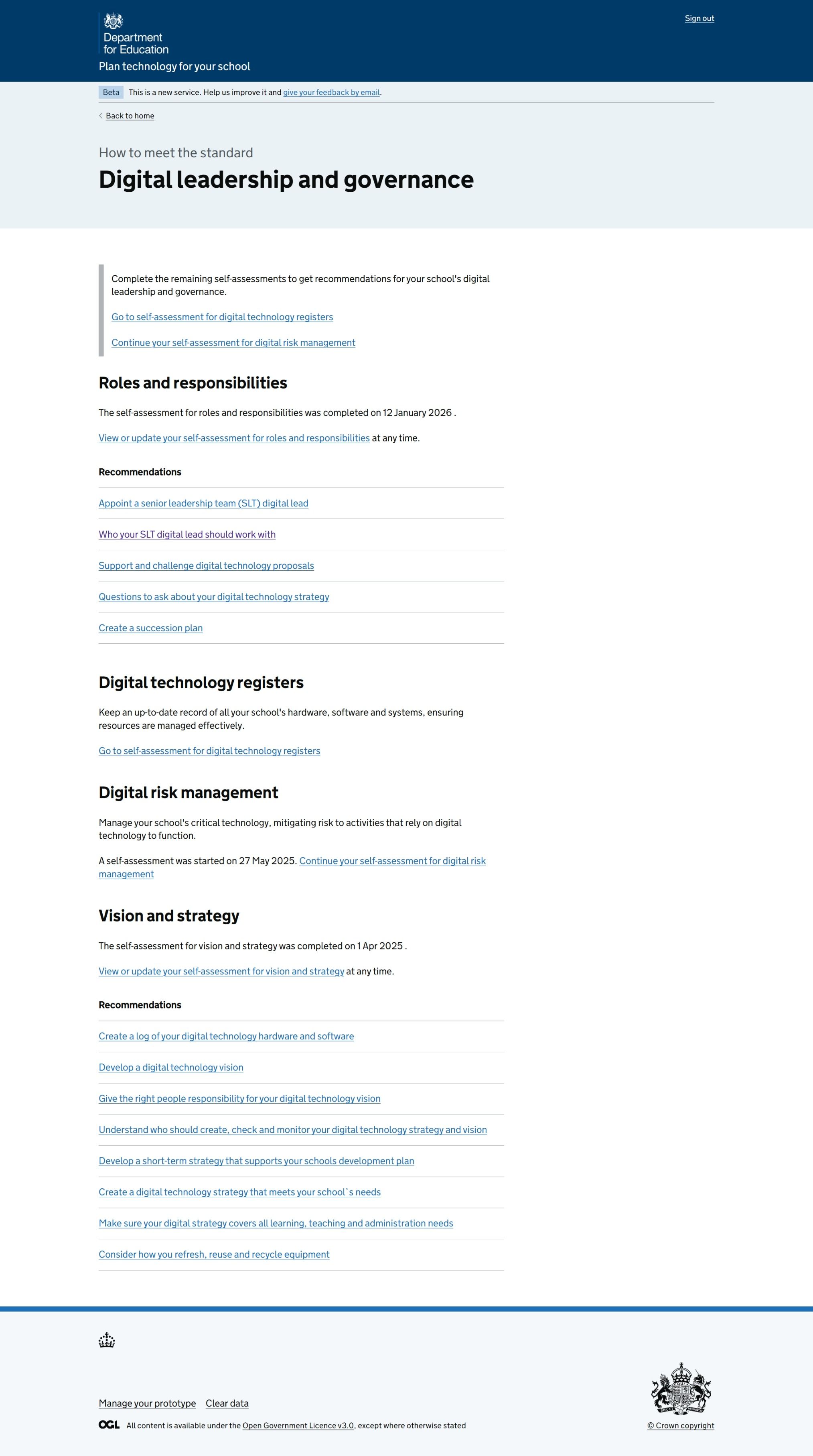
Figure 2: A screenshot of the new recommendations landing page for the Digital leadership and governance standard. It includes links to complete the self-assessment for the Digital technology registers topic, and to continue self-assessment for the Digital risk management topic. A list of recommendations for the Roles and responsibilities and Vision and strategy topics are shown.
Updating recommendation page designs
The updated recommendation page no longer shows the list of recommendations in a left-hand menu. The refreshed design aims to help users focus on the content and reduce overwhelm.
Inset headings are used to introduce numbering, e.g. Recommendation 1 of 5. This aims to help users understand the number of actions they need to take for each topic and navigate through them.
The new related actions menu allows users to see and change their self-assessment answers. Additional functionality for printing recommendations for the topic has also been introduced.
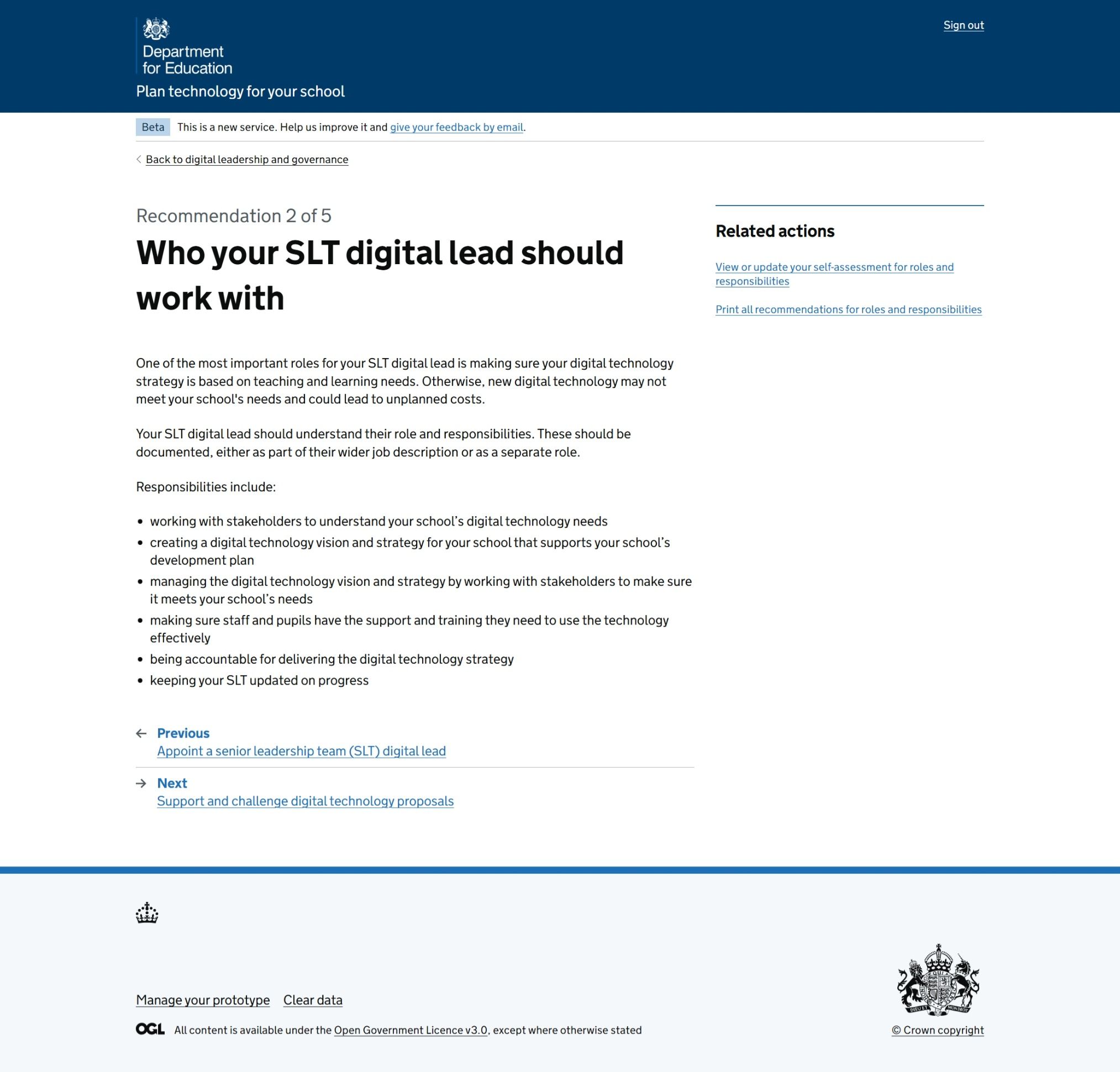
Figure 3: A screenshot of a recommendation page, showing the numbering of the recommendation, the related actions menu, and a link to navigate to the next recommendation.
Updating the MAT homepage view
The MAT view of the service homepage has also been updated slightly to group self-assessment topics by standard. Filtering and monitoring and Cyber security have also been brought up on the list.
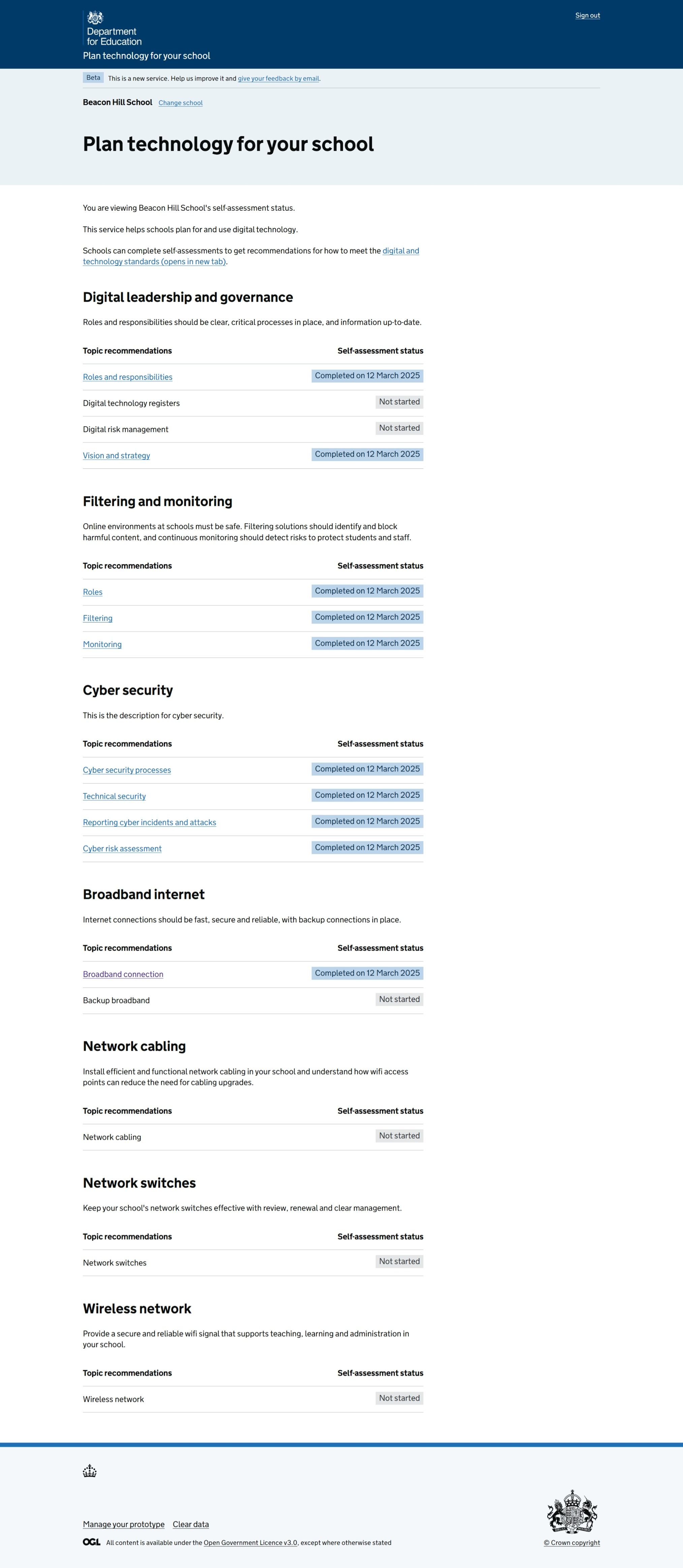
Figure 4: A screenshot of the MAT view of the service homepage with headings listing each of the seven standards included on the Plan technology for your school service. Filtering and monitoring and Cyber security being listed at the top of the screen under Digital leadership and governance.
Next steps
We will be measuring data to assess changes to user behaviour. Upcoming priority design developments include:
- reducing recommendation content to a core set
- introducing statuses for recommendations which users can easily update
- an updated experience for MAT users to have access to the same functionality as school users