
Introducing multi-school recommendation status updates for multi-academy trusts (MAT)
The service has been updated to let multi-academy trusts (MAT) update recommendation statuses for more than one school at a time. This will help reduce their time and effort on the service.
The problem to solve
Since 2025, MAT users have been able to update recommendation statuses for their schools. However, they were required to each school individually. Our defined problem statement addressed the known MAT user pain points:
MAT users need to understand how well their schools meet the DfE’s digital and technology standards and what actions they need to take. The service isn’t optimised for managing multiple schools, leading to unnecessary duplication of their efforts and disengagement.
Having released the first step towards multi-school management with the introduction of multi-school self-assessment, our next design iteration sought to provide MAT users functionality for multi-school recommendation status updates.
Our hypothesis is that this will further reduce the time and effort needed by MATs – facilitating more up-to-date recommendation statuses, and better visibility of school progress.
Our design process
Our user-centred design team worked closely with data and development teams throughout the design process. We analysed service usage data to identify potential drop-off points in the service.
We completed 2 rounds of user research to test practical ideas for multi-school status updates functionality, defining a simple but effective journey to reduce MAT time and effort in their multi-school management.
Our design implementation
Improved service navigation for MATs
We introduced breadcrumb navigation to help users understand where they are within the service and move more easily between pages.
We also introduced clearer visual distinction between the multi-school and single-school views. A blue hero has been added to the MAT view so that users can more easily understand which level of data they are viewing.
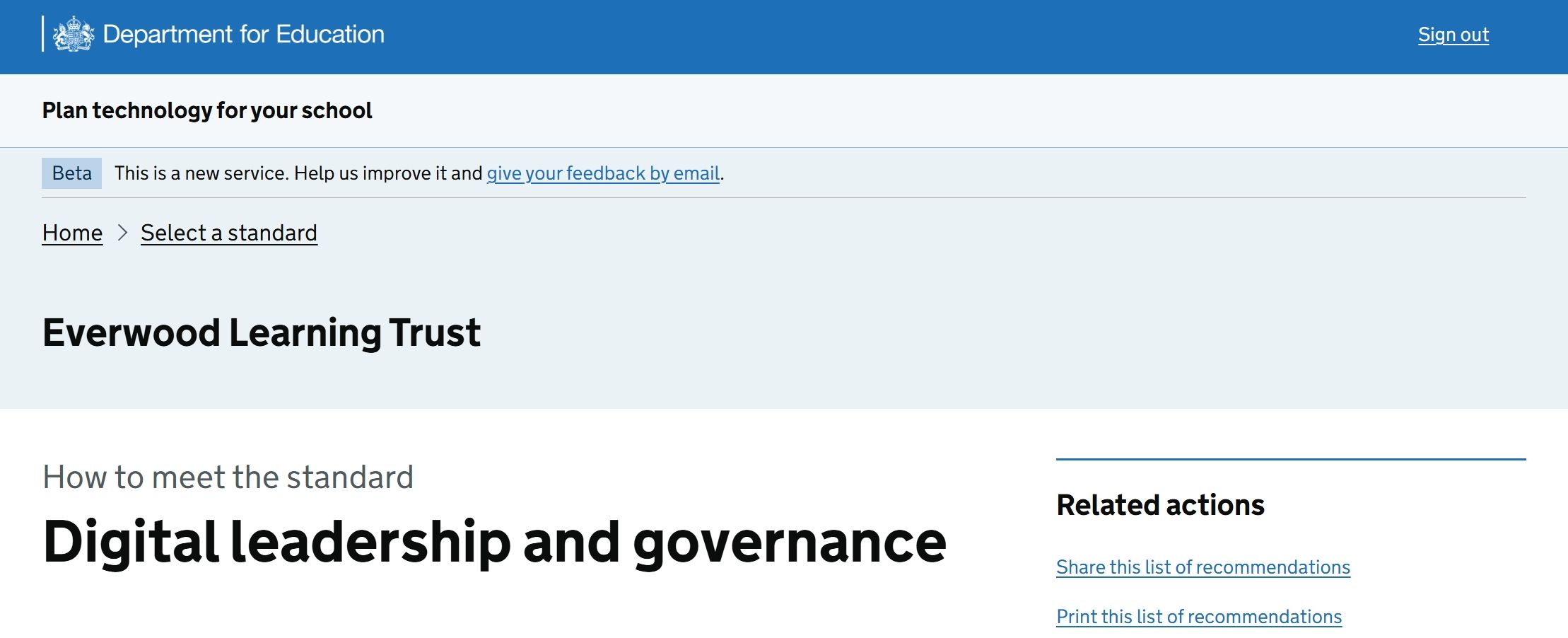 The Plan technology for your school service header, including a blue hero with the MAT name to distinguish MAT-level pages.
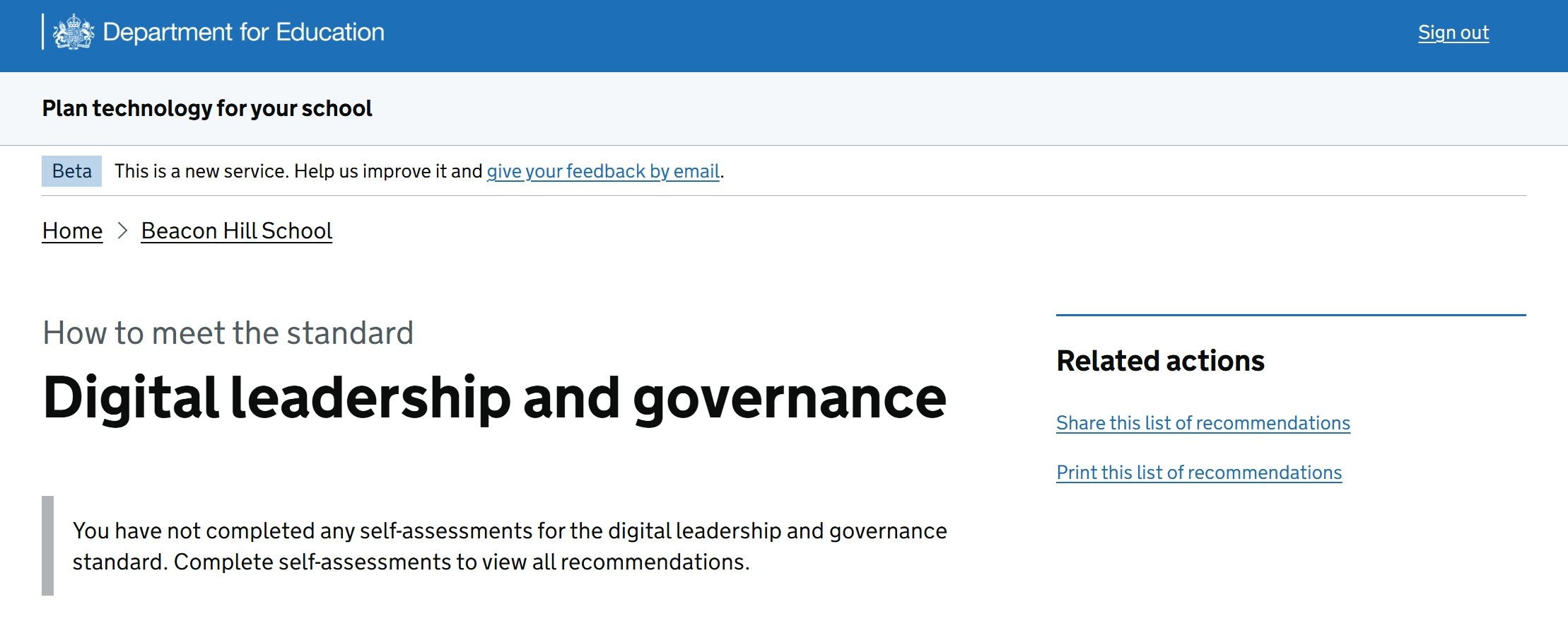 The Plan technology for your school service header, without the blue hero, which distinguishes it as a single-school view.
Helping MATs track progress for multiple schools
Step 1: A new homepage card
A new journey has been introduced for MAT users to see recommendations and track progress for all schools in their MAT.
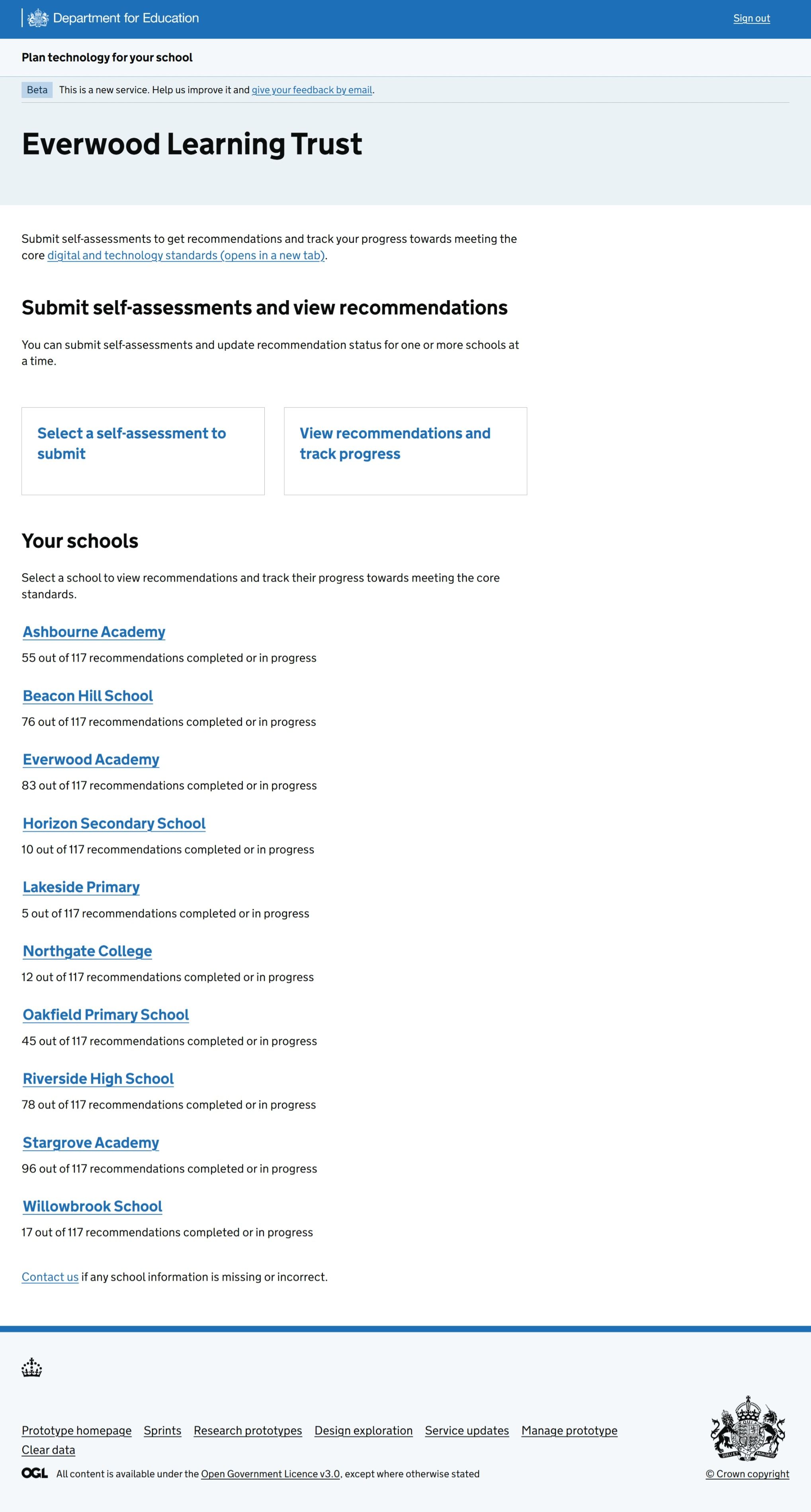 The updated Plan technology for your school service homepage as seen by MAT users. A link to the new journey has been added, directing users to ‘View recommendations and track progress’.
Step 2: A variation of recommendation landing page
When the MAT user clicks through to ‘View recommendation and track progress’, they choose a standard and are taken to a new variation of the recommendation landing page.
Recommendation statuses are not shown, avoiding complexity or risk of overwhelm with too much information about multiple schools in one place.
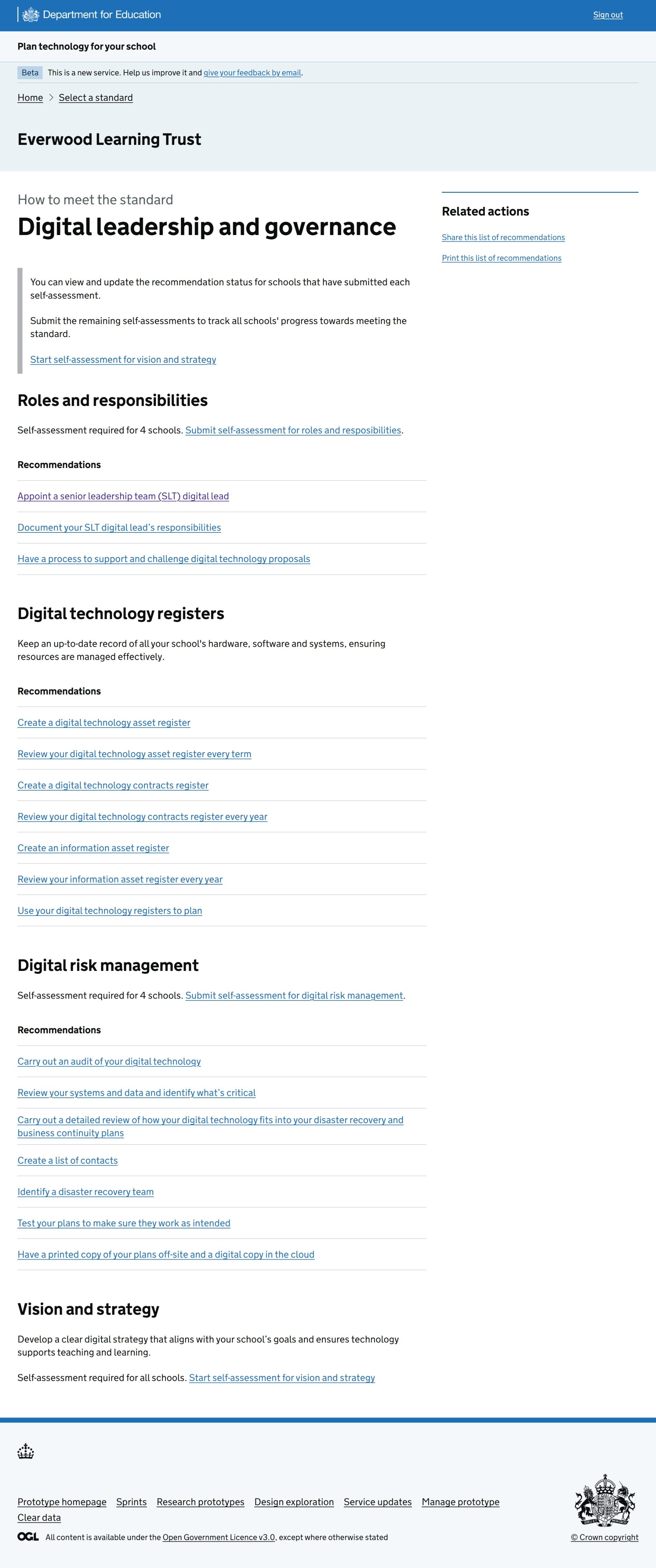 The Digital leadership and governance standard page as seen by a MAT. Recommendations statuses are not shown on this page.
Step 3: An updated recommendation page
When a MAT user continues through to a recommendation page, a status summary table has been added to the page, listing the status for all schools in the MAT.
If a school has not submitted the necessary self-assessment, the status tag is replaced with ‘Self-assessment required’.
The MAT user can then choose to submit the self-assessments on the school’s behalf via the new hyperlink, or to update the other school statuses for this recommendation via the primary call-to-action (CTA).
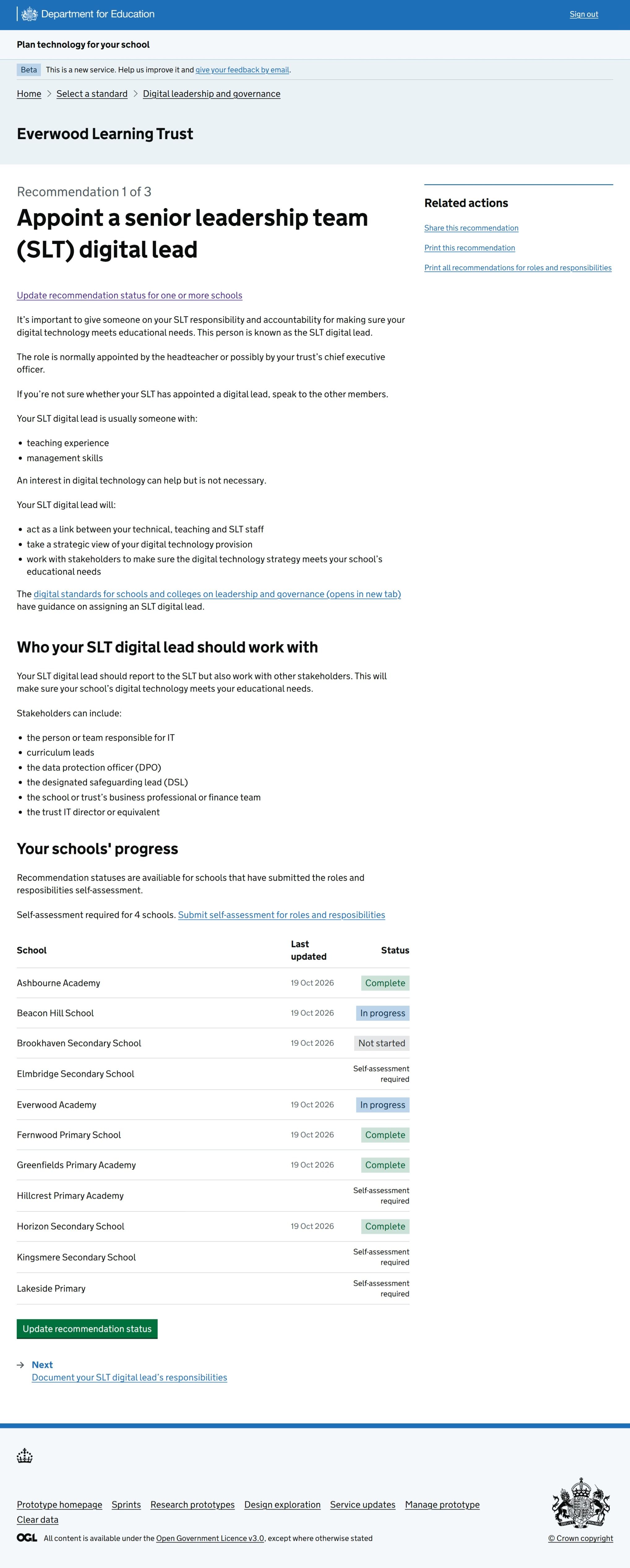 The MAT-level recommendation page, showing the recommendation details and the progress of each school within the trust.
Step 4: A new journey for multi-school status updates
When a MAT user follows the CTA to update the recommendation status, the journey asks them to 1) select the schools, 2) select the new recommendation status for these schools, adding comments as necessary 3) see the new statuses on the recommendation page.
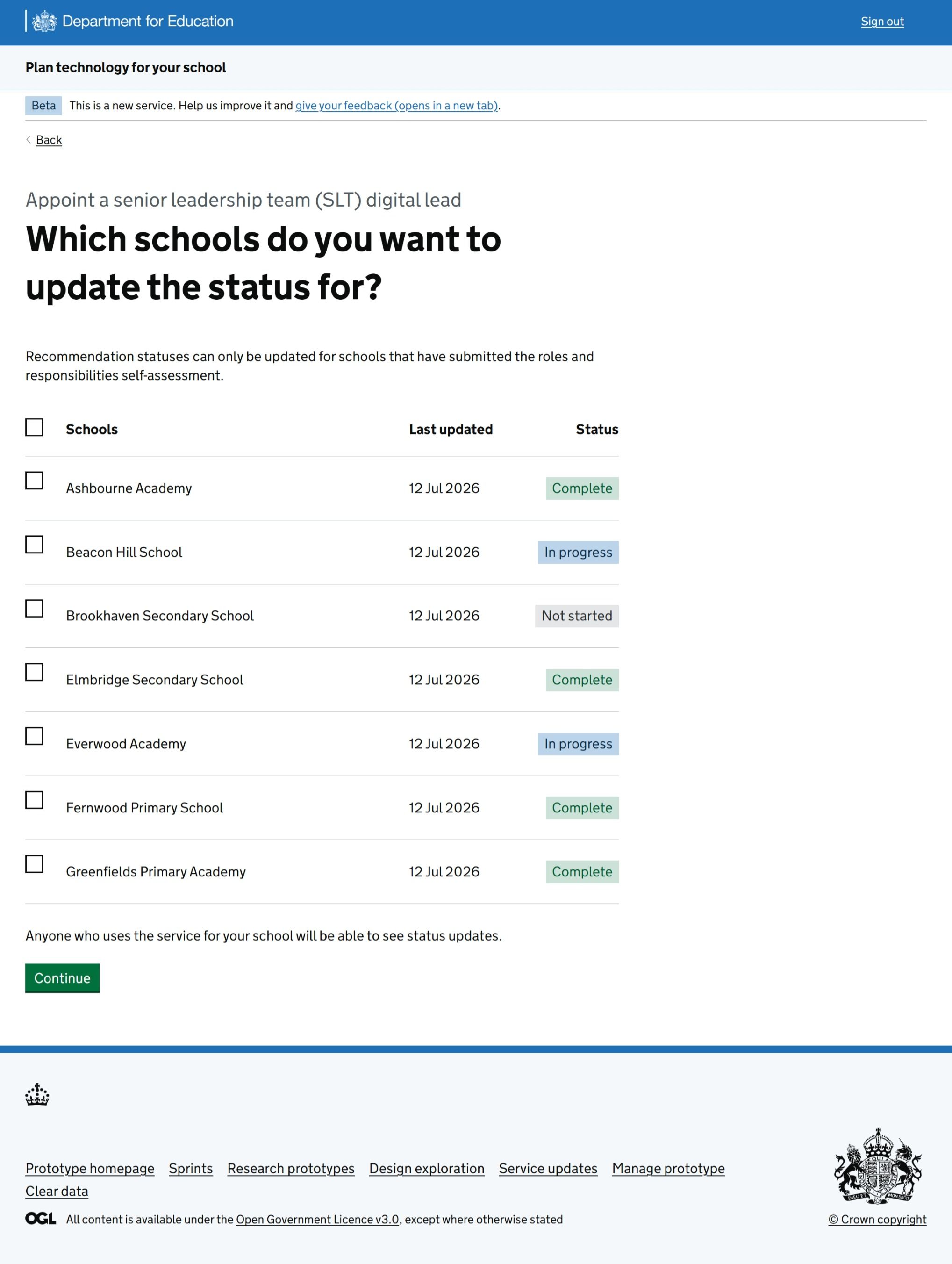 The multi-school recommendation status update journey asks MAT users to select one or more schools.
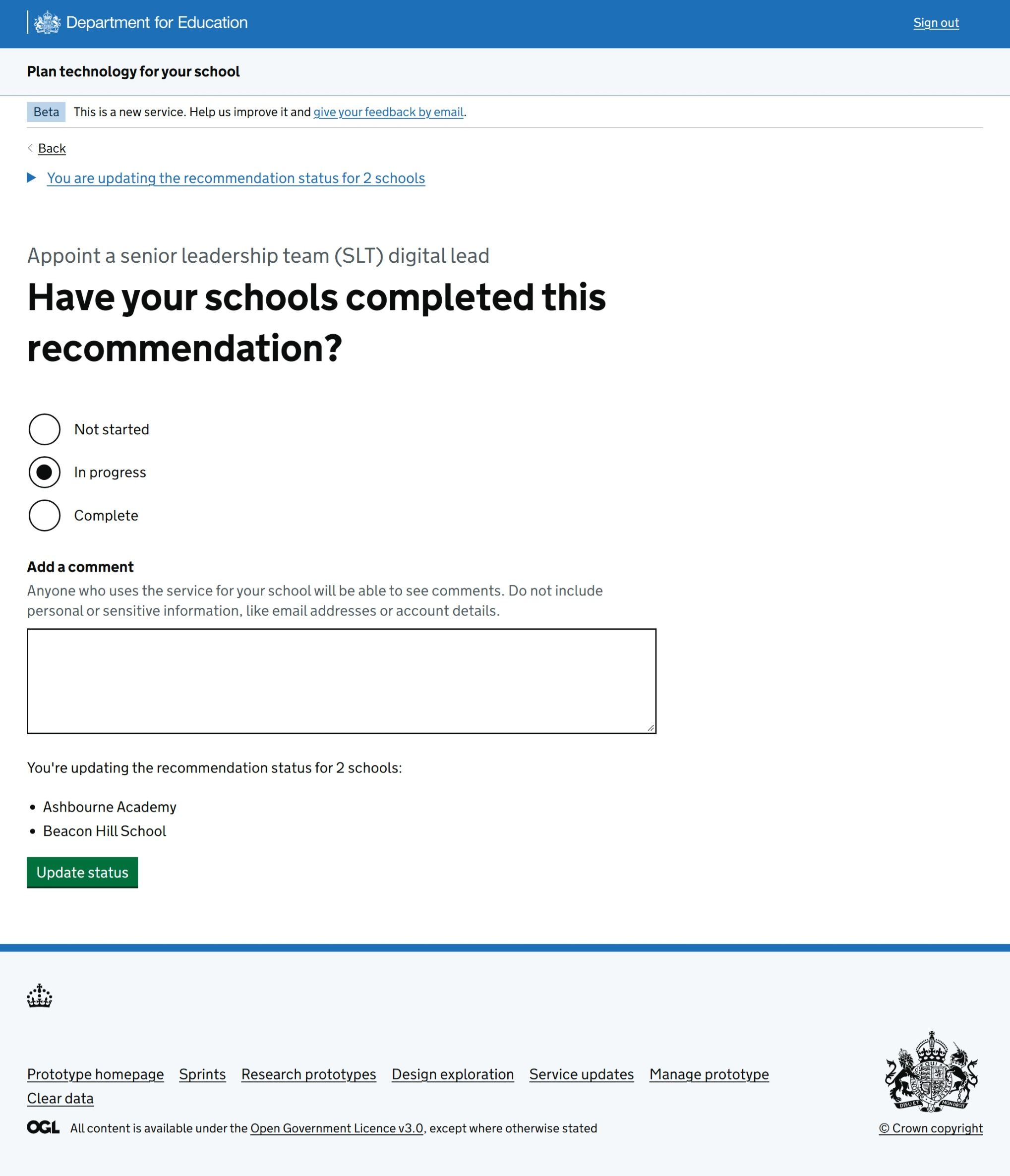 The multi-school recommendation status update journey then asks MAT users to select the new status.
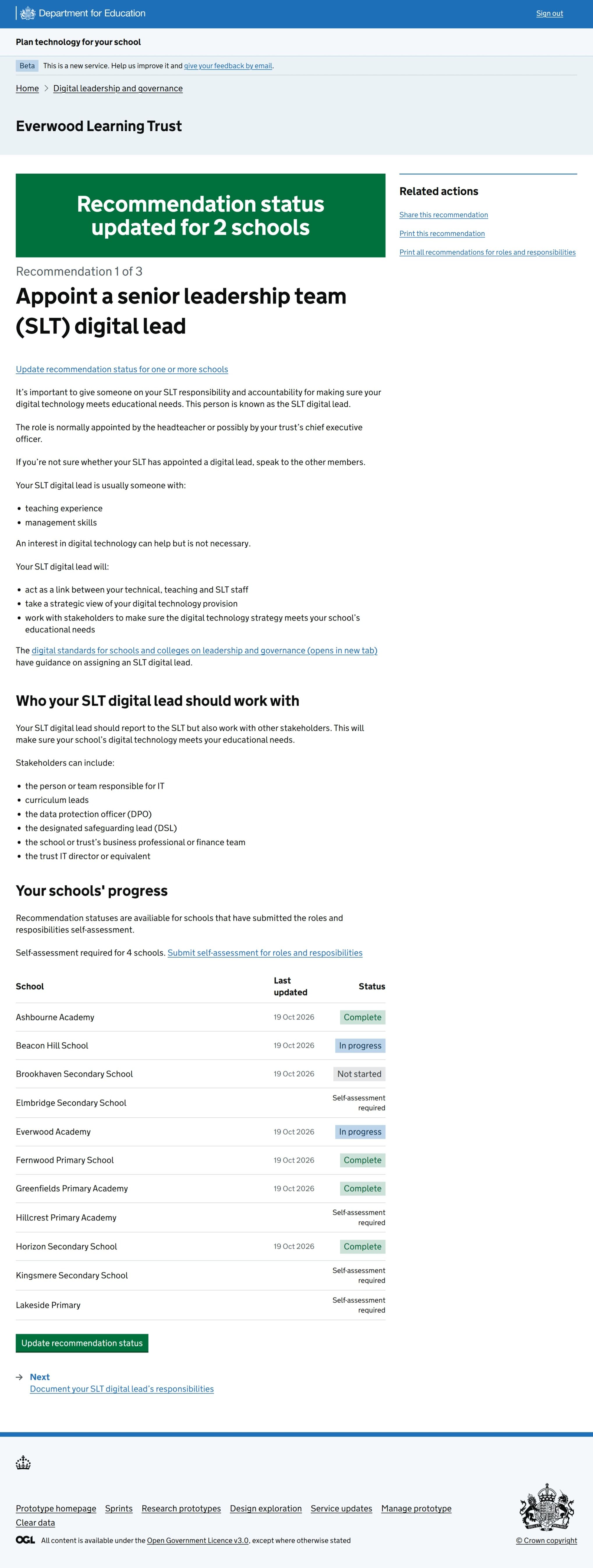 The MAT-level recommendation page confirming that the recommendation status has been updated for 2 schools.
Next steps
Our hypothesis is that multi-school status updates will make the service easier to use for MAT users. We’ll measure data over time and expect to see:
- more recommendations updated by MATs
- a potential reduction of recommendation updates by schools in MATs, as MAT users do this on their behalf
We plan to continue to improve multi-school management functionality. This may include a dashboard for MATs to track the performance of their schools.