
Context
Some initial teacher training (ITT) providers use their own systems and processes to manage interviews. In these cases, interview arrangements are made and communicated to candidates outside Manage.
Previously, providers had to enter interview details into Manage, which would then send an email to the candidate. User research showed that this step was unnecessary for providers already managing interviews outside the service. They had already arranged the interview and communicated the details to the candidate.
At the same time, some providers use Manage to organise and communicate interviews, so we needed to continue to support this behaviour.
Previous user journey
To move a candidate to the interviewing stage, providers had to enter interview details into Manage, including the date, time and location of the interview. Manage would then send an email to the candidate containing this information.
For providers using their own systems, this meant they were entering information that had already been recorded and communicated elsewhere.
This led to:
- additional administrative work for providers
- providers duplicating information across multiple systems
- providers completing steps that did not support their existing recruitment processes
Changes to the service
We added a new organisation-level setting that allows providers to choose how they manage interviews. This allows providers to use a process that fits their existing ways of working while continuing to support providers who rely on Manage for interview scheduling and communication.
Providers can choose to:
- organise interviews through Manage
- manage interviews outside the service and simply update a candidate's status to ‘interviewing’
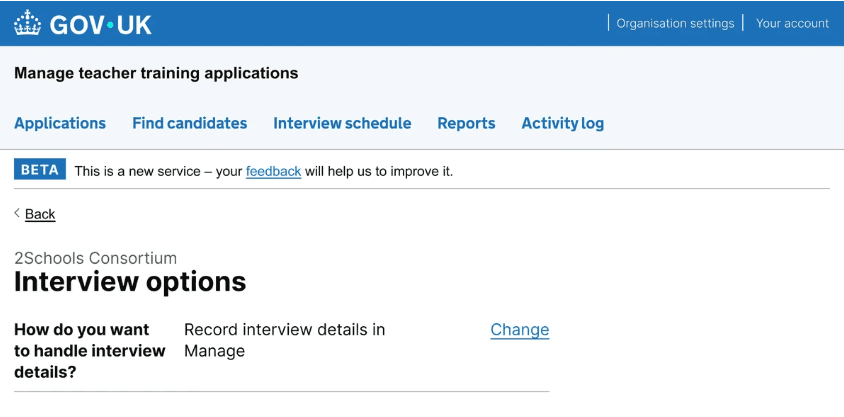
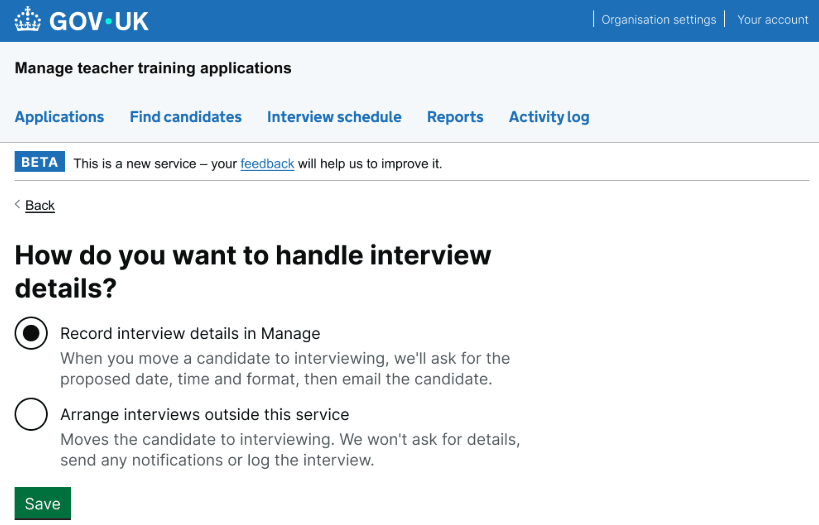
When progressing candidates to the interview stage, users who have selected to manage interviews outside the service can select 'Move to interview' instead of 'Set up interview'.
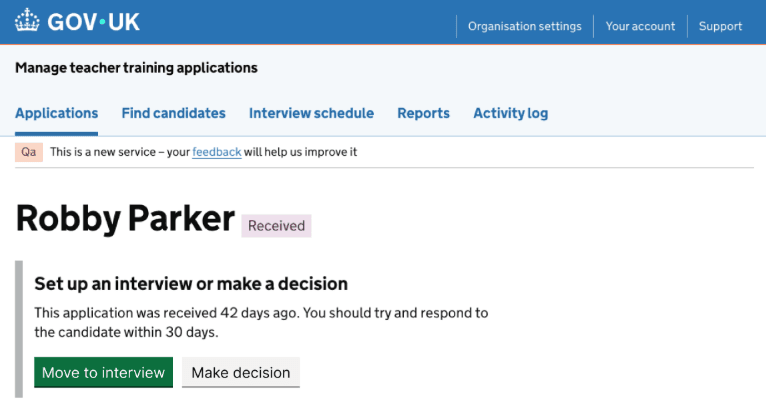
Selecting ‘Move to interview’ will then change the application status to ‘Interviewing’ without the user having to enter further details. The candidate will also not be emailed by the service.
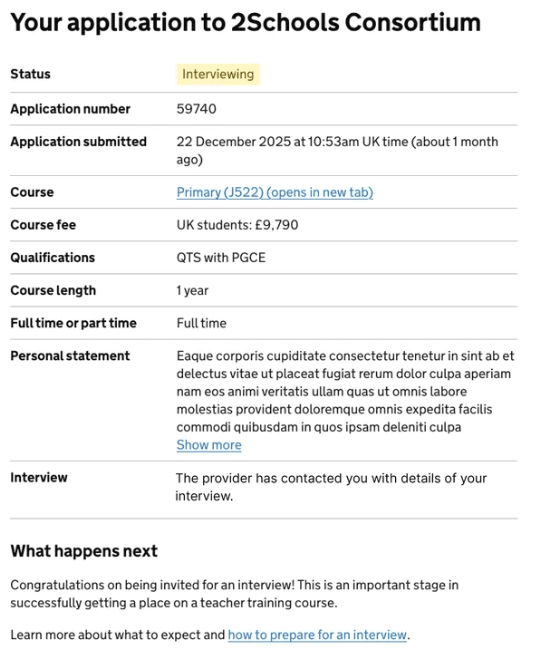
From the candidate's view, they will see that their application is now at the ‘interviewing’ stage. Because the service does not have any interview details to show them, their application states that the provider has contacted them with their interview details.
User research
We carried out usability testing with 8 providers, representing a range of provider types and sizes. Our initial designs included the option to change how interviews were managed as part of the standard flow for moving a candidate to the interviewing stage.
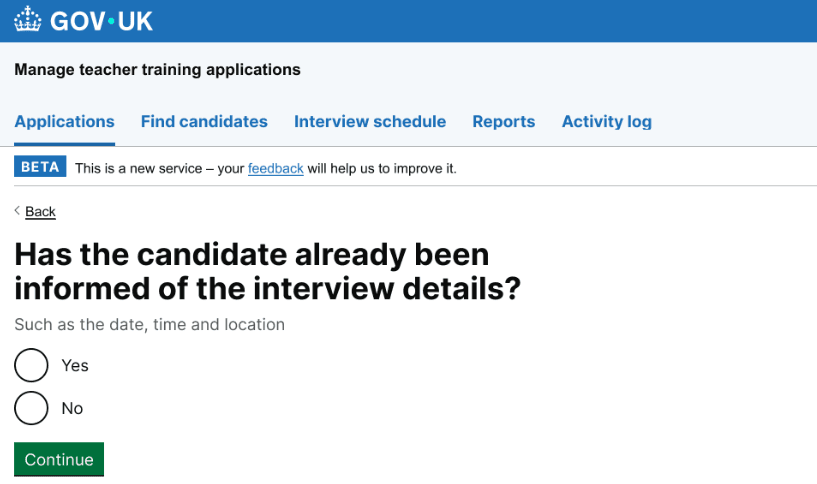
If the user selected 'yes', the interview would show under an 'externally scheduled interviews' tab on the candidate's page.
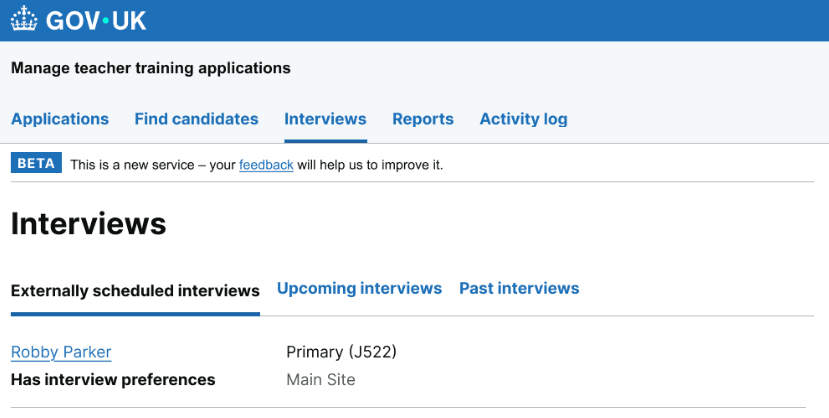
Testing showed that this approach caused confusion for providers who were happy with the existing process and did not need the new feature. In contrast, providers who already use their own systems to organise interviews responded positively and said they would find the new setting useful.
Based on these findings, we decided to make the feature available through organisation settings rather than as part of the flow to move a candidate to the interviewing stage. This allows providers who want to manage interviews outside the service to opt in, while reducing the risk of confusion for those who want to continue using the existing process.
We later demoed the feature to a group of providers, who responded positively. They welcomed the flexibility to manage interviews using their existing processes without needing to enter information into Manage that had already been recorded and communicated elsewhere.
What's next
We will continue collecting feedback from providers as they use the feature and monitor whether it supports their processes. We will use this feedback to identify any further improvements and iterate on the feature where needed.