
We’d seen in our last round of research that search functionality did not reflect users mental models. This included things like the ‘product name’ and ‘user group’ search fields being used interchangeably.
We’d also seen search functionality being affected by the application of the user group taxonomy, in that we know users want to search for ‘non-preferred terms’.
We made iterations to search and filter functionality, which you can read about in post 4 and post 5.
What we wanted to test
Things we wanted to learn included:
- what users think they can use search for (the information they add to the search box)
- if users can find relevant services using the search function; does search behave the way users expect it to and do results appear logical and relevant
- if users understand the filters and how filter combinations work. Do they match the users' mental models
- how users would get help or support
Search functionality aligns with users mental models but complete functionality was not clear
The search functionality matched users’ expectations of choosing key words in service names and descriptions.
Although we only saw users enter single words to the search field.
Users expected to be able to find services related to user groups or audiences
We also saw users adding user groups to the search box but expressing surprise that user groups as a category were not listed in the filter component.
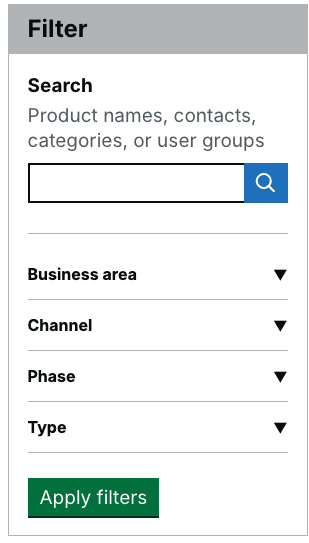
We added hint content to the search box
We added specific hint content to the search box to set user expectations and make them aware that user groups is an option. Due to the number of user groups, it would be unrealistic to add a separate category list to the filter.
Users can search a full list by choosing to browse categories, but in terms of using the search field itself, we added ‘Product names, contacts, categories, or user groups’ as hint content.
Screengrab of iterated filter component with search field hint text:
The filter component logic followed users’ mental models
The filter component aligns with users’ expectations; they thought it would show results of all selected filters which included:
- apply an ‘and’ logic when searching in multiple categories
- apply an ‘or’ logic when making a selection in one category
Seeing expectations being met validated the design decisions we made following our previous round of user research.
It wasn’t immediately obvious why results appeared in relation to search terms
Despite users not being clear how the search terms led to the results, when using the filter component, it was clear to users that the services listed in the results were relevant due to the filter tags at the top of the page being played back.
Although users found the playback of results helpful, we saw many users confused by the relevance of the search results.
As a result, we saw users:
- scroll through and making a best guess of which most relevant.
- type in different search terms to see if it changed results
One user wanted to export results to review and manually filter out irrelevant results.
This meant that users lacked confidence in the search results.
We also think the tagging of non-primary user groups is creating less confidence in the search results, meaning the users have to figure out why services listed have come up in the results.
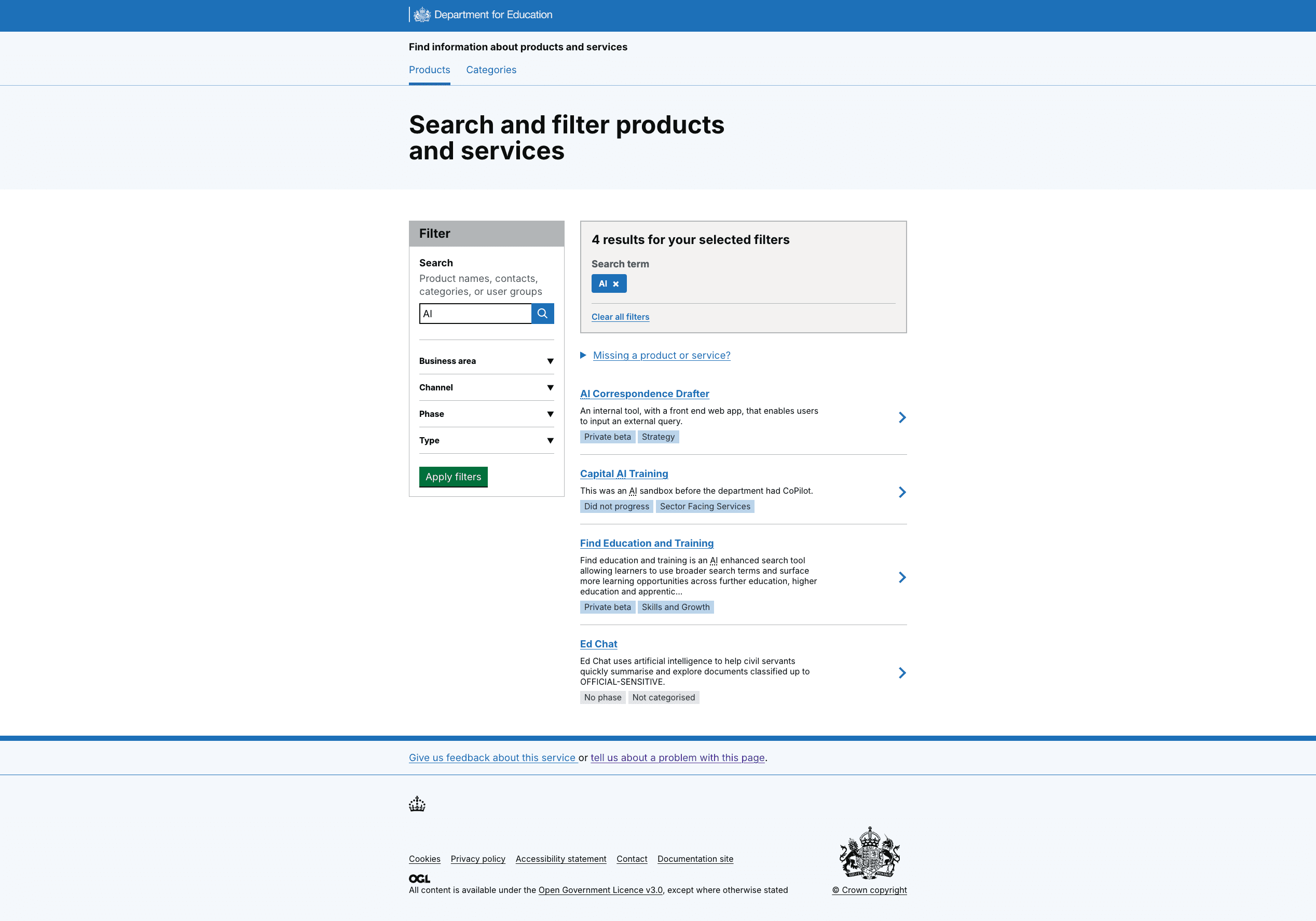
We applied increased weighting to search terms within the search ranking logic
This means that keyword matching will contribute more heavily to how results are ordered, ensuring that items containing the users’ search terms are prioritised.
Specifically, we added criteria to do weighted match and isolated specific term matches on 3 or fewer characters. For example, DfE, AI, CMS, CRM.
Anything over 3 characters becomes a contains, so, ‘Access your...’ and ‘Accessibility...’ would return anything with either of those words in the product name or description.
Screengrab of weighted search results showing for 'AI' search:
Users navigated to product pages with ease but questioned some information
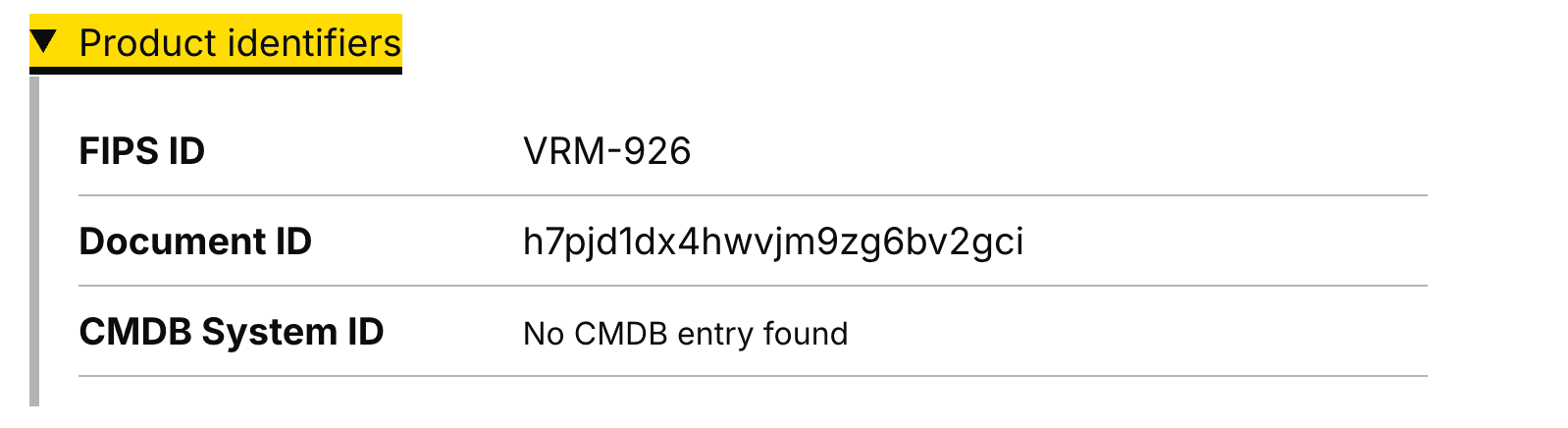
When users selected a relevant product or service from the search results and viewed the product, we saw that some users were unsure of the relevance or need for the product identifiers, and likewise we saw some users click in and out of it without comment.
Screengrab of product identifiers on each product page:
So we deleted 2 product identifiers
We removed:
- FIPS ID
- CMDB System ID
We kept the Document ID, as it has a clear use for the Service assessment team. They use it to identify products, and link to relevant assessment reports.
Research highlighted that the current homepage does not clearly communicate the service offer
Although users on the whole understood how FIPS could help them in their role and found the functionality easy to use, it only became clearer, through exploring the site, the full capability of everything it could do, or the product information it could surface.
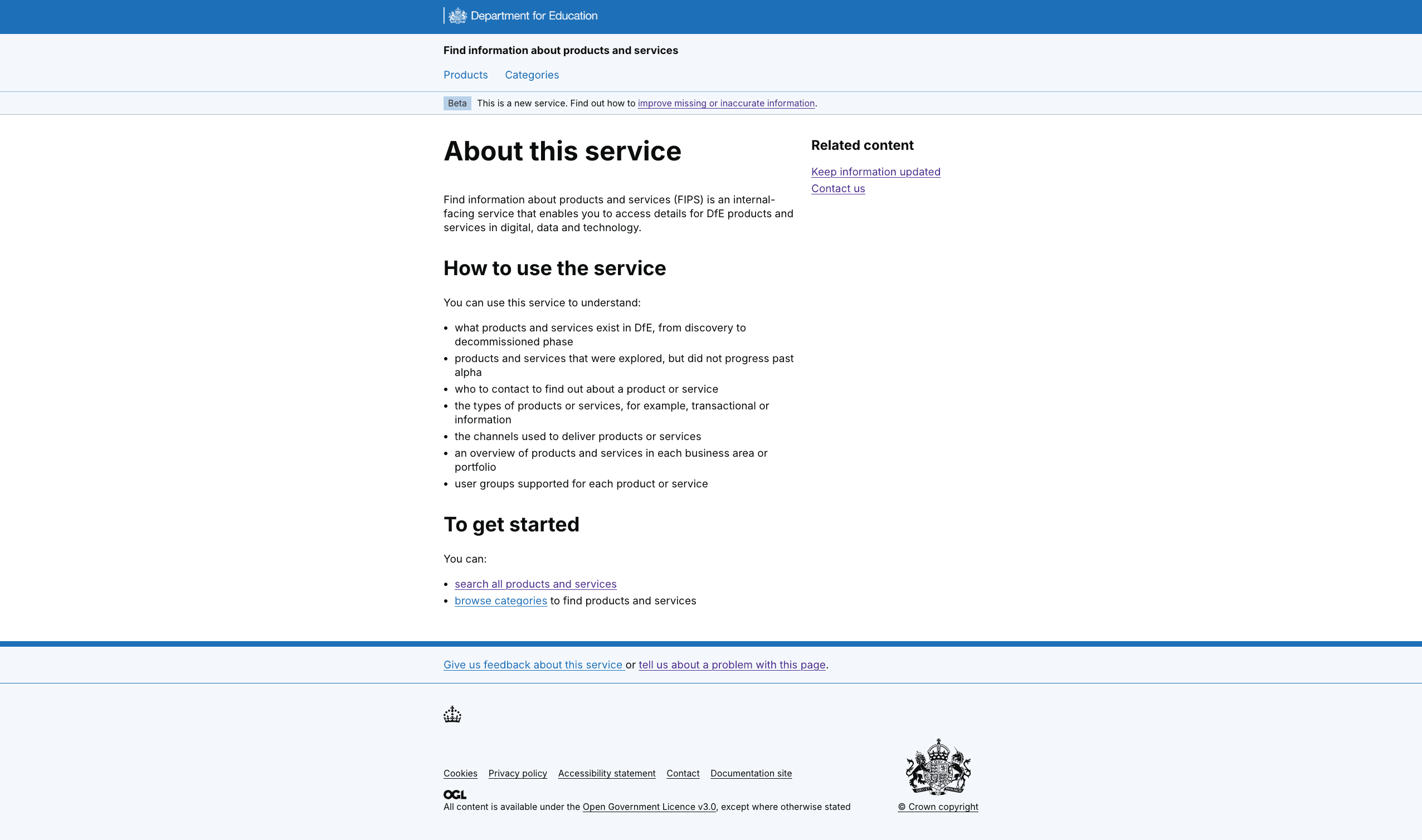
We were aware that a lot of the functionality and contextual information already exists on the About this service page. Analytics also told us that the About this service page was not often visited by users, although the content on the page met a clear user need.
We had also had feedback from our service assessment that related to Service Standard point 2, to:
- understand the journey pre- and post-service, how people navigate to the service and their expectations
- define the start page for the service
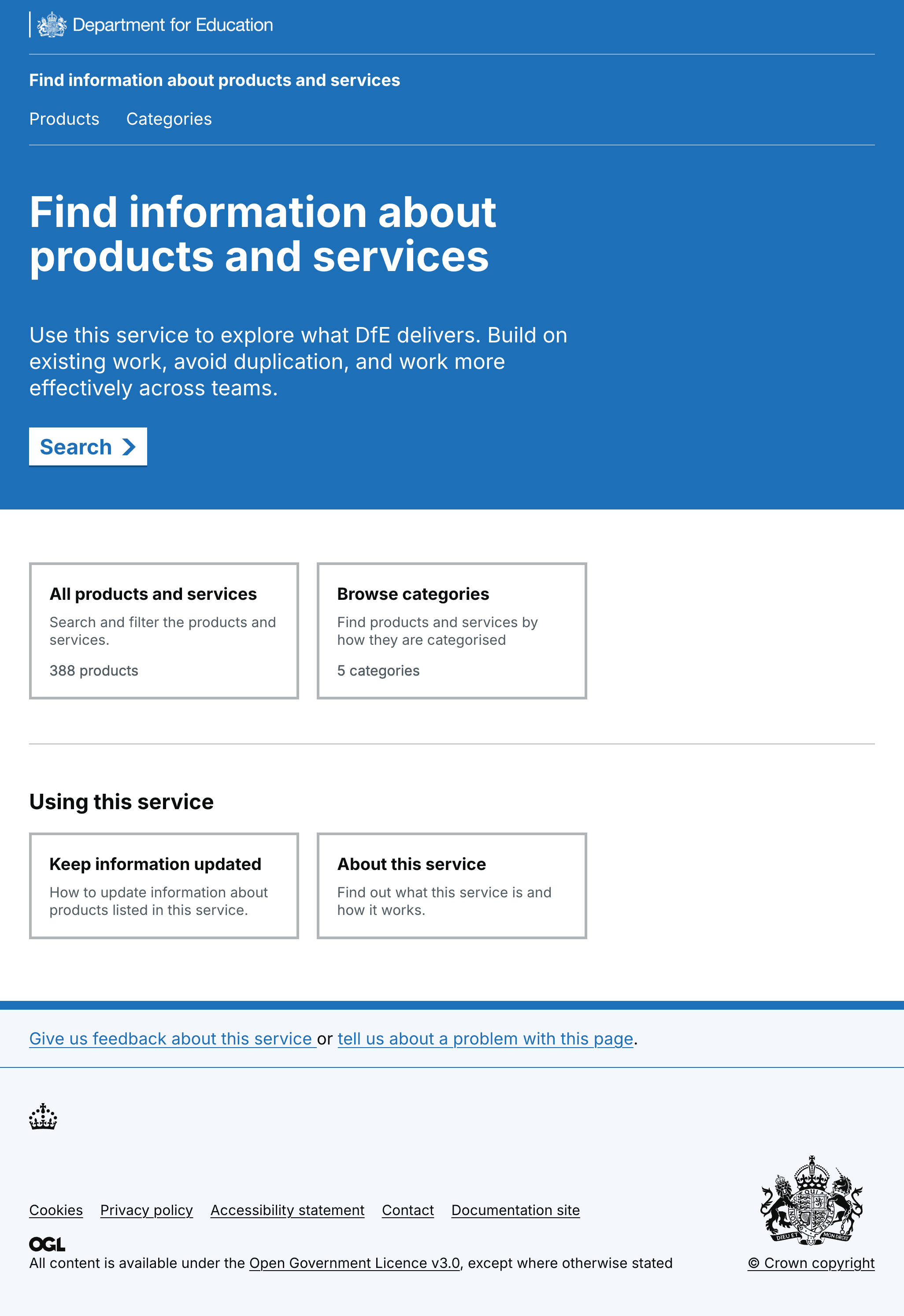
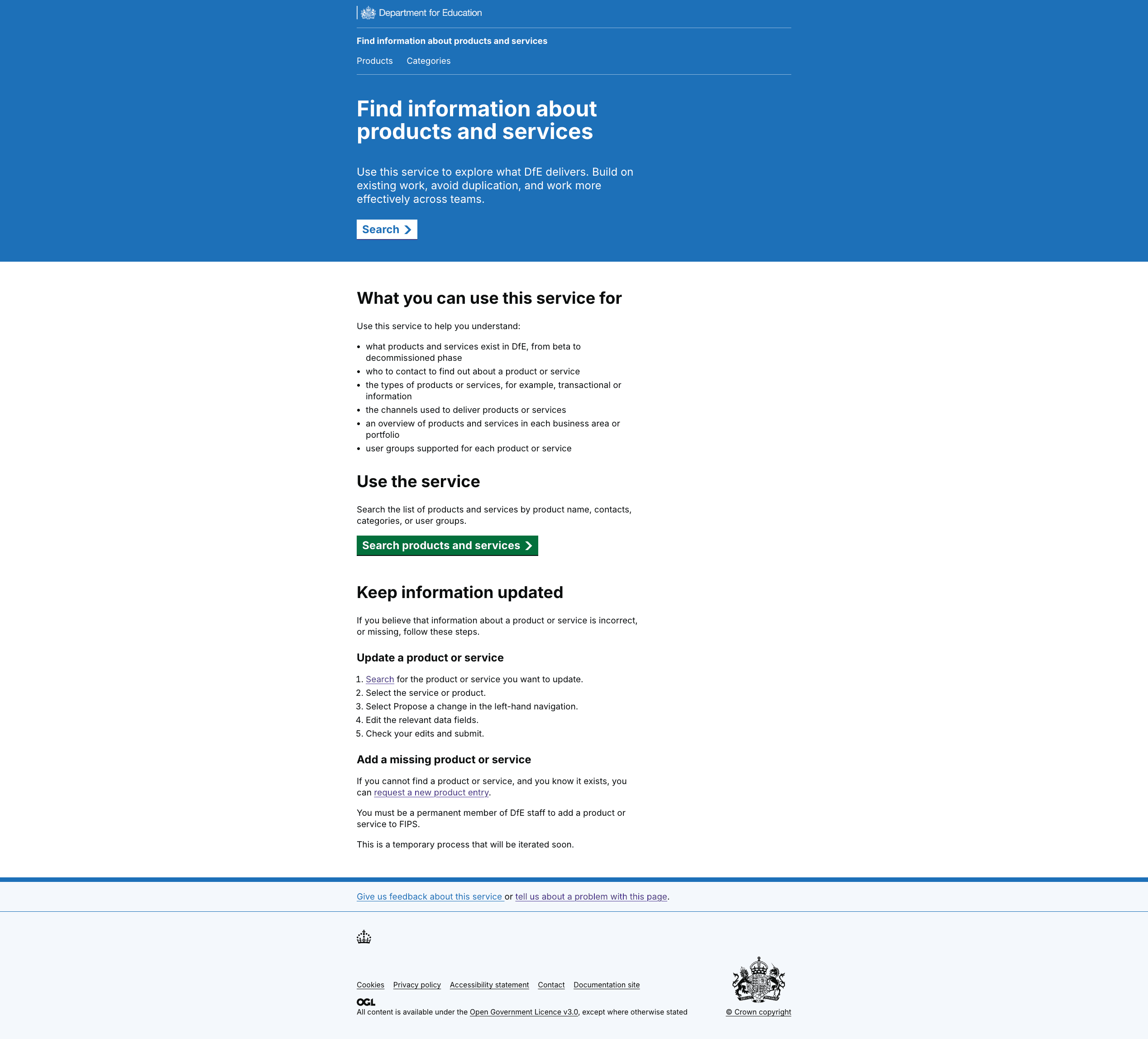
So we lifted and shifted relevant content and iterated the Homepage
We created more of a start page to the service, removing the card components, lifting relevant content from About this service, and adding a start button.
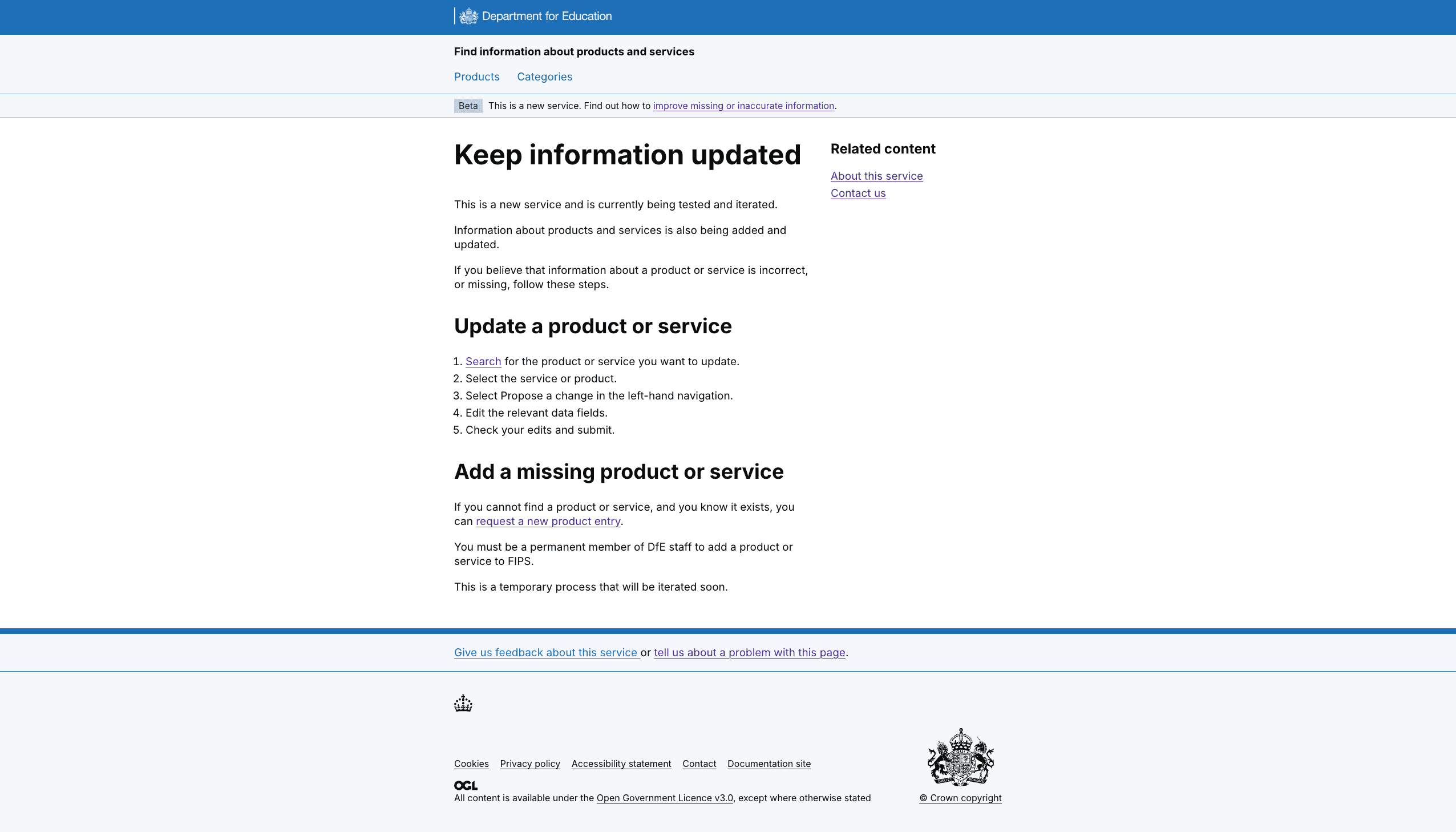
We also deleted the About this service page and Keep information updated, as all relevant information is now on the Homepage, where users need it.
Pages we deleted
Screengrab of About this service:
Screengrab of Keep information updated:
Changes to Homepage
Screengrab of old homepage:
Screengrab of new homepage:
What’s next
We’ll explore integrating tech categories into the service but are waiting on other work to happen first in the department. We’ll also be checking in with analytics to understand how the service is being used and to understand search terms people use.