
Introducing multi-school self-assessment for multi-academy trusts (MAT)
We have introduced a new journey to the service that allows multi-academy trusts (MAT) to submit self-assessments for more than one school at a time.
Multi-school self-assessment will help to reduce their time and effort on the service.
The problem to solve
Since 2025, MAT users have been able to submit self-assessments for their schools. Live data suggested that MAT users submitted self-assessments for a single school, rather than submitting self-assessments for all their schools.
However, user research highlighted that MATs found it time-consuming and repetitive when submitting self-assessments for one school at a time. They wanted ‘trust-level features’.
We wrote a problem statement in response to this: Multi-academy trust users need to understand how well their schools meet the DfE’s digital and technology standards and what actions they need to take. Plan tech isn’t optimised for managing multiple schools, leading to unnecessary duplication of their efforts and disengagement.
The first step towards full multi-school management functionality is a journey allowing multi-school self-assessment.
Our design process
Our user-centred design team worked closely with the data and development team throughout the design process. We analysed service usage data to identify potential drop off points in the service.
We completed 2 rounds of user research to test practical ideas for multi-school self-assessment functionality.
To provide benefit to MAT users as quickly as possible, we refined the design and prototyped a journey that introduced multi-school self-assessment in the simplest way.
Our design implementation
Clearer direction on the MAT homepage
Data analysis showed that users were dropping out of the service before starting a self-assessment:
- 46% drop-off after login before starting a self-assessment
- 85% completion rate once a self-assessment begins
This suggested that a clearer next step was needed when users login to the service.
The updated MAT homepage gives users two clear instructions. Action driven headings have been added, asking users to submit a self-assessment or view recommendations for a school.
The option to submit a self-assessment has a priority position on the page, with content telling users they can submit a self-assessment for one or more schools at a time. This journey is essential for us achieving the service vision - helping us understand whether schools are meeting the core digital standards.
More self-assessment data will help us recognise trends and prioritise future support. Research shows that data visualisation and reporting tools are important to our users. If more self-assessments are submitted, we’ll be able to show users better data.
The list of schools on the homepage has been kept from the previous design as we know the MAT mental model means they approach governance with a school-first mindset.
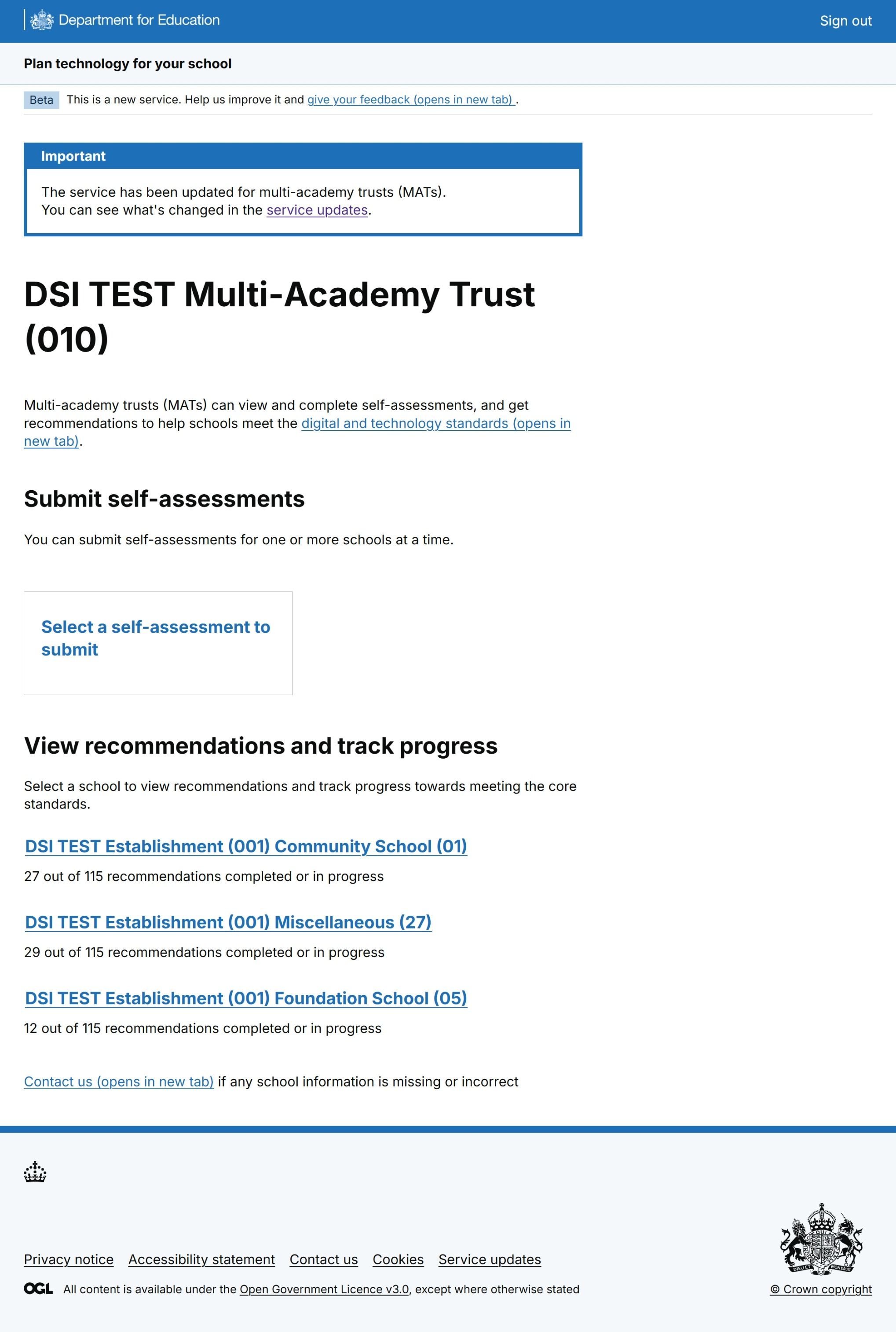 Figure 1: A screenshot of the Plan technology for your school service homepage for MAT users. A card is shown with a link to the multi-school self-assessment journey. Below this, schools in the MAT are listed as links.
A new multi-school self-assessment journey
When a MAT user chooses to submit self-assessments, they’re taken to a new page listing the self-assessment topics. Topics are organised by digital standard, aligning with the MAT ‘standard-first’ mental model.
Users can select topics where self-assessments are required from schools in their trust.
They’re taken to the topic start page, where a list of the schools that haven’t submitted self-assessments is shown.
For schools with self-assessments in progress, MAT users can review the answers provided by the school. They can then decide whether they’d like to replace those answers or continue the self-assessment by answering any remaining questions.
On the next page, MAT users are given a check-box selection school list. Date information for any existing self-assessments is shown to help MATs make informed decisions about which schools to select. They can select one or more schools to start the self-assessment. A ‘select all’ option was added to reduce effort and overwhelm for users in large MATs.
The self-assessment journey aligns with the existing single-school user journey. A details component has been added to each page to show which schools the MAT user is submitting the self-assessment for.
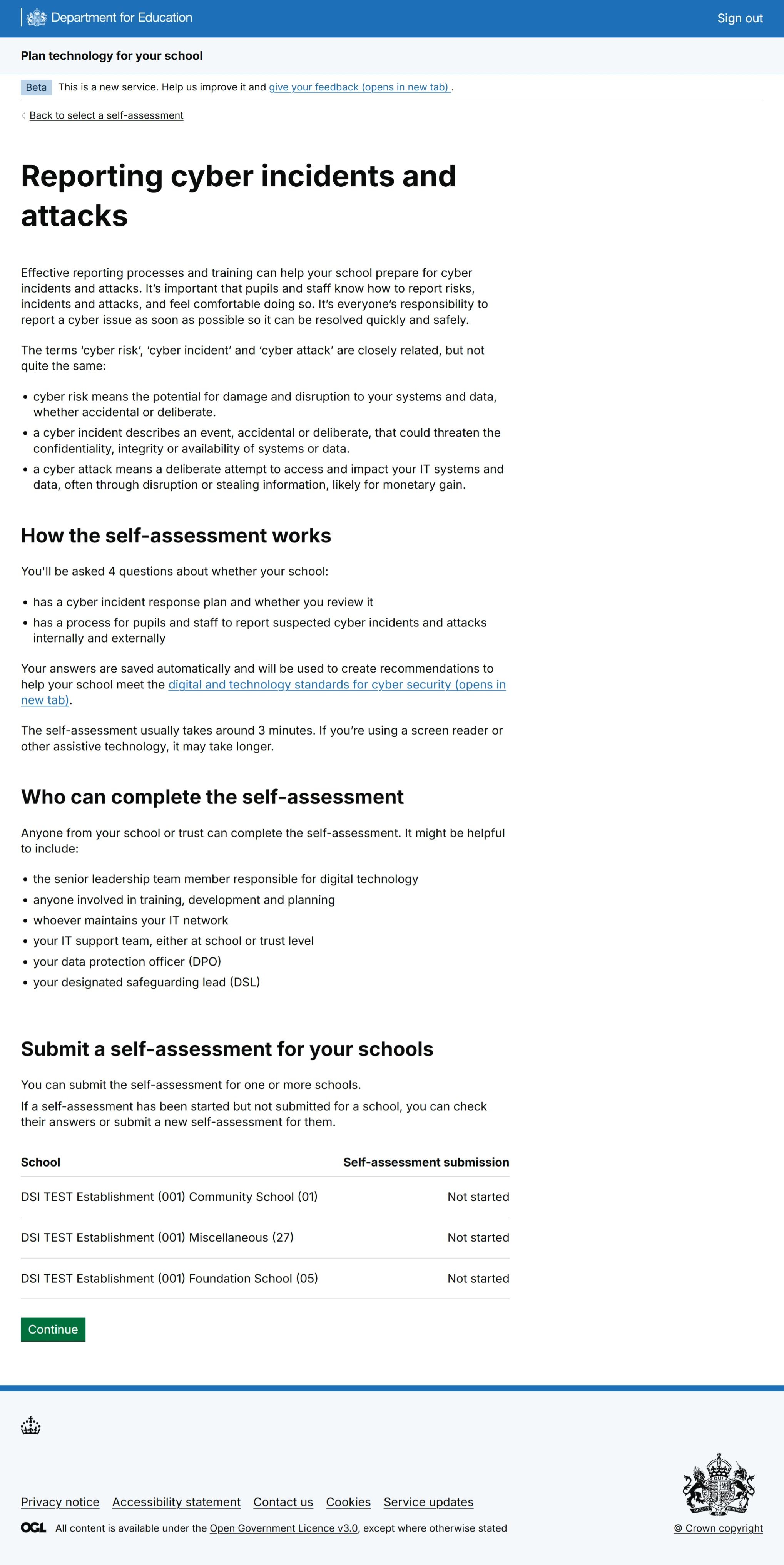 Figure 2: A screenshot of a Plan technology for your school service topic start page for MAT users. The page contains information about the self-assessment. At the bottom of the page, a table contains a list of schools that have not submitted the self-assessment.
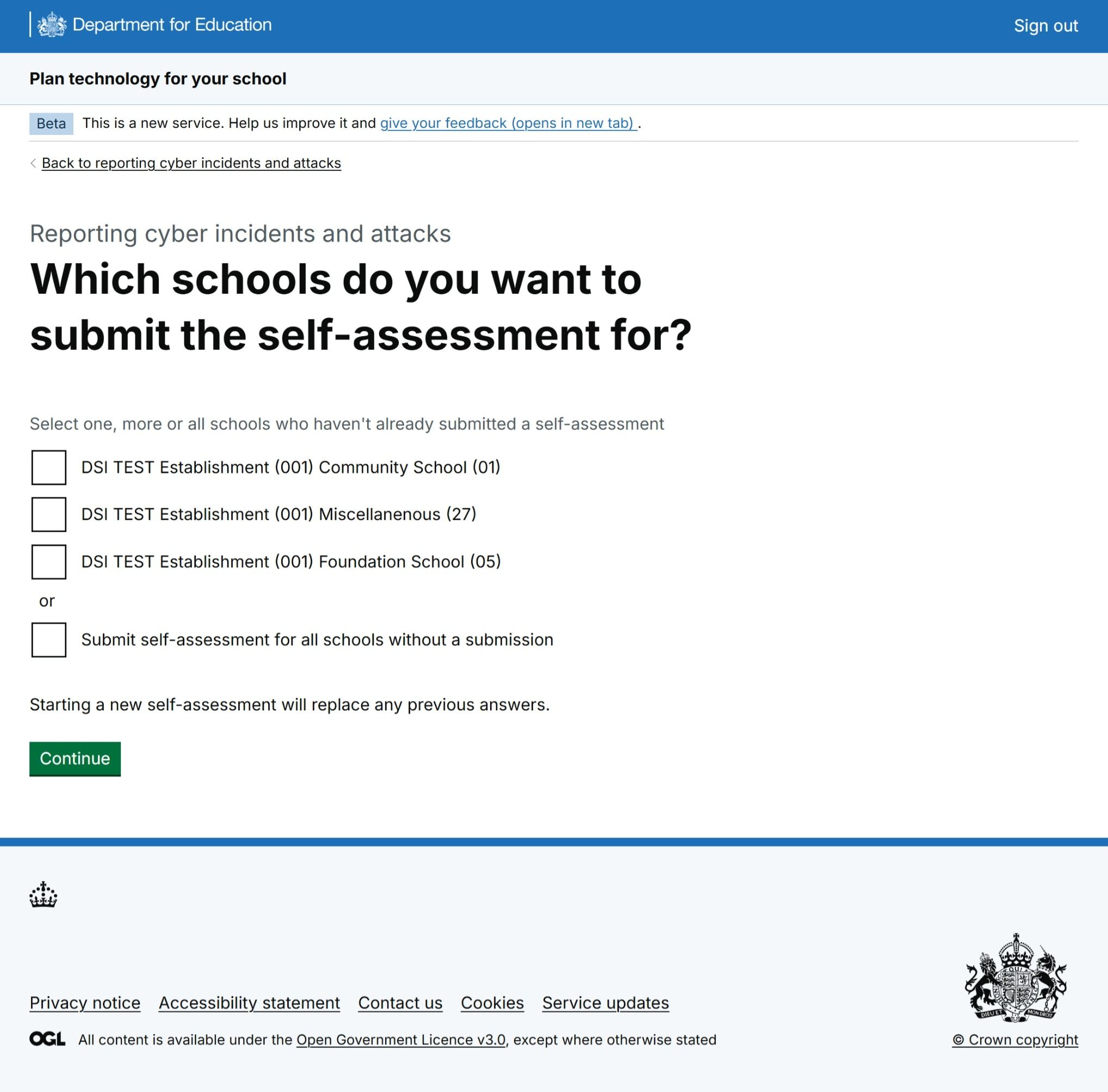 Figure 3: A screenshot of a Plan technology for your school service school selection page for MAT users. Users can select schools that have not submitted the self-assessment from a tick-box list.
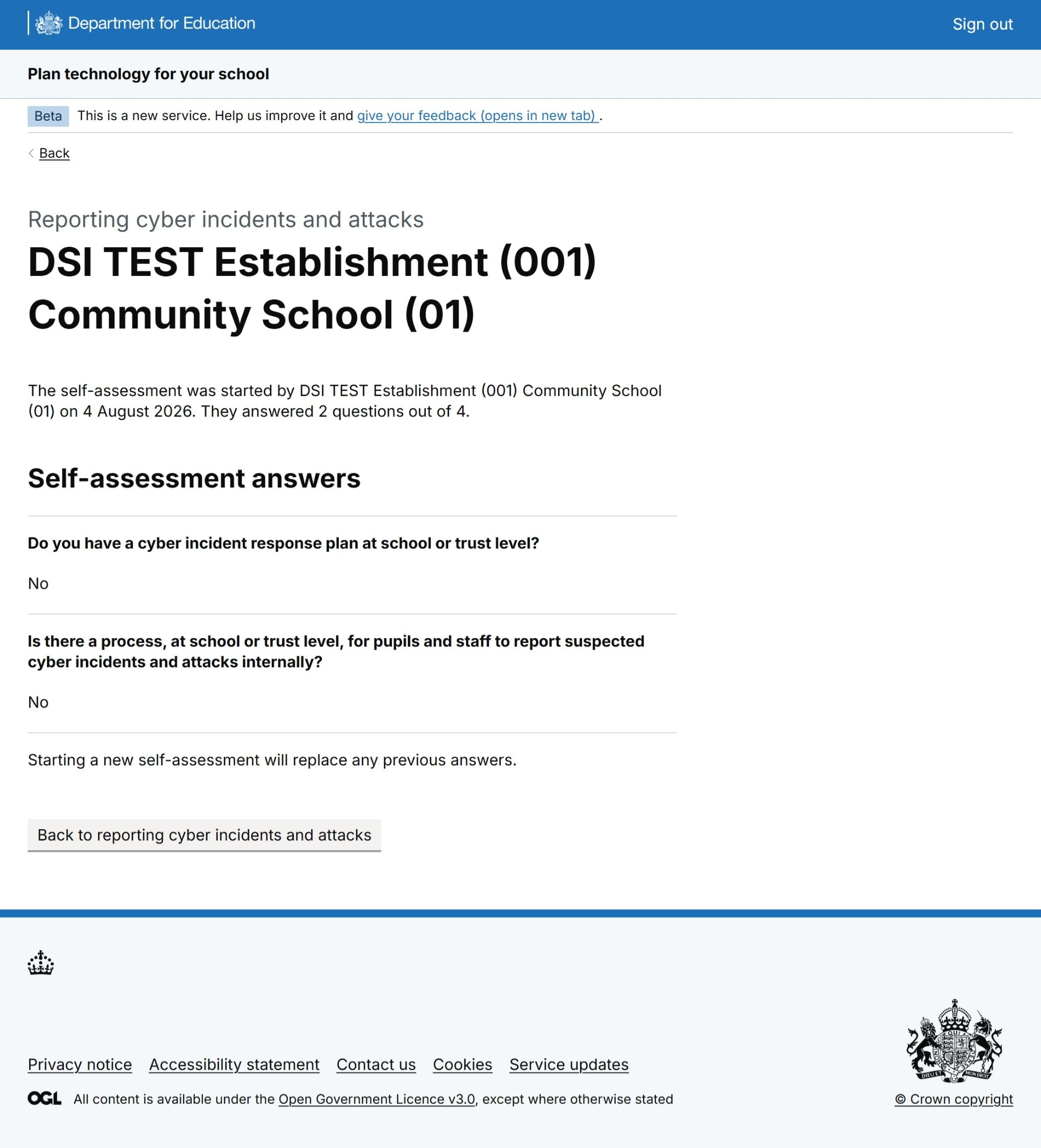 Figure 4: A screenshot of a Plan technology for your school service page where MAT users can view answers given by a school in an incomplete self-assessment. Dates are shown for when the self-assessment was started by the school.
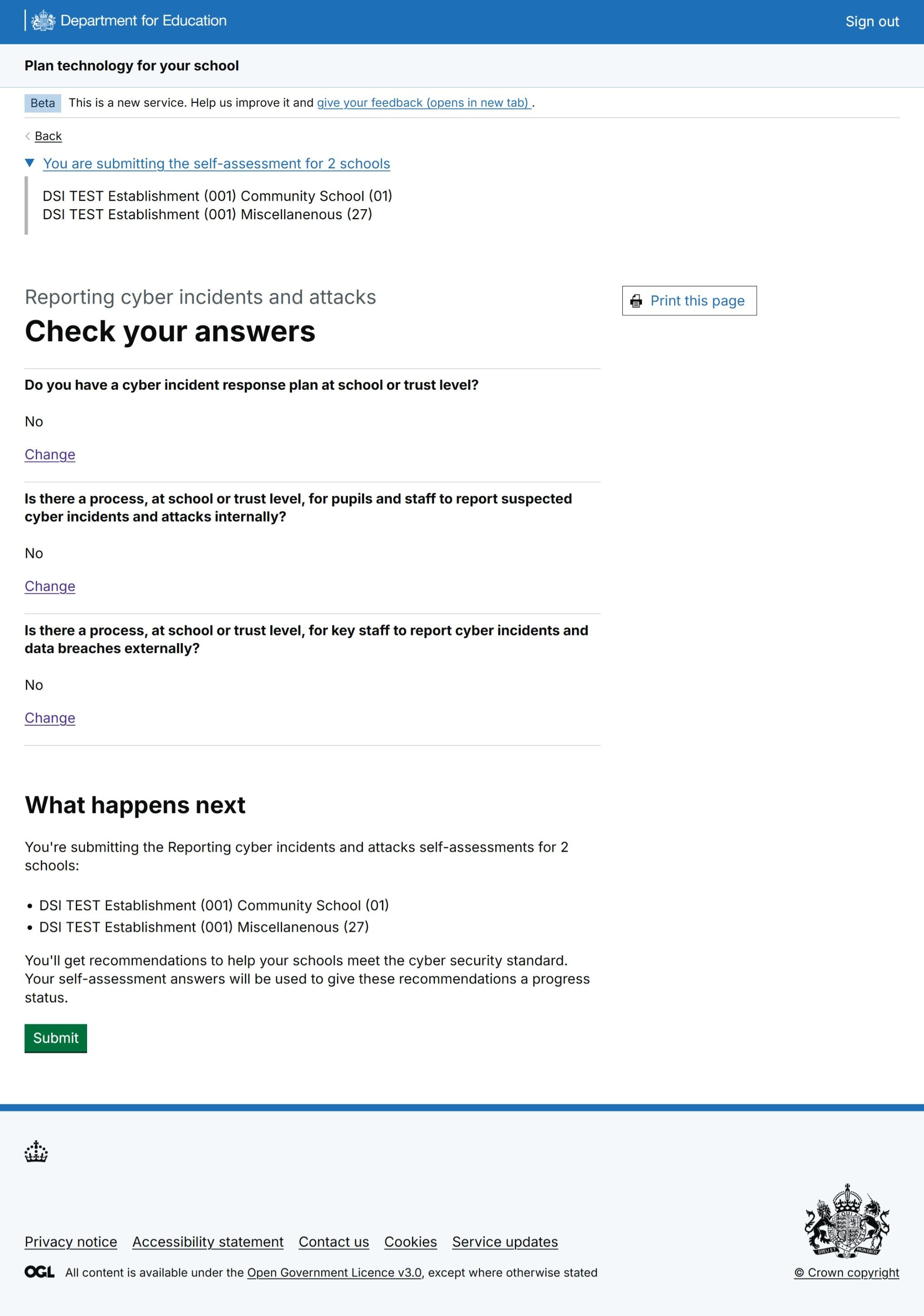 Figure 5: A screenshot of Plan technology for your school's 'Check your answers' page for MAT users. Users can see their self-assessment answers and a list of the schools they are submitting for.
A new self-assessment confirmation page for MATs
Research suggested users felt a disconnect between submitting a self-assessment and getting recommendations.
A new confirmation page has been added to the end of the self-assessment journey to better signpost MATs to their appropriate next step. They have the option to submit more self-assessments or view recommendations.
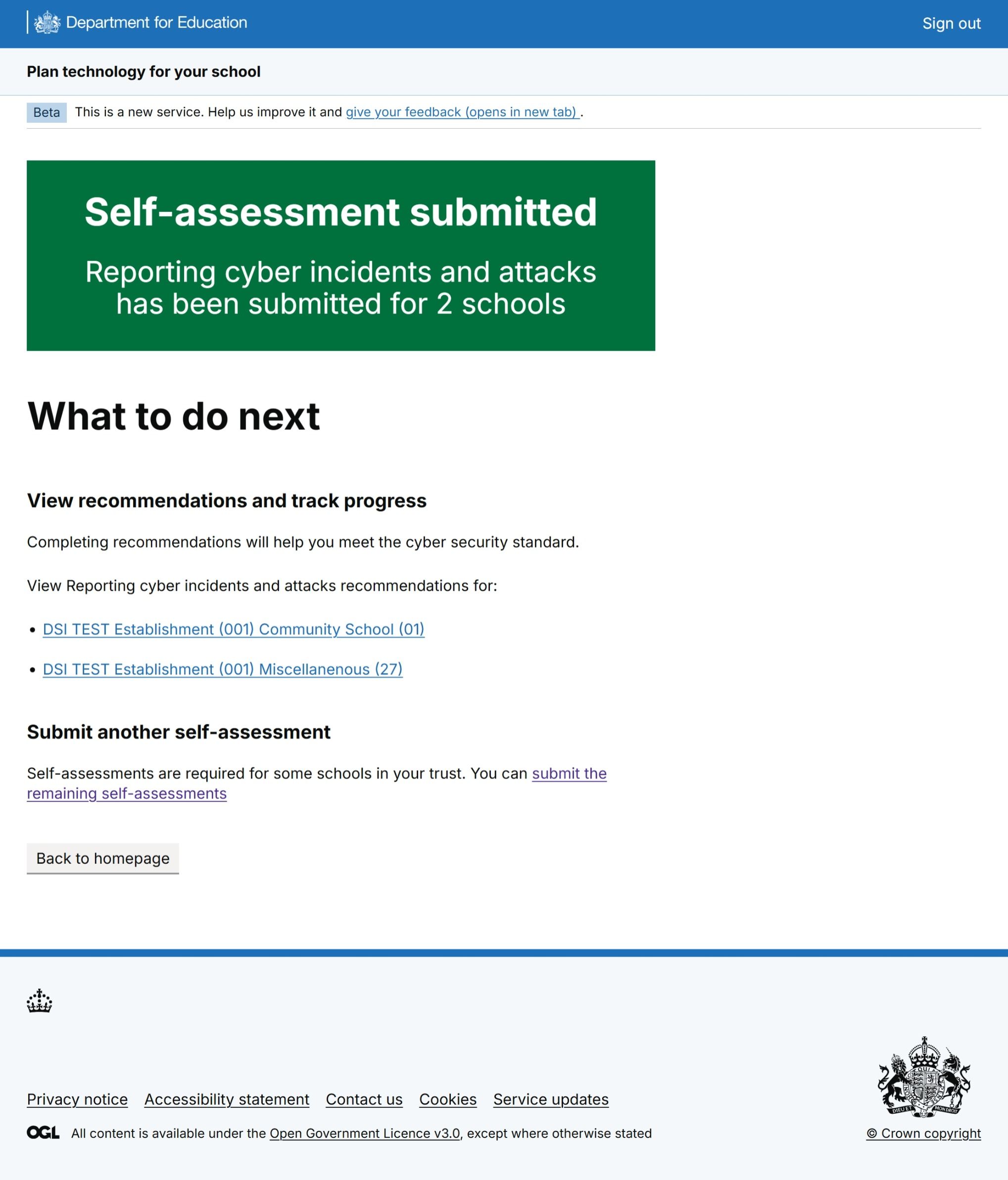 Figure 6: A screenshot of the Plan technology for your school service confirmation page for MAT users. Users can see schools they have submitted the self-assessment for and either view recommendations for one of those schools, return to select another self-assessment or return to the homepage.
Updates to the MAT view of single schools
MAT users can continue to view and update the service on behalf of a single school in their trust.
By selecting a school on the homepage or the confirmation page, they’re taken into the single school view where they can:
- view recommendations
- view and update statuses
- read and add comments on each recommendation
They can also continue a single self-assessment that’s been started but not submitted by a school.
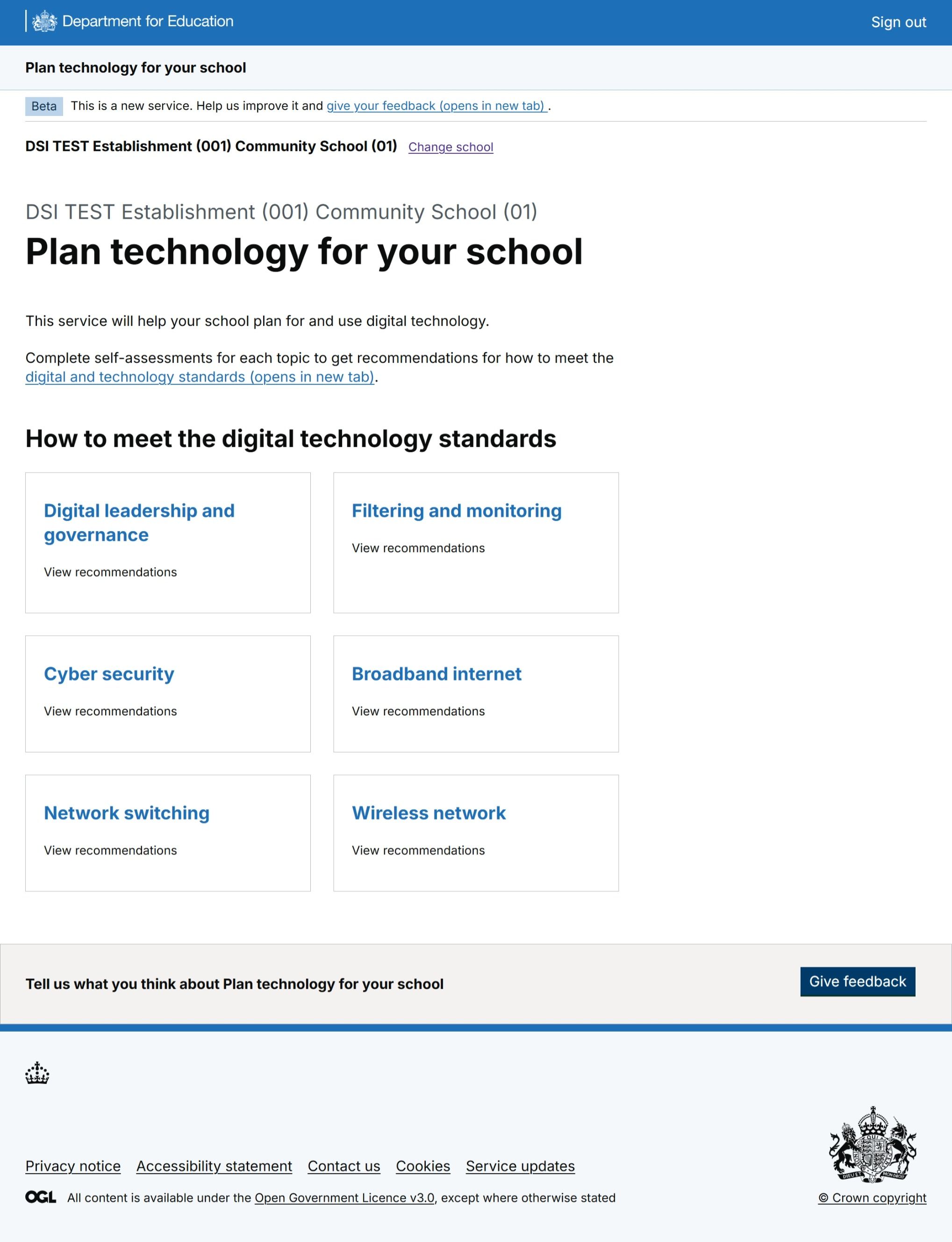 Figure 7: A screenshot of the Plan technology for your school service for MAT users viewing a single school’s overview. A card is shown for each standard, with a link to the recommendations landing page for that standard.
Next steps
Our hypothesis is that multi-school self-assessment will make the service easier for MAT users to use. We’ll measure data over time. We expect to see:
- more self-assessment submissions by MATs
- a potential reduction of self-assessments by schools in MATs, as MAT users complete more on their behalf
We plan to design more multi-school management functionality in the future. This may include a dashboard for MATs to track the performance of their schools.