
We designed a fully clickable prototype in Figma to test the required user journeys for a new admin level within the system.
For links and passwords to the prototypes discussed in this post, please contact the team on SocialWork.DIGITAL@education.gov.uk.
Understanding the requirements
The new system includes three distinct permission levels, tailored to the different user groups involved in the programme.
These permissions are structured hierarchically, allowing users to manage others, for instance, system administrators oversee coordinators, who in turn manage social workers.
This diagram illustrates how the permission levels relate to each user group.
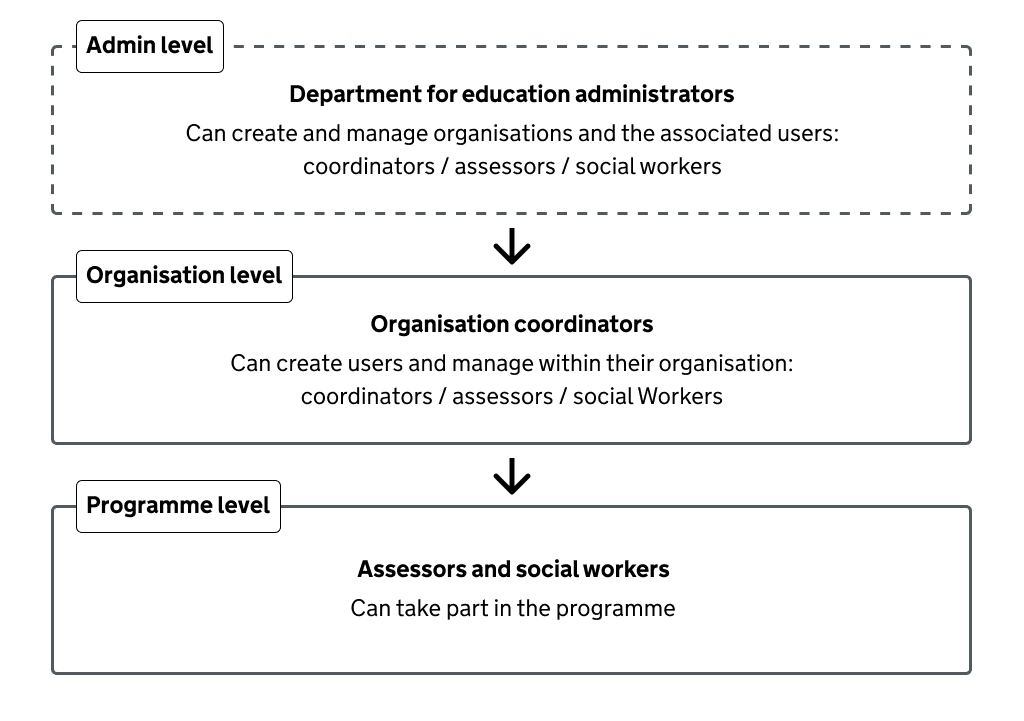
Image text:
Admin Level Department for Education administrators Can create and manage organisations and the associated users: Coordinators / Assessors /Social Workers
Organisation Level Organisation coordinators Can create users and manage within their organisation: Coordinators / Assessors / Social Workers
Programme Level Assessors and Social Workers Can take part in the programme
So far, the team have worked on building functionality for the lower two permission levels. This includes developing organisation-level behaviours and exploring how a third-party learning management system called Moodle can support core programme-level tasks.
To connect these elements into a single system, the admin level was designed to meet minimum viable solution (MVS) requirements. These include:
- allowing a DfE admin to add a new organisation
- creating the first (primary) coordinator account for an organisation
- editing organisation details
- managing all users within any organisation
Design goals
We wanted to design a clear and intuitive flow for system administrators to manage organisations and their users with ease.
The new admin level user journeys needed to follow the existing user management logic already in place within the organisation level.
Rapidly prototyping the user journey
We began with an ideation session to explore the likely requirements for organisation level management, focusing on the functions system administrators would need. Initial user journeys were mapped out on a Lucid board.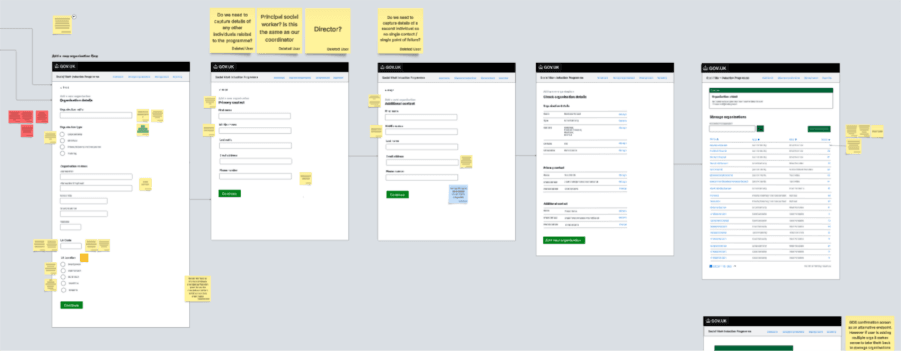
The findings from this session were reviewed and iterated on by the UCD and broader project team.
A rapid prototype was then developed in Figma to test interaction flows across various happy and unhappy paths. The prototype helped identify the minimum data fields required to manage an organisation effectively.
Through rapid iteration in Figma it was agreed that the organisation data would only need to include the following fields to be validated for MVS:
- a local authority code (to identify a local authority)
- an organisation name
- an organisation type e.g. a local authority
- a region
- a UK phone number
Initially we considered adding two coordinators when creating an organisation to improve system resilience (the ability for the system to continue running, despite unexpected events or problems). However, through prototyping, we found this approach didn’t work as expected, as there was no clear way to distinguish between the two roles in the system’s logic. We’ve since decided to add a single “primary” coordinator instead.
Creating the organisation triggers an email that is sent to the primary coordinator, inviting them to register for the service. They can then create accounts for other users, including other coordinators in their organisation.
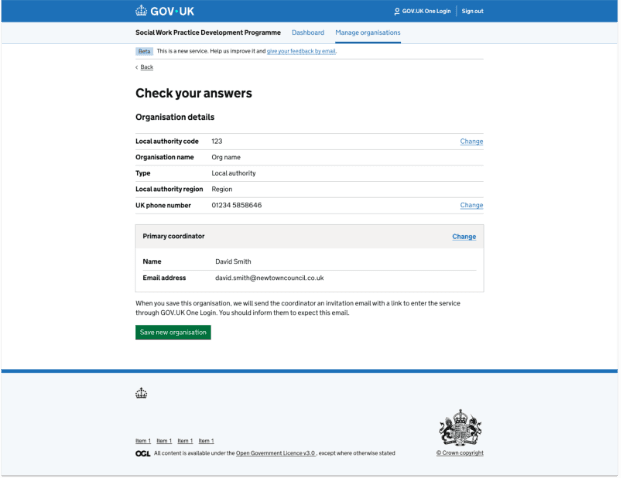
The check your answers screen from the organisation management flow shows the data that has been captured at the end of the journey.
Discovering secondary paths
As we prototyped, we discovered a need for a secondary path to allow a user to update or replace the primary coordinator for an existing organisation.
As we designed, we found this wasn’t as simple as we first thought. After several iterations, we landed on this flow:
- Establishing whether the change the user wanted to do was update the existing details of the primary coordinator, or to replace the primary coordinator with someone else
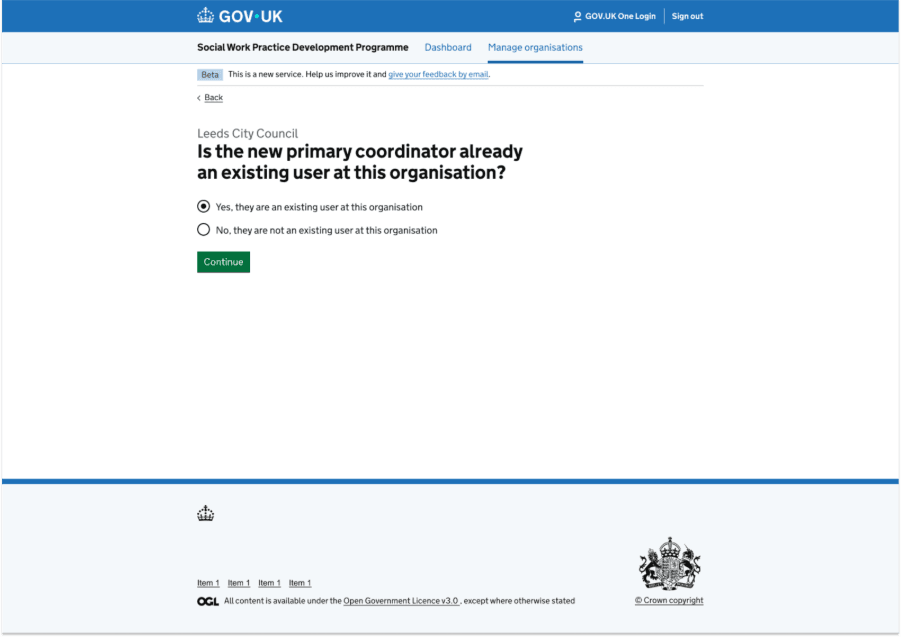
- If the user wanted to replace the coordinator with someone else, we needed to establish if they were already an existing user at the organisation, or someone new
- If they were an existing user, we had to decide the best way to provide a list of users to select from
- This process could only happen if there were other users existing in the system already – we had to pass this on to the developers.
This screen shows the dynamic question the user answers before they can choose from a list of existing users to become the primary coordinator.
Error messages
The prototype helped the content designer identify and demonstrate the necessary validation errors. Several fields required multiple checks to account for potential user errors.
One key example was the local authority code field, which needed to handle four scenarios:
- Code entered in the incorrect numeric format
- No code entered
- Code entered that doesn’t exist
- Code already in use
The screen shown here illustrates the error message for incorrect numeric format.
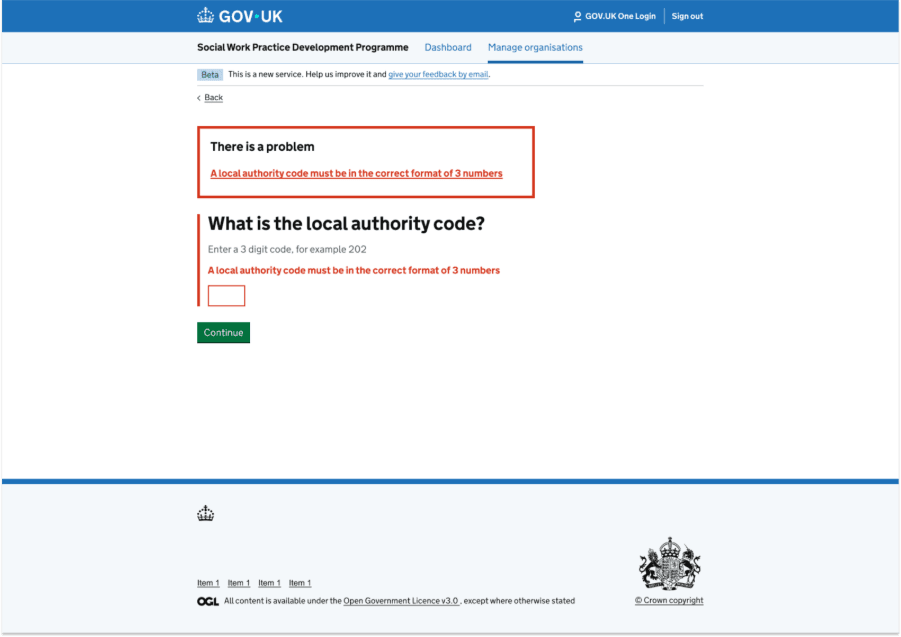
Content in image: There is a problem A local authority code must be in the correct format of 3 numbers What is the local authority code? Enter a 3 digit code, for example 202 A local authority code must be in the correct format of 3 numbers
Next steps and conclusion
The new design has successfully passed a 3 Amigos session and is now approved for development.
Since the system is intended solely for internal Department for Education administrators, user testing has been deferred to prioritise research on public-facing features. This ensures optimal use of available user research resources.
Rapid prototyping in Figma provided a shared platform for the team, enabling faster design iterations and internal testing compared to using the Government prototype kit. Because standard GDS components were used throughout, there was no impact on development timelines. Had custom components been required, the final design would have been recreated using the prototype kit.
Further refinements will be made during the private and public beta testing phases.