
Context
When researching the needs of larger providers, we found they struggled to manage their long list of courses in Publish and had to maintain separate spreadsheets to keep track.
Pain points
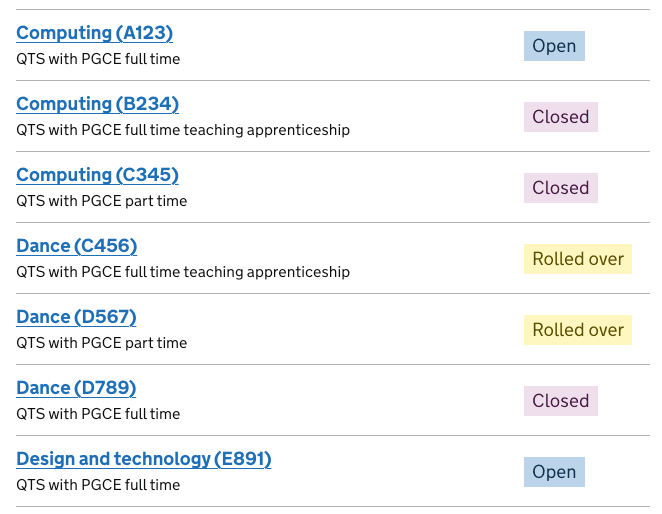
They found it difficult to tell the difference between similar courses because:
they couldn’t identify courses based solely on the course name and code
course information ran together and couldn’t be easily compared
information was missing, such as start date, age range and if a course was fee-paying. (Age range was removed from the course name as part of the course naming policy).
open courses were in between courses which were closed or not currently being offered
User need
Larger providers need a way to easily find a particular course or group of courses in a long list, so they can take action such as update information or close the courses.
What we did
We improved how providers can view and compare courses by:
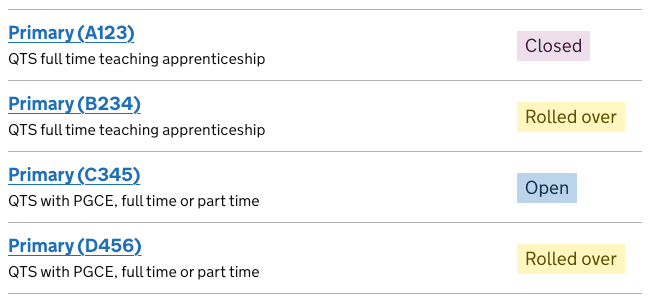
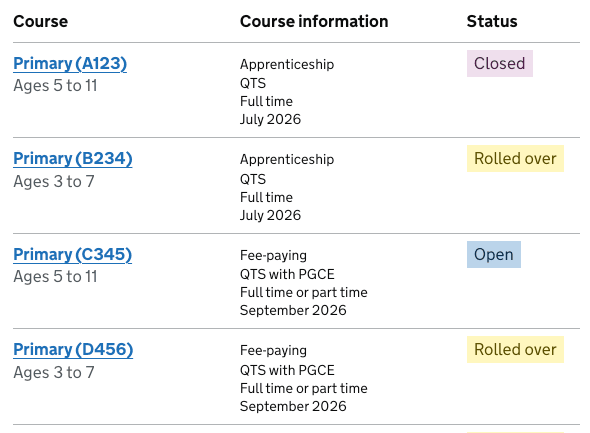
moving course information to a separate column
adding start date, age range and if a course was fee-paying
| Live site | Design changes |
|---|---|
 |
 |
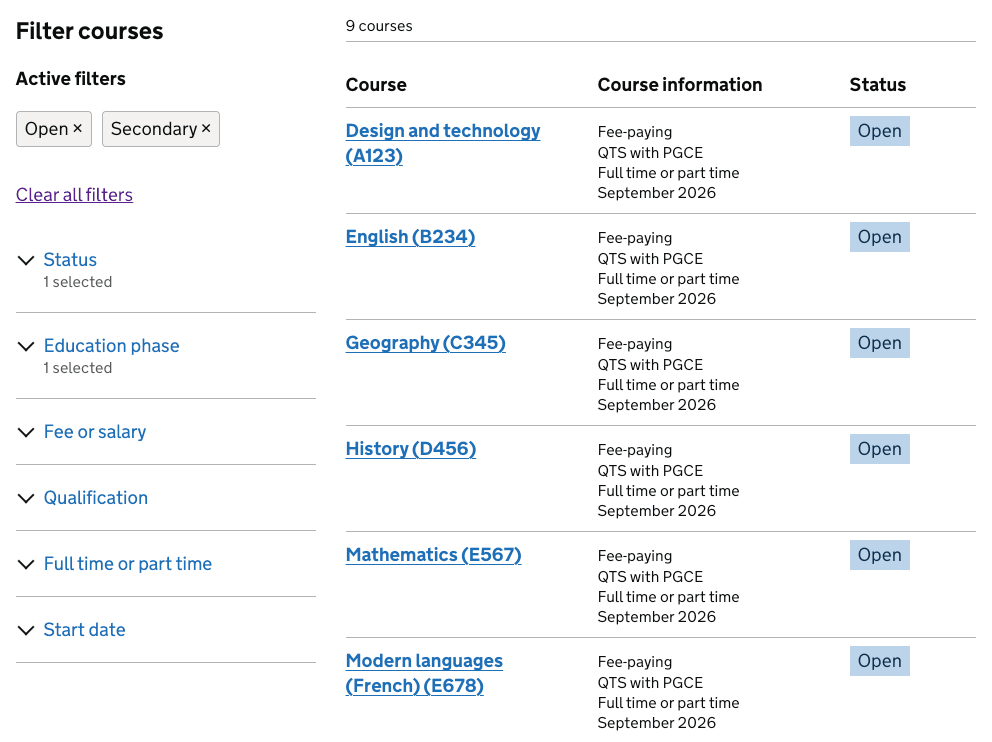
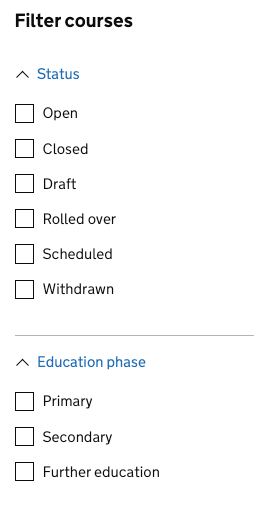
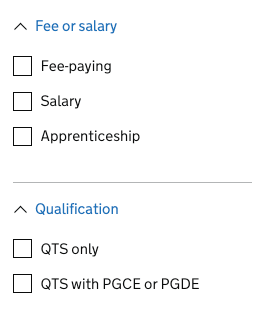
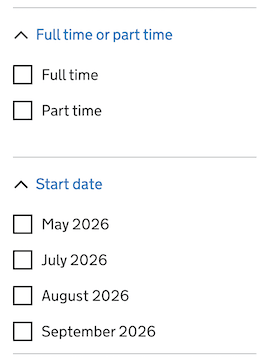
We improved how providers can see groups of courses (such as all open courses or all apprenticeship courses) by adding filters to the course list.
 |
 |
 |
These improvements will also benefit smaller teacher training providers.
User testing
We tested the designs with larger providers in May 2026, and they responded positively. The solutions would align well with providers real-world workflows and would support their day-to-day tasks.
Adding course information
- Adding the missing course information made it easier to identify and tell the difference between courses
- Participants wanted age ranges to be included within course titles to help them clearly identify which age groups the course is relating to.
- One participant wanted the age range to also be added to secondary courses
Adding filters
- The filters helped participants narrow down the list to courses they wanted to focus on, such as all open courses
- Two participants across two rounds of research wanted the ability to filter by SEND courses
Managing courses attached to schools
Participants expressed the need to view and manage courses at school level.
For example, participants want to view a school and attach/detach courses from that school, rather than the current model which only allows them to view a course and attach/detach schools from that course.
CSV export
Participants valued the idea of exporting the course list as a CSV and would use it for quality assurance and reporting.
Participants want the CSV to include the basic course information, and the schools attached to each course.
Next steps
We will be building these changes into the service and aim have them live for the rollover period this year (2026).
In the next round of tested we will explore design concepts for:
- attaching/detaching courses from a school
- exporting the list of courses as a CSV