
Context
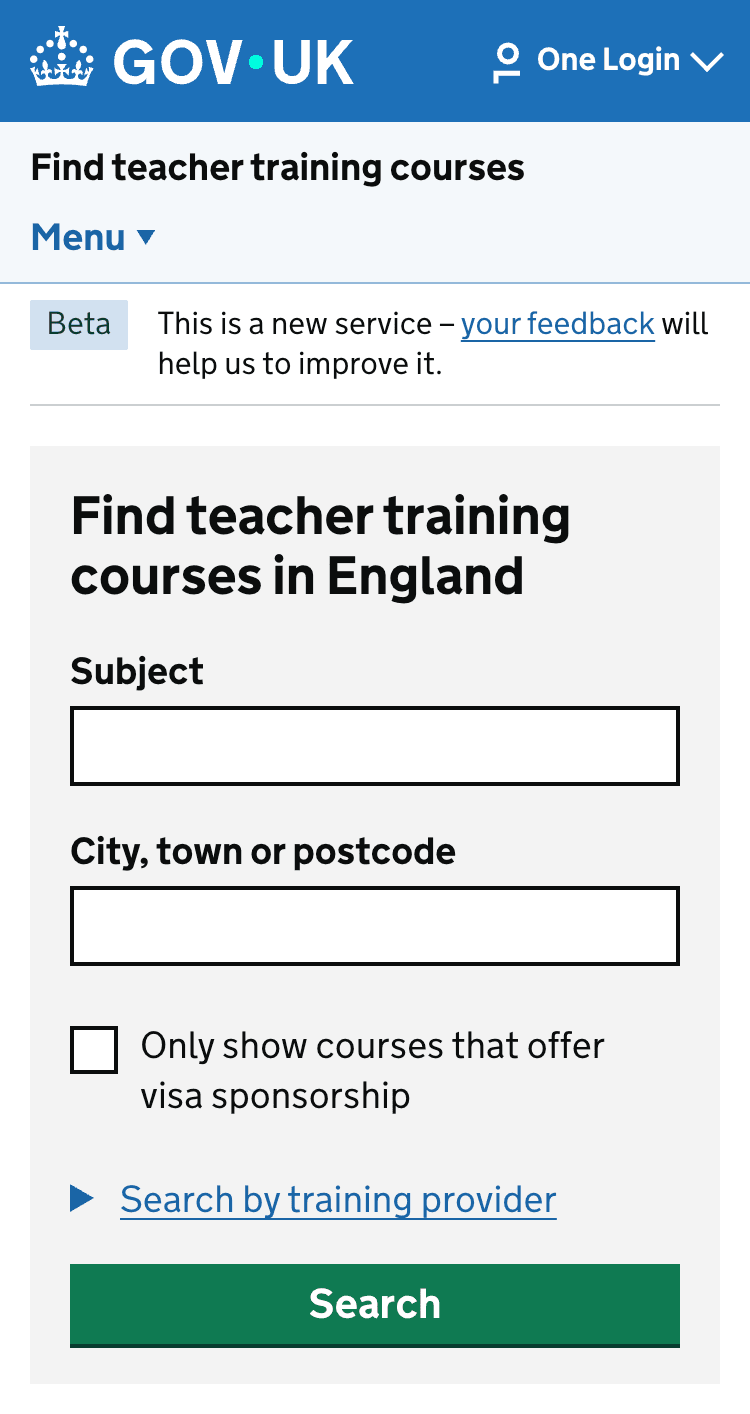
When researching with candidates, we found that when they are on Find they struggle to navigate to their existing applications on Apply.
| Find | Apply |
|---|---|
 |
 |
Pain points
One of the reasons is because Find and Apply currently have two different types of account to sign into. Find uses One Login and Apply uses a magic link.
Additionally, because Find and Apply are two separate websites, there isn’t a unified navigation for finding and applying for courses and viewing the status of applications.
User need
As a candidate, when browsing Find I need to be able to easily access my applications.
What we did
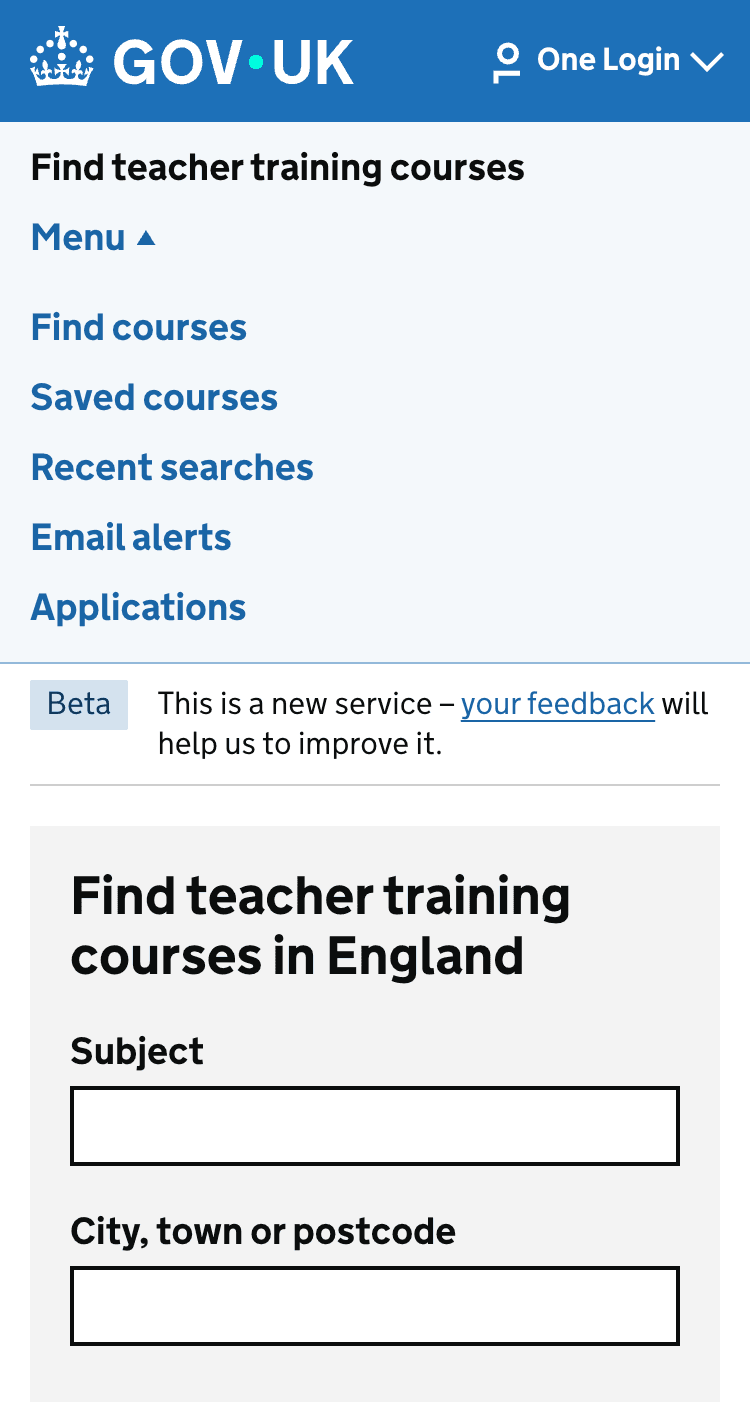
In our research, we found candidates expected to find the link to applications in the primary navigation on Find, so we added a link in the navigation when signed into Find.
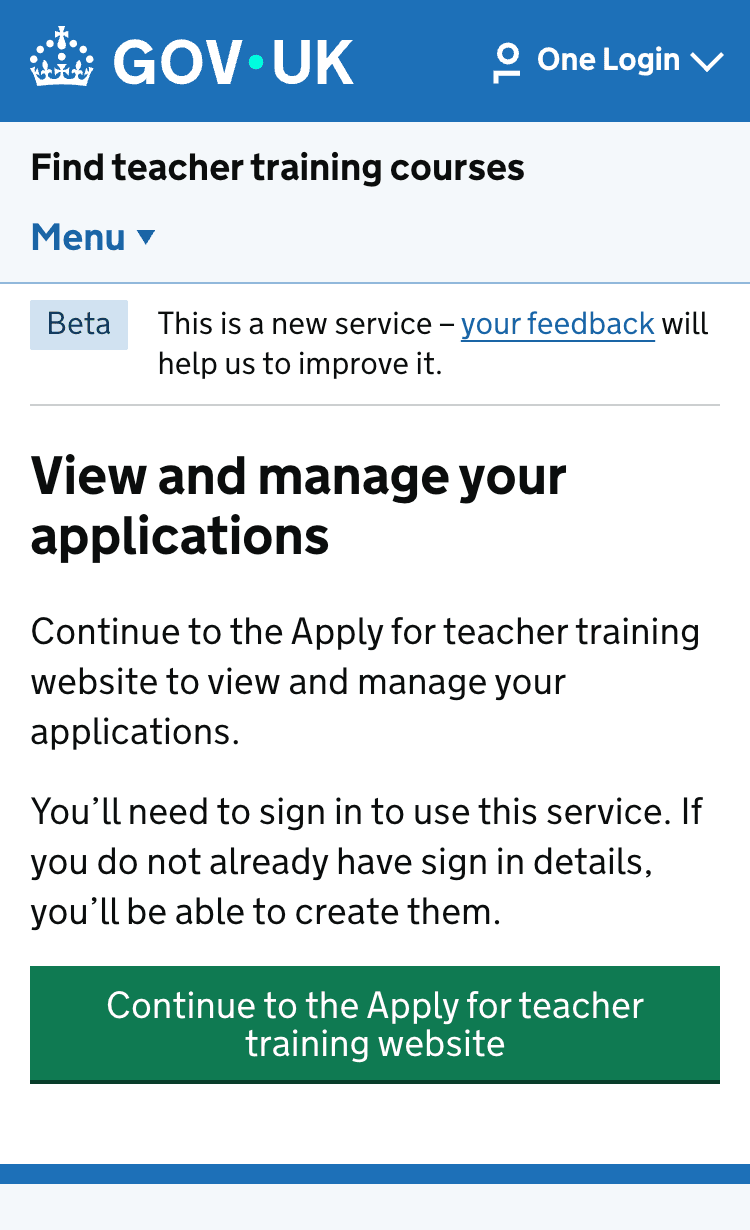
The link takes users to an interruption page that explains the transition to the Apply website, and the need to sign in again.
One drawback to the solution is that candidates will only see the link to applications when they have an account on Find and they are signed in.
| Find menu | Interruption page |
|---|---|
 |
 |
User testing
Most participants:
- successfully found the Applications link
- understood the purpose of the link
- expected the link to help them manage their current applications
Several participants were confused between the separation between the Find and Apply services. They view the process as one continuous journey and were unsure why they would need to sign in again when moving to the Apply service.
Next steps
We will be building these changes into the service.
Unified navigation
We would like to explore improving this with a unified navigation, however this would require changes to Apply, and is not something we will be able to change in the 2026 to 2027 recruitment cycle.