
Context
This work defines the journeys users follow after signing in with GOV.UK One Login and before they can access the Access your teaching qualifications (AYTQ) service.
There are 7 related design areas in total. This design history covers areas 1 and 2, which describe the citizen journeys that take place before any manual review in the TRS console.
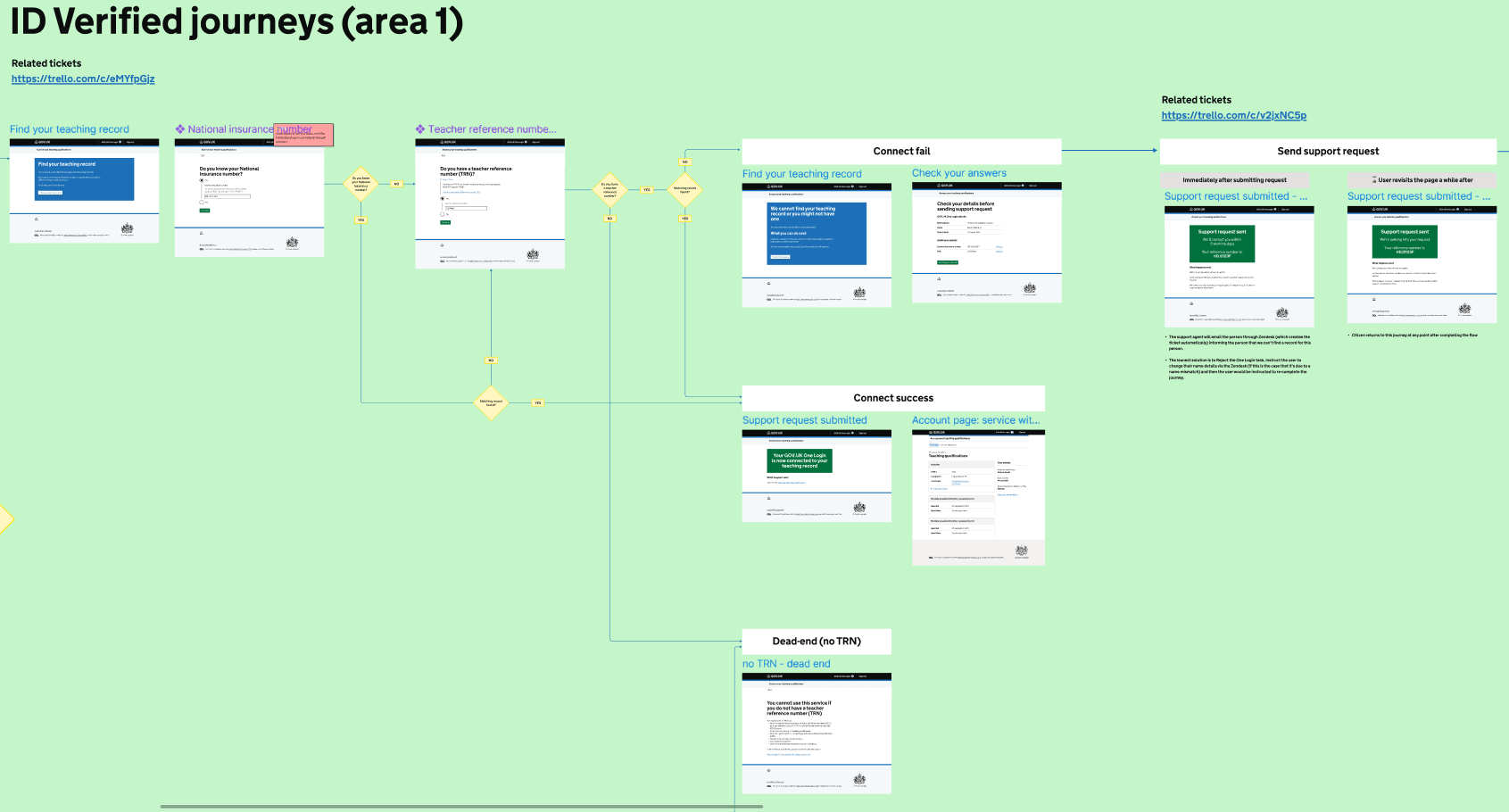
Area 1 – identity verified and record matched automatically
This area covers users who have signed in with GOV.UK One Login, verified their identity, and whose details can be matched automatically to a teaching record.
After signing in, users are shown a start page explaining that the service needs information to locate their teaching record.
Users are first asked whether they know their National Insurance number and can enter it if they do.
If the details match an existing teaching record, the user’s GOV.UK One Login is connected automatically and the user is shown a confirmation page. If no match is found, users are then asked whether they have a teacher reference number (TRN) and can enter it if they select ‘Yes’.
If the TRN matches an existing teaching record, the user’s GOV.UK One Login is connected and the user is shown a confirmation page.
If no matching record is found using either identifier, the user is shown a message explaining that the service could not find a teaching record using the details provided. The user can check their answers and submit a support request.
If the user says that they do not have a TRN, they are shown a page explaining that they cannot use the service without one, with a link to GOV.UK guidance on TRNs.
Screenshot of Figma file showing user journeys
Area 2 – identity verification fallback
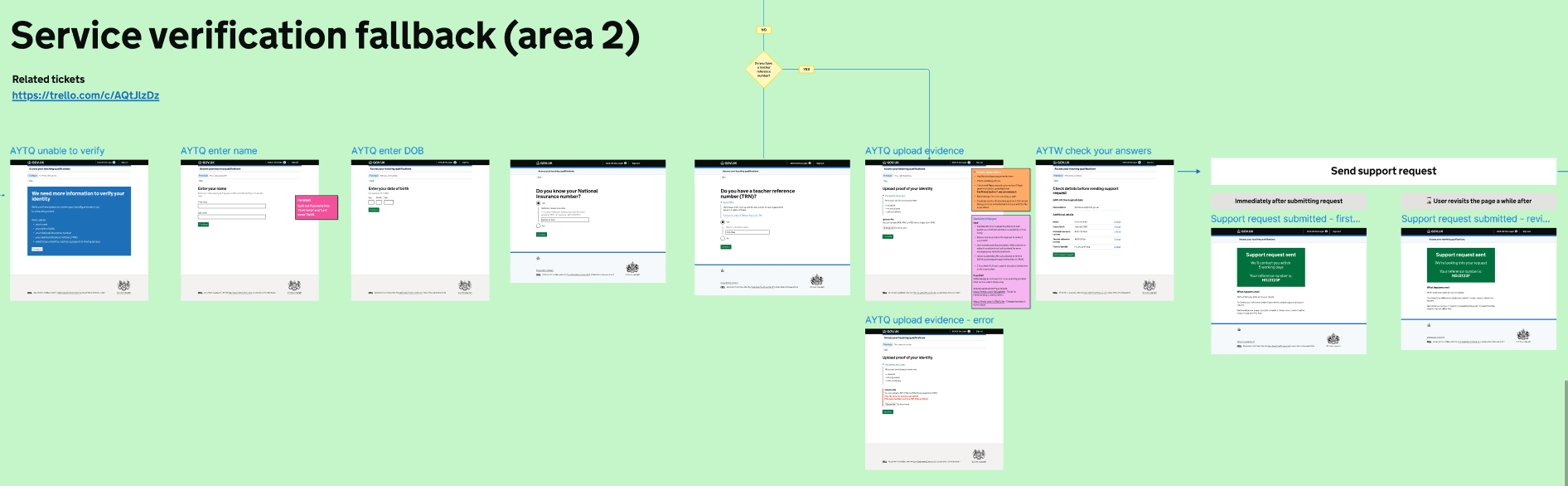
This area covers users whose identity cannot be verified automatically after signing in with GOV.UK One Login.
Users are told that more information is needed to verify their identity and match them to a teaching record.
Users enter their:
- name
- date of birth
- National Insurance number
- TRN
- proof of identity
Users review their details and submit a support request.
After submission, users are shown a confirmation page.
If users return to the service while their request is still being processed, they are shown the same confirmation page saying that their request is under review.
Screenshot of Figma file showing user journey
Design decisions
We used the same question patterns for the National Insurance number and TRN questions in both areas.
In Area 2, the same confirmation page is used both immediately after a support request is submitted and when a user returns while the request is still in progress. The content on the page reflects the user’s current state.
The outcomes of the two areas are presented differently. In Area 1, the confirmation page explains that the GOV.UK One Login has been connected to a teaching record. In Area 2, the confirmation page explains that a support request has been submitted for review.