
Context
When researching the needs of larger providers, we found they wanted the ability to export course information, so that they could view and use it in different ways to what is possible on the service.
What we did
To provide an export of course information, we originally tested a single CSV file download that included basic course information and the schools attached to courses.
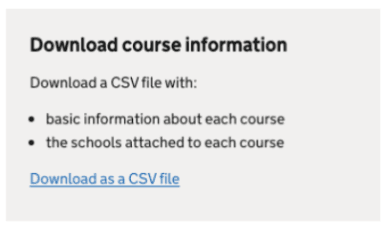
Due to the limitations of the CSV format, we had to duplicate the same course name and course information on every row for each placement school attached to that course.

User testing
When we tested this with providers, the duplication made the file overwhelming and unusable. They wanted the schools attached to courses to be a separate export, as they would use the information for different purposes.
So, we iterated on the designs, and we created two CSV file downloads, one with basic course information and one with the list of schools attached to courses.
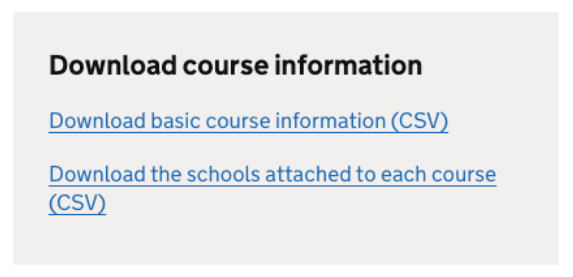
The links to download the CSV files were positioned below the course list. Two participants in research said they would prefer to see the links at the top of the page.
CSV of basic course information
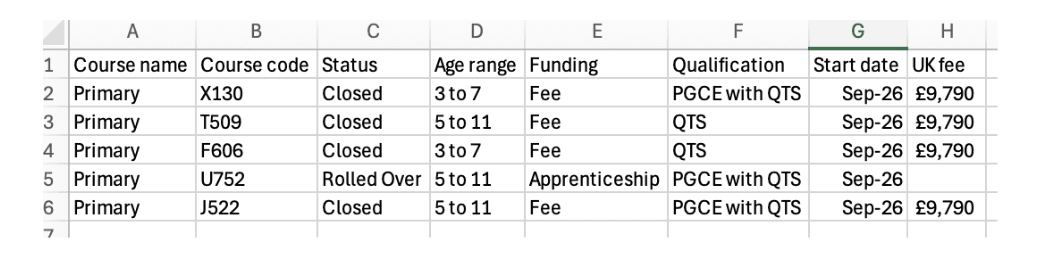
When testing this design iteration of basic course information, it tested more positively. Participants said that would use this file to see an overview of all their courses and do quick checks such as if all the fee amounts are correct.
Some participants stated they would prefer information to not be displayed where it is the same for all courses, for example if a provider only offers QTS as a qualification. We decided not to implement this, as it may cause issues for comparing data year-on-year, and it would not be difficult for providers to delete unwanted columns.
CSV of schools attached to courses
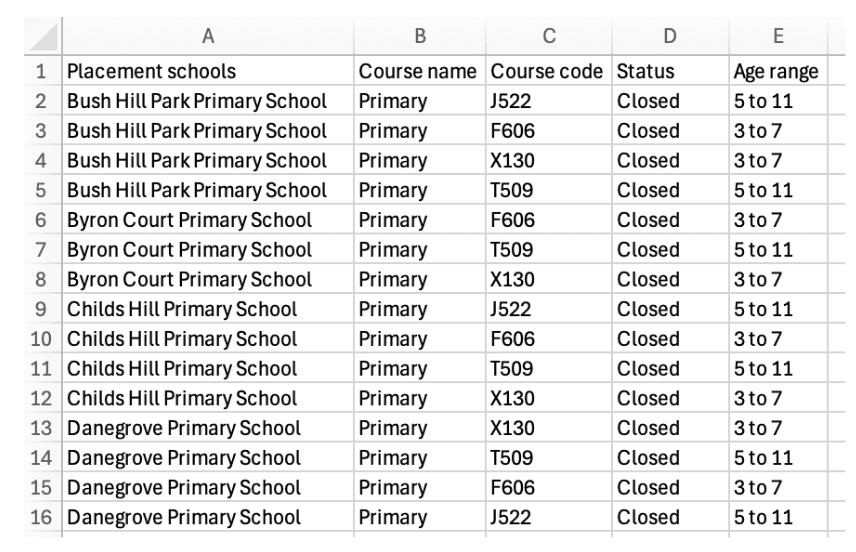
When testing this design iteration of schools attached to courses, some participants still found the duplication this file to be overwhelming. However, once they filtered by a particular course, they responded more positively and said it would be useful for auditing and checking the correct schools were attached to courses.
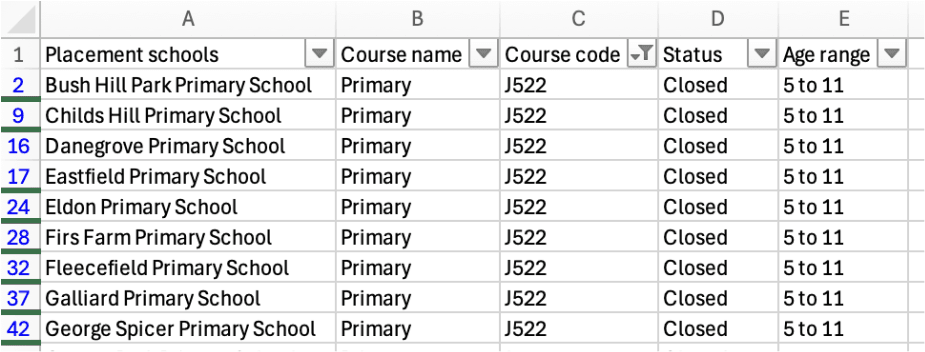
Some participants said they would not use this file because their organisation attaches all schools to all courses, so they don’t have a need to check the right schools are attached to the right courses.
Next steps
We will be building these changes into the service.