
Context
When researching the needs of larger providers, we found they had to spend a lot of time updating courses one-by-one with the same information. They relied on copying and pasting the information, which increased the chance of human error and made it difficult to keep track of which courses had been updated.
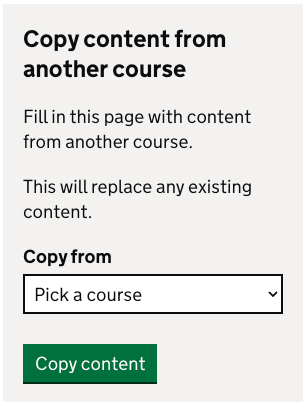
While the current copy course functionality remains useful, it only allows providers to edit one course at a time by pulling information from one course into another course, which can be time-consuming and repetitive.
User needs
Providers need the ability to easily update multiple courses with the same information at the same time. They also need reassurance that the correct courses and information will be updated.
What we did
We designed a new flow across three areas of the course information which were challenging for providers when it came to updating courses:
attaching placement schools to courses
school experience
fees and financial support
This allows providers to update course information, and then select the group of courses they want to apply those changes to.
This approach was designed to give providers confidence and control over what is being updated as well as reducing the risk of accidental updates.
Step 1: update course information
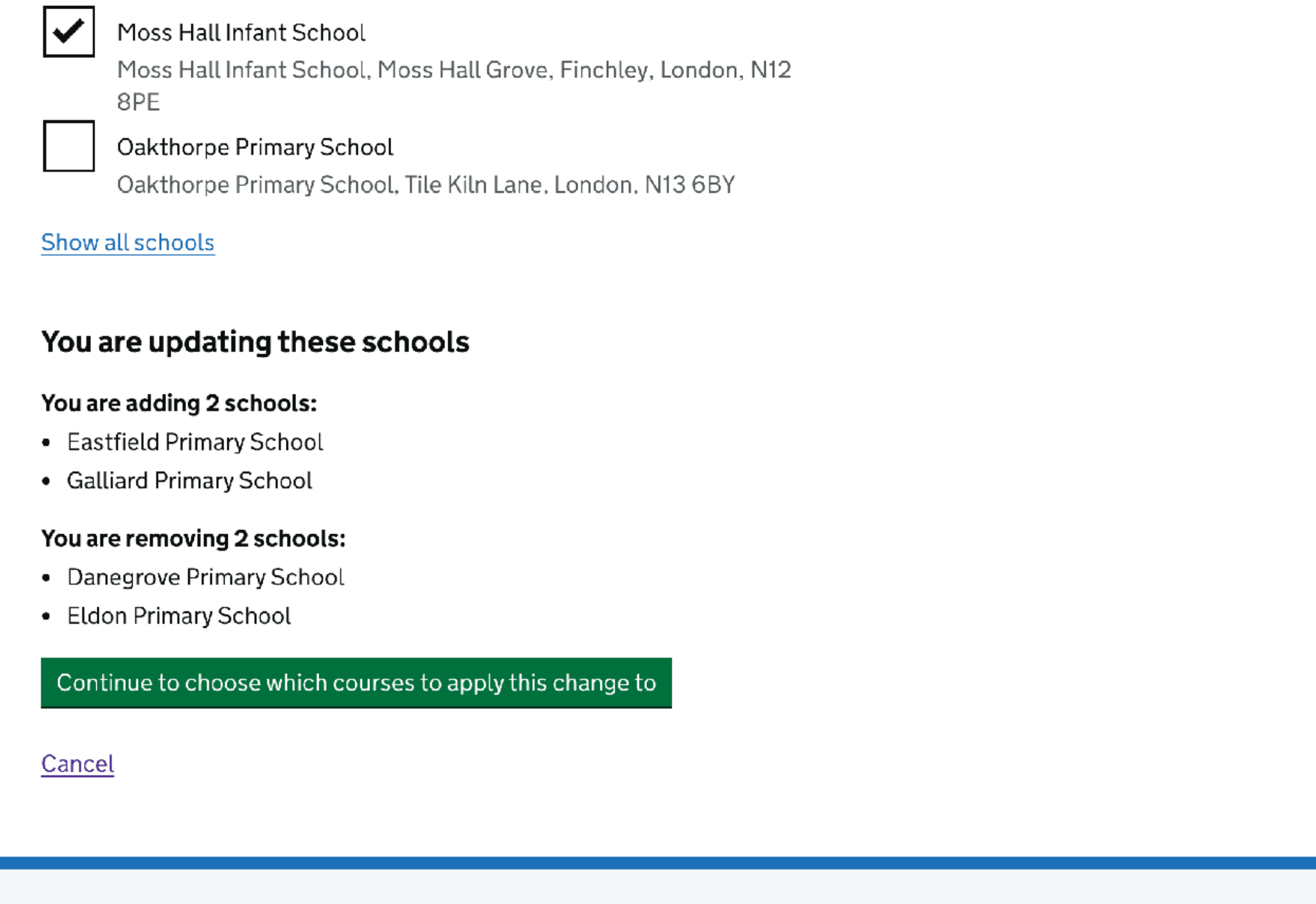
Providers first update a section of a course. The text on the green continue button was updated to: “Continue to choose which courses to apply this change to”, to clearly signal the next step in the process.
Step 2: choose what courses to apply this change to
Providers are presented with a summary of the updates they have just made and the option to apply those changes to other courses.
Providers can select groups of courses based on predefined criteria, rather than selecting individual courses one- by- one which can be time consuming.

The options are generated based on the course information being updated and the attributes of the course being edited, such as education phase, qualification, subject and funding type. This ensures that providers are only offered relevant and appropriate groupings.
We iterated on these options through design and user testing, removing more complex or ambiguous groupings that were not useful to providers or would add more technical complexity.
During research, some providers were confused as to why certain options were presented to them. To help with this, hint text was added below the ‘Only this course’ option to remind providers of the key attributes of the current course, helping them understand why certain options were available.
To reduce implementation and design complexity for the MVP, we chose not to allow providers to manually select individual courses to update. This could be considered in a future iteration, as it was something providers mentioned a lot in user research.
Step 3: review and update courses
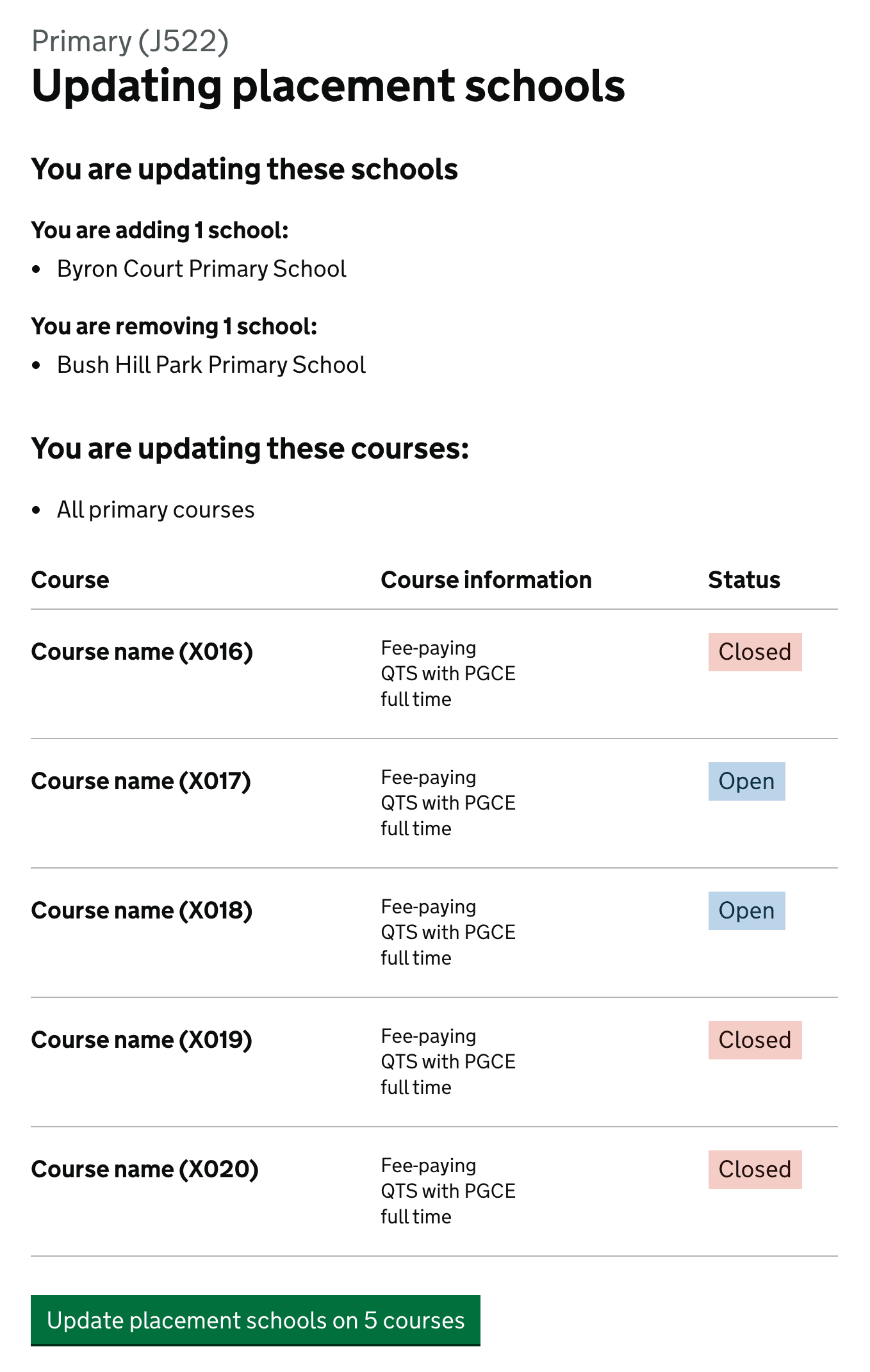
Before applying changes, providers are shown:
a summary of the information to be updated
the group of courses selected for the update
a list of individual courses, including course information and status
Presenting this information in one place allows providers to sense check their changes and understand the full impact of the bulk update. Following provider feedback, we added full course information and status to the course list to improve confidence. Including the number of courses to be updated in the button text was also welcomed by providers as a final step before confirming the update.
This final confirmation step was designed to meet the user need for confidence and reassurance identified during research.
User testing
We tested the designs with larger providers in May 2026 across three different sections:
Attaching placement schools to courses
School experience
Fees and financial support
Participants responded positively to the new designs, and the solutions would align well with providers real-world workflows and would support their day-to-day tasks.
Participants were able to confidently update multiple courses and said they would use this feature and that it would save them time, especially during the rollover period and making changes mid-cycle.
Participants wanted a clear confirmation of what will be updated to check for errors.
Some participants were concerned when updating the fees that they might accidently update salaried courses as well, so we iterated on the designs to ensure it was clearer what courses would be updated.
Some participants want to be able to select which individual courses they want to be updated, rather than choosing a group such as all primary courses.
Participants didn’t always understand why certain groups of courses were presented as options to apply the change to.
Participants expressed a desire to see the functionality extended to other sections of the course information, as many details are reused across courses.
Next steps
We will be building these changes into the service and aim to have them live for several sections of the course information before the rollover period this year.
We will monitor the need to select which individual courses to update, and we may iterate to include this functionality in the future.
Providers identified a need to keep the copy course functionality as it serves a slightly different purpose, most notably, it is useful when adding a new course to Publish, therefore this feature will remain on the service.