
Context
If users have a question about a qualification or experience an issue with the service, they can contact us using the ‘Contact us’ link in the footer on every page.
This help journey has evolved significantly since the private beta pilot to better meet user and policy needs.
For more detail on the problems identified and how the design has developed, read improving how users get help.
Existing help journey designs
When users click the ‘contact us’ link from the footer, they navigate to a page where they need to select the reason why they are contacting us for help. The options are:
- I have a question about a qualification
- I am experiencing an issue with the service
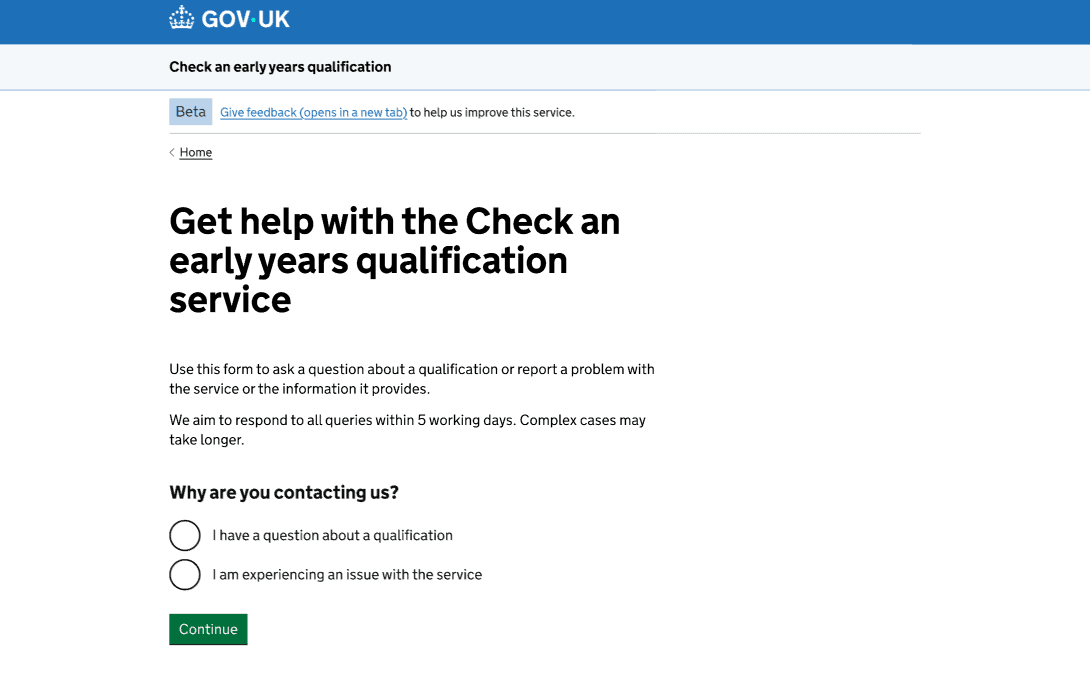
Since the information required for these two types of enquiries differs, the questions which follow are tailored to the reason the user has selected. For example, qualification-related enquiries require qualification details, while service issues do not.
If users have a qualification-related enquiry, they need to:
- Provide the qualification details.
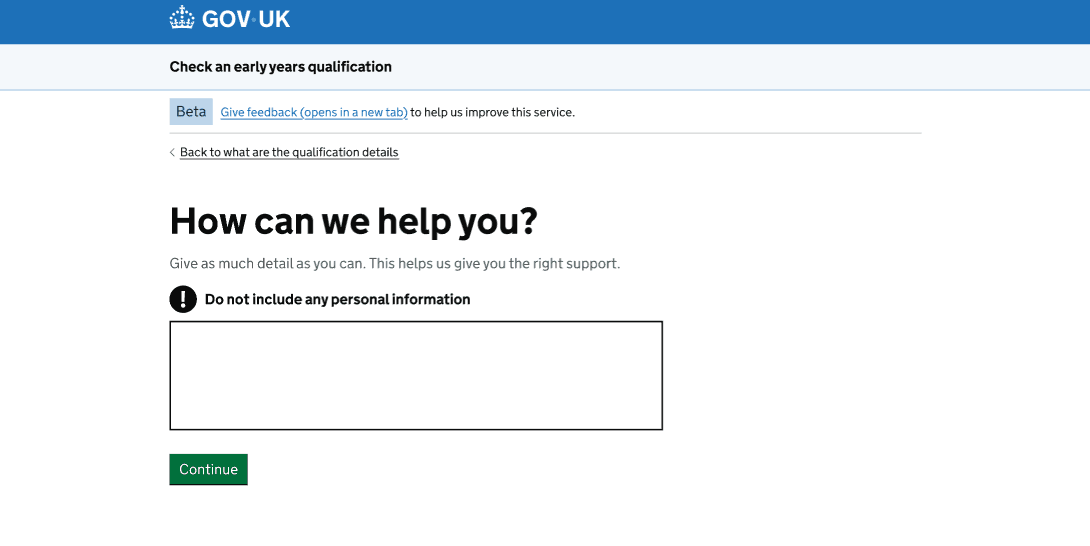
- Tell us how we can help them.
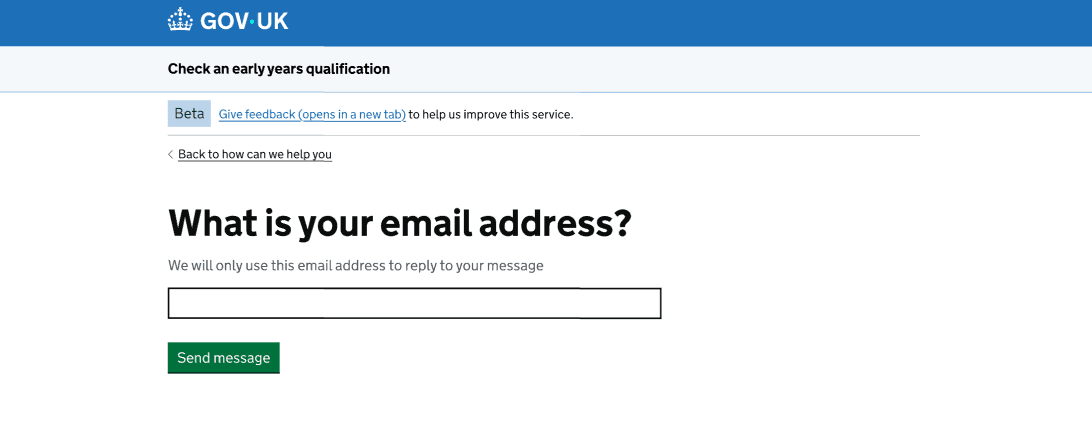
- Enter their email address so we can reply to their message.
If users have a service-related enquiry, they need to:
- Tell us how we can help them.
- Enter their email address so we can reply to their message.
‘What are the qualification details?’ page
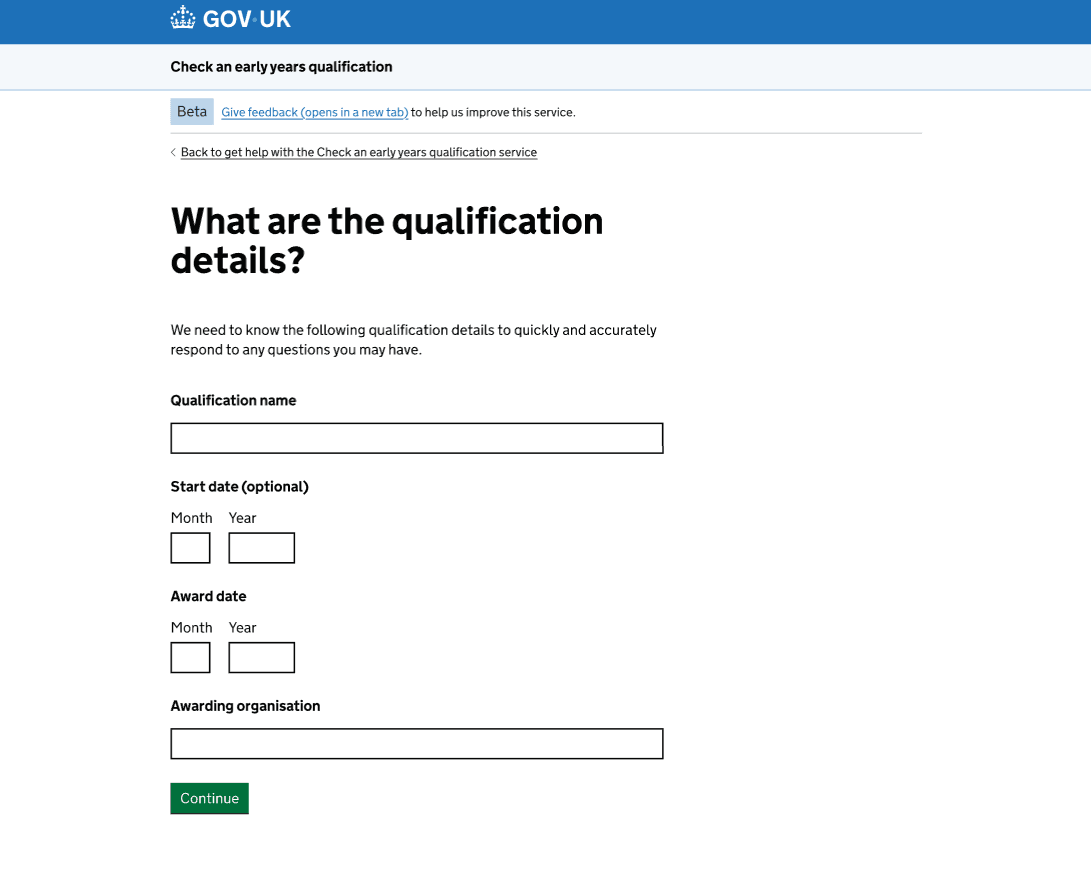
Only users who select the ‘I have a question about a qualification’ reason will see this page, as it is not relevant to those who are reporting an issue with the service.
As users can access the help form at any point within the service and they might have already provided some qualification details, those fields will be pre-populated on this page. This way, we do not ask users to re-enter information we already have.
We decided to make all fields mandatory except the start date. This is because the start date does not appear on the certificate unlike the award date and we did not want that to become a barrier to contacting us for help.
The rest of the qualification details can be easily found on the qualification certificate, which is a document we recommend having at hand before starting the check.
‘How can we help you?’ page
‘What is your email address?’ page
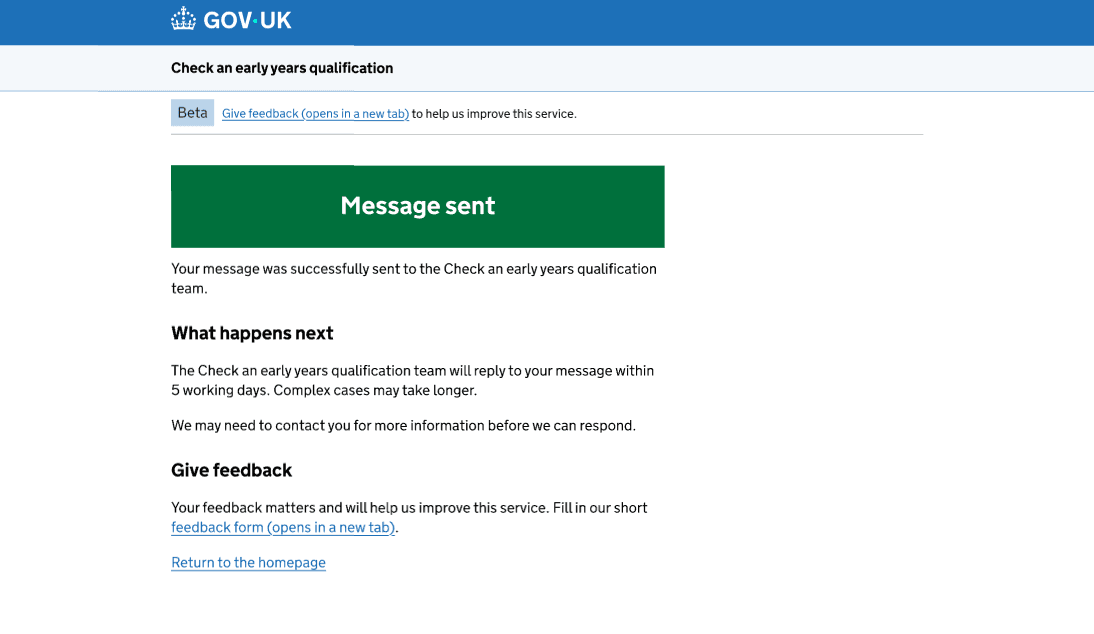
Help Confirmation page
The problem
As the service grew, user enquiries increased, placing a high workload on our policy colleague and highlighting potential gaps in the service.
From reviewing enquiries day-to-day, we observed that many users were contacting us about issues outside the scope of the service. This meant that users were spending time waiting for a response from us instead of reaching out directly to those who could genuinely assist them (for example awarding organisations).
Enquiries audit
What we did
To better understand this, we carried out an enquiries audit in January 2026 to identify why users were contacting us and where the service or guidance was not meeting their needs.
We grouped enquiries received from the public beta launch on 20 March 2025 to early January 2026 by theme.
What we found
The audit identified several themes where we could improve the journey for users.
- Many users contacted us about issues outside the scope of the service, such as requesting copies of certificates or transcripts.
- Users asked about qualification levels, despite being signposted to existing guidance on GOV.UK from the ‘What level is the qualification?’ page. This suggests the information was not clear or specific enough.
- Users wanted to confirm whether courses they were considering or had already enrolled in were approved as full and relevant by the Department for Education (DfE).
- Users asked about qualifications that were already available in the service, suggesting they may not have used the service to check them.
These findings showed that users were contacting us when their needs were either out of scope, not clearly addressed, or not fully understood through existing guidance.
To address this, we iterated the help journey to guide users to relevant information before contacting us and set clearer expectations about what we can help with.
Iterating the help journey
Updated help page
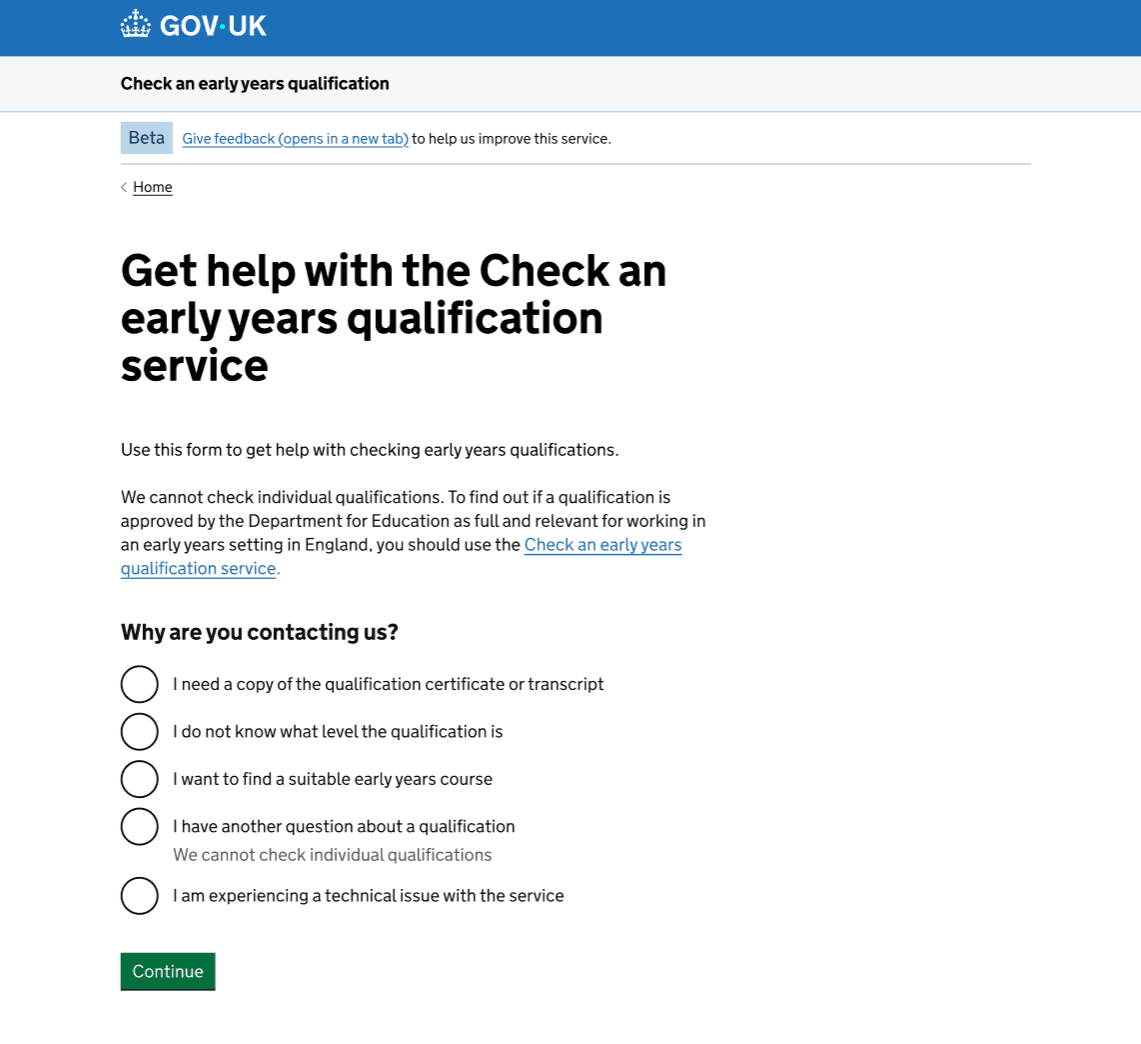
For users who were asking us questions that could be answered in the service, we prompted them to use the service instead. We also made it clear that we cannot check individual qualifications.
For users who were asking questions outside the scope of the service, we introduced new contact options:
- I need a copy of the qualification certificate or transcript
- I do not know what level the qualification is
- I want to find a suitable early years course
Selecting one of these options directs users to relevant guidance pages, rather than asking them to complete the full help journey and wait for a response.
We also refined the original contact options to make their purpose clearer:
- ‘I have a question about a qualification’ was updated to ‘I have another question about a qualification’ to distinguish it from the other qualification-related options.
- ‘I am experiencing an issue with the service’ was updated to ‘I am experiencing a technical issue with the service’ to make it clear this option is for technical issues only.
New guidance pages
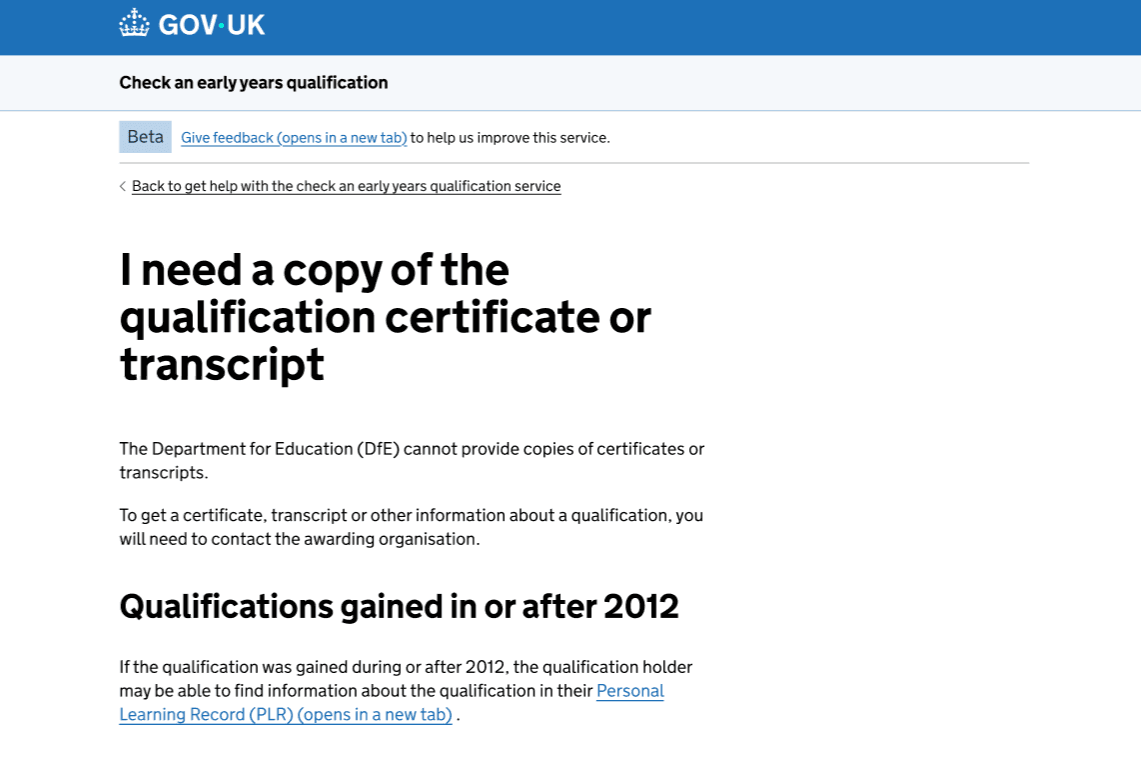
Users are directed to different guidance pages based on the contact option they select.
This allows users to find relevant information more quickly.
New interruption page for when users have questions about a qualification
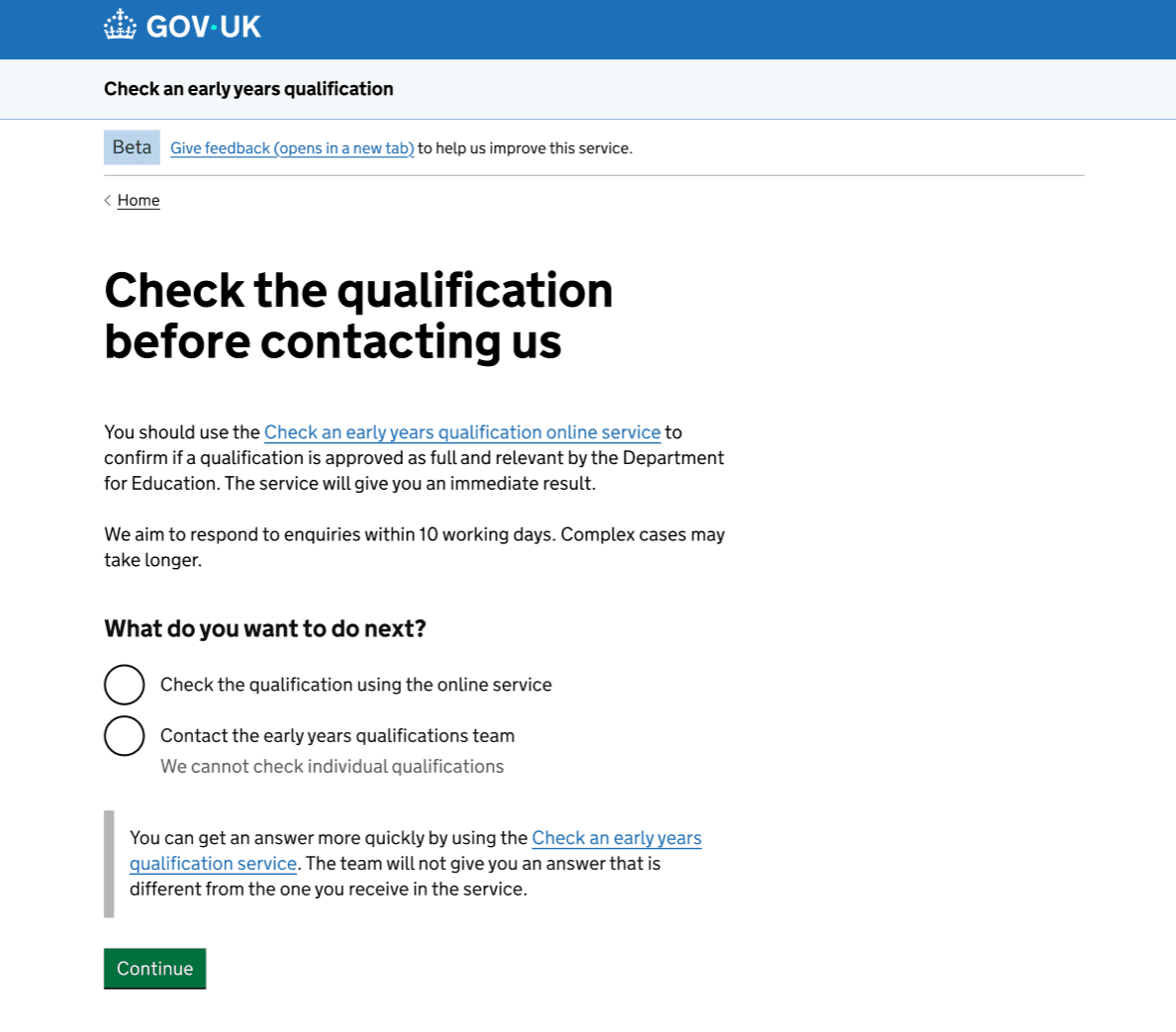
If users have a qualification-related enquiry that is not covered by the contact options linking to guidance pages, they can select ‘I have another question about a qualification’. This takes them to a new interruption page.
Findings from the enquiries audit indicated that some users were not using the service to check qualifications and were instead contacting us directly.
To address this, we introduced an interruption page to prompt users to pause and make it clear that we do not check individual qualifications or provide different answers from the service. Instead, users are encouraged to use the service.
From this page, users can choose their next step:
- ‘Check the qualification using the online service’ takes them to the service start page.
- ‘Contact the early years qualifications team’ continues the existing journey, where users provide qualification details, further information, and their email address.
Tailored page for technical issues with the service
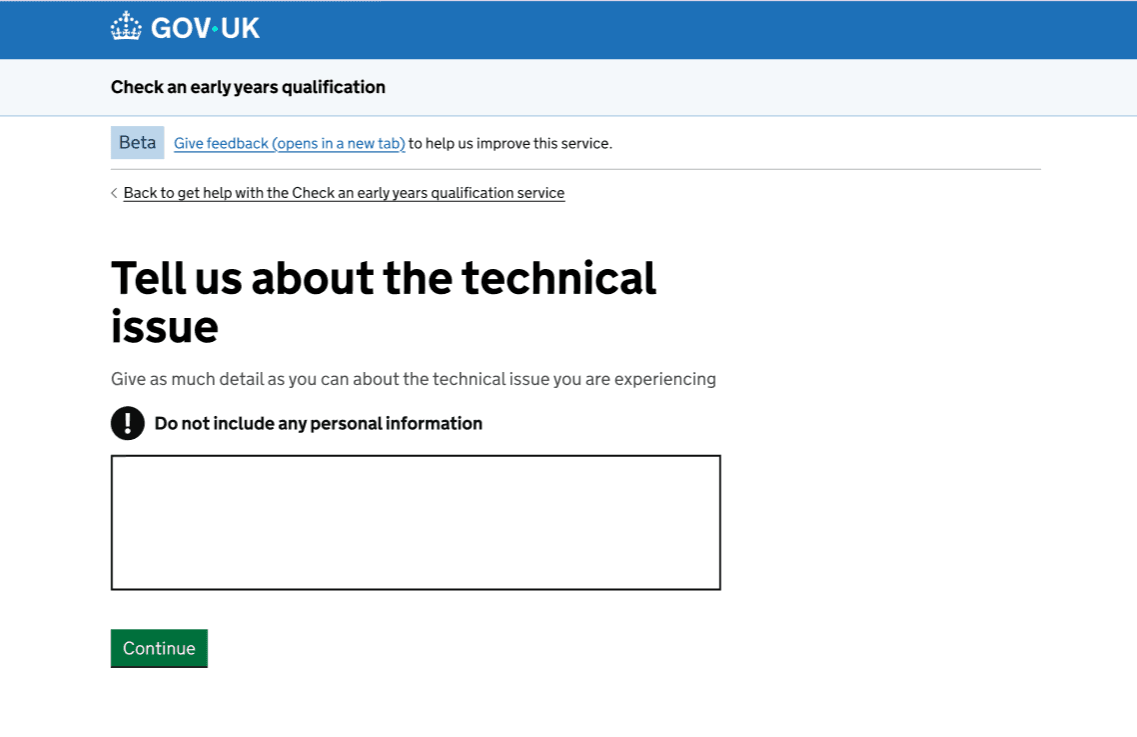
Previously, a single ‘How can we help you?’ page was used for both qualification-related enquiries and technical issues.
After updating the contact option to ‘I am experiencing a technical issue with the service’, we also tailored this page for technical issues. We made it clearer that users should describe the problem they are experiencing and updated the heading and hint text accordingly.
Next steps
We will continue to monitor user enquiries and behaviour to identify new patterns and inform further improvements to the service. To do this, we will:
- carry out regular enquiries audits.
- track whether users navigate to guidance pages and resolve their queries without returning to the help journey.
- track whether enquiries about qualifications already available in the service decrease over time.