
Exploring personalisation
With Alpha in full swing and a design sprint scheduled for April, the design team spent some time exploring the idea of ‘personalisation’.
We looked at what we mean by personalisation, how it might work and how it could help users to prioritise and focus on what needs attention next.
Types of personalisation
We know from user research conducted across the history of the programme that users like to see information that’s most relevant to their organisation.
How we might enable personalisation by role is less clear, as jobs and responsibilities vary by school, but we do know that users want the ability to customise what they see when they sign in.
Starting with our established user needs we drew out specific, validated, sub-needs related to personalisation to help inform some high-level definitions.
We then arrived at the following definitions:
Organisation level personalisation
Showing relevant content tailored to a specific school or educational establishment based on attributes such as school type, trust, region, area, age range, or other characteristics.
This would allow a degree of automatic personalisation as decisions on what to show could be articulated in code.
User-level personalisation
The ability to customise (or automatically tailor) a service so that users see what they want or need, with content shown based on human factors such as role, experience, or personal preferences.
This would likely be a manual setting of preferences to enable personalisation, but since it can happen on a user level, it would not create a significant burden on any single user.
From here, we used the same sub-needs and began thinking through some design features that the new service could offer.
Status tags
The expectation is that status tags will be a feature of the service. We’ll be bookending other services, rather than reworking them. Status tags could let users know when something has changed or requires action in one of the services they access through school account.
They’d need to be:
- clear
- useful
- scalable
Instructive enough to be useful, but high-level enough to work across all services.
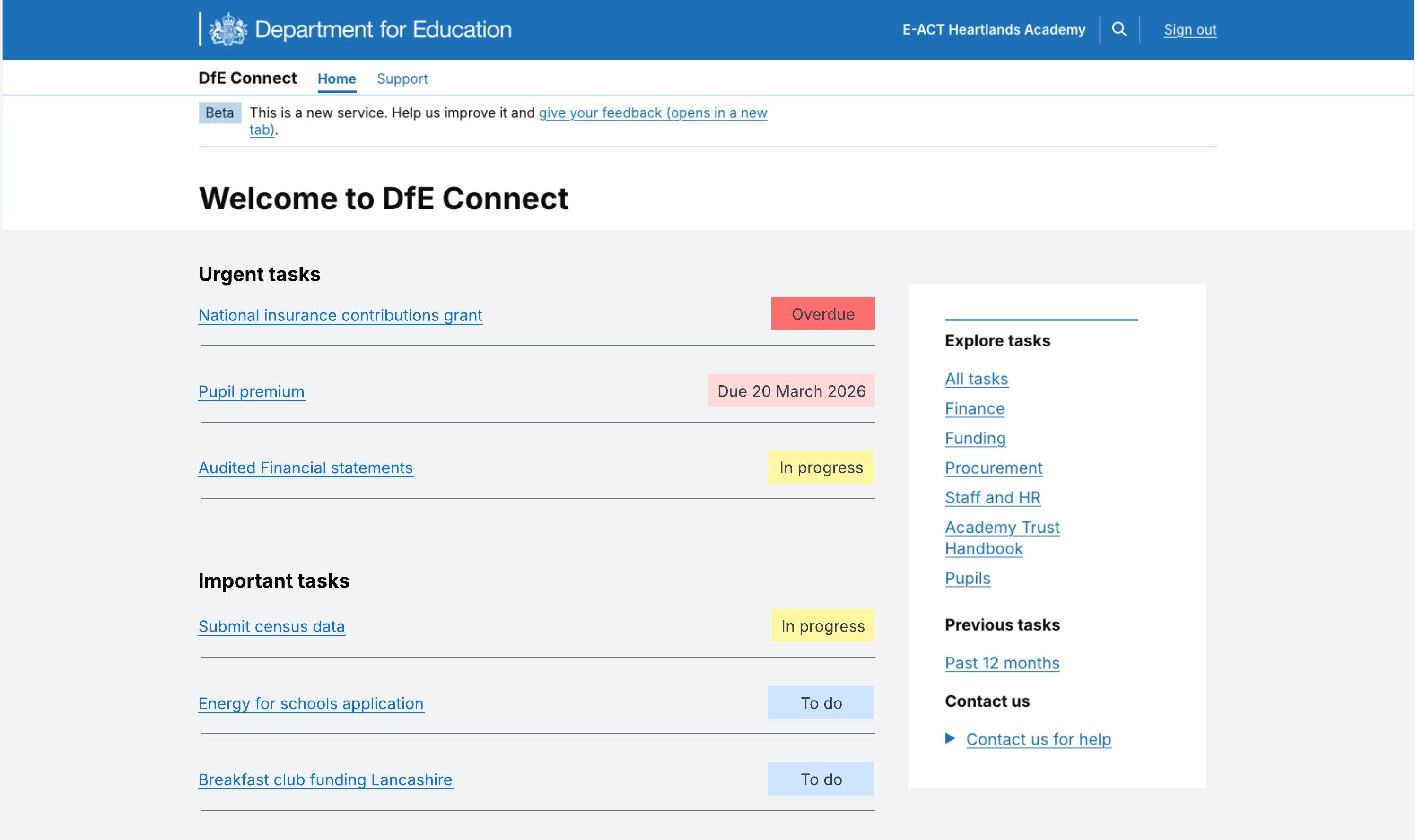
For example, they could represent states of 'To do', 'In progress', 'Action required' and 'Completed', but we could also look at tags that count down to a deadline – for example, ‘Due in 4 days’.
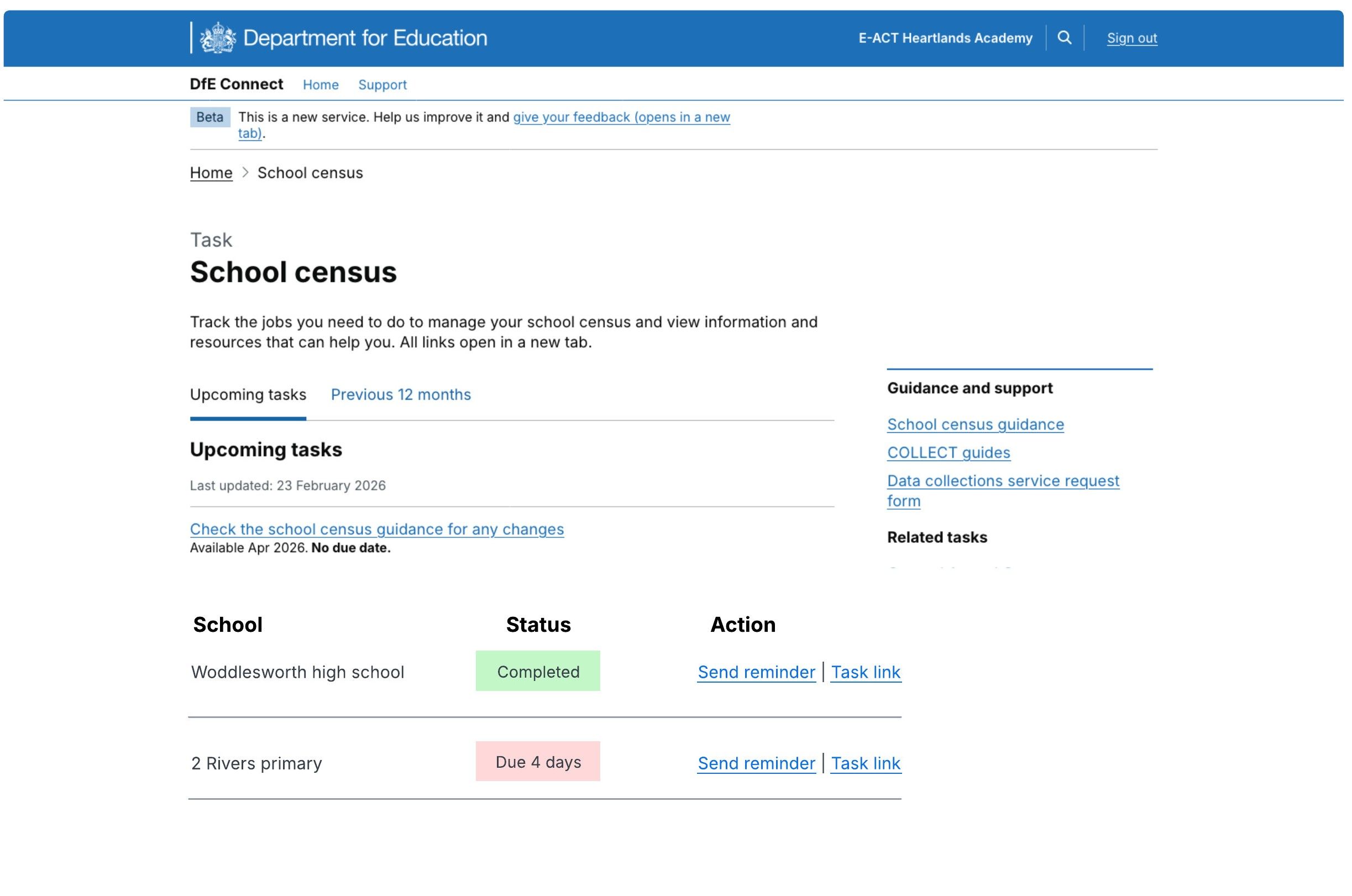
For multi-academy trust (MAT) users, we might want to take status tags a step further, allowing them to drill down to school level and either send a reminder or complete a task on the school's behalf.
Notification banners
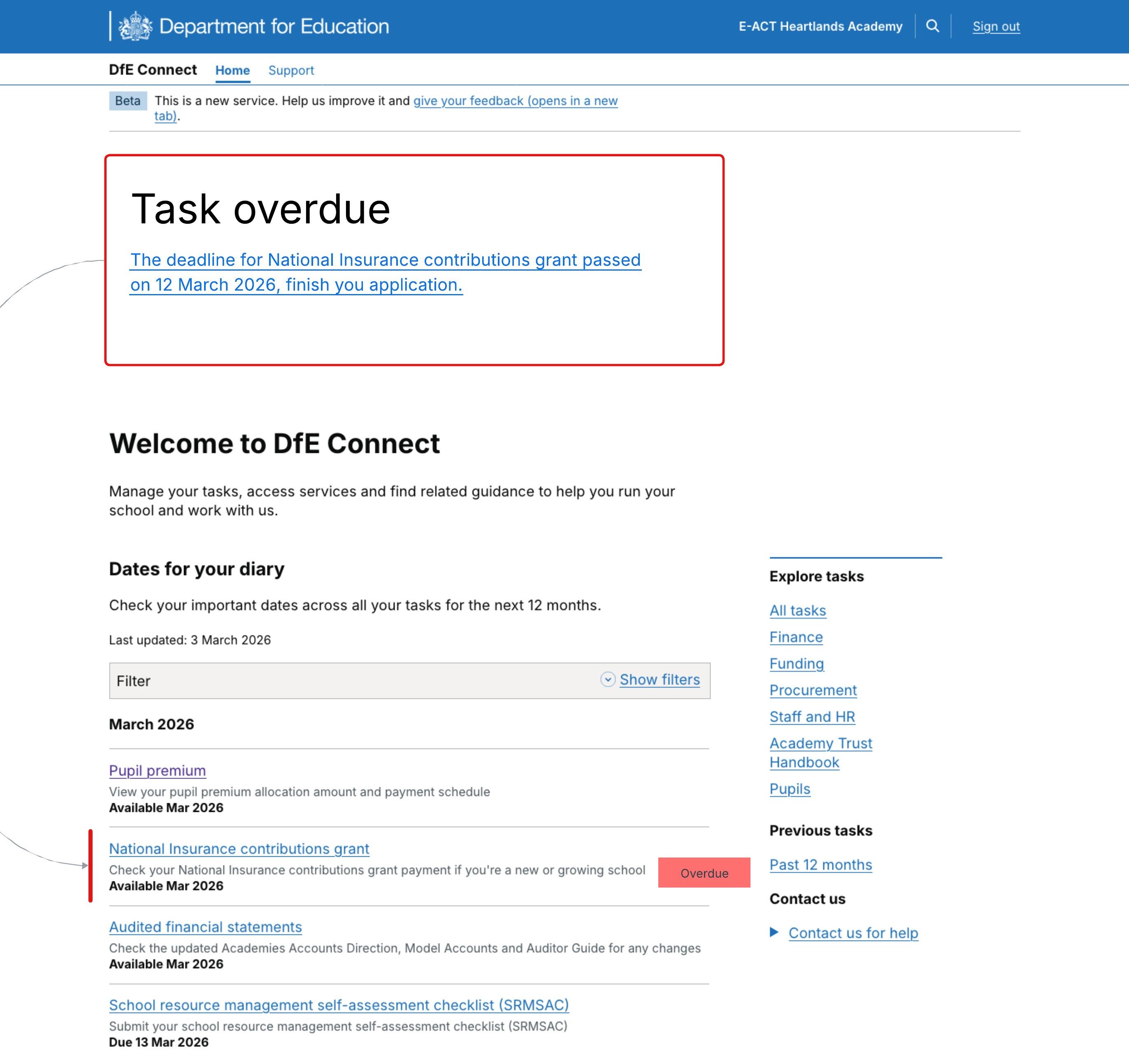
We could use notification banners, along with their prominence at the top of the page, to channel users to urgent tasks. We want to explore how we can escalate visibility of nudges as situations become more extreme.
Task grouping
We looked at grouping tasks to indicate the order in which we think they should be completed.
For example, we might put 'Urgent tasks' at the top, separated from 'Important tasks'. We could extend that logic to 'Optional tasks' too. It might be that when all ‘urgent’ tasks are complete, the section would disappear.
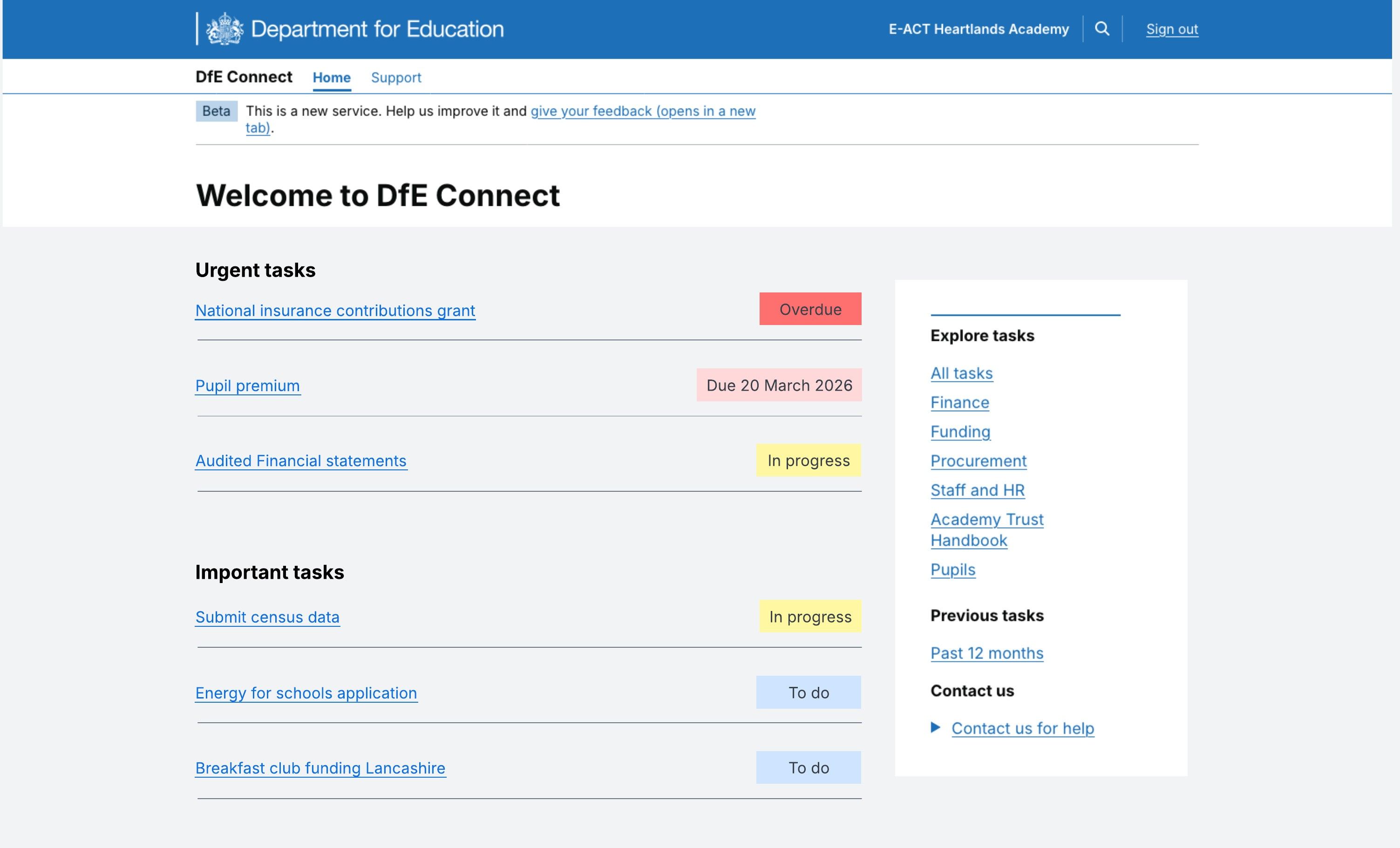
We’d expect to be able to define the conditions that would dictate where a given task appears at a specific time, for example, a task may start in ‘Important’ then move up to ‘Urgent’ days before a due date.
Surfacing opportunities
We could show optional tasks based on user preference, so they're presented with things that may be of use to them. This could be driven by user preference, school/trust attributes or 'favourited' things.
It's a frequent practice for ecommerce websites, the most well-known example being Amazon's 'Customers also bought' approach. It surfaces product suggestions based on what the customer is already viewing (as well as what other customers in a similar position decided to buy).
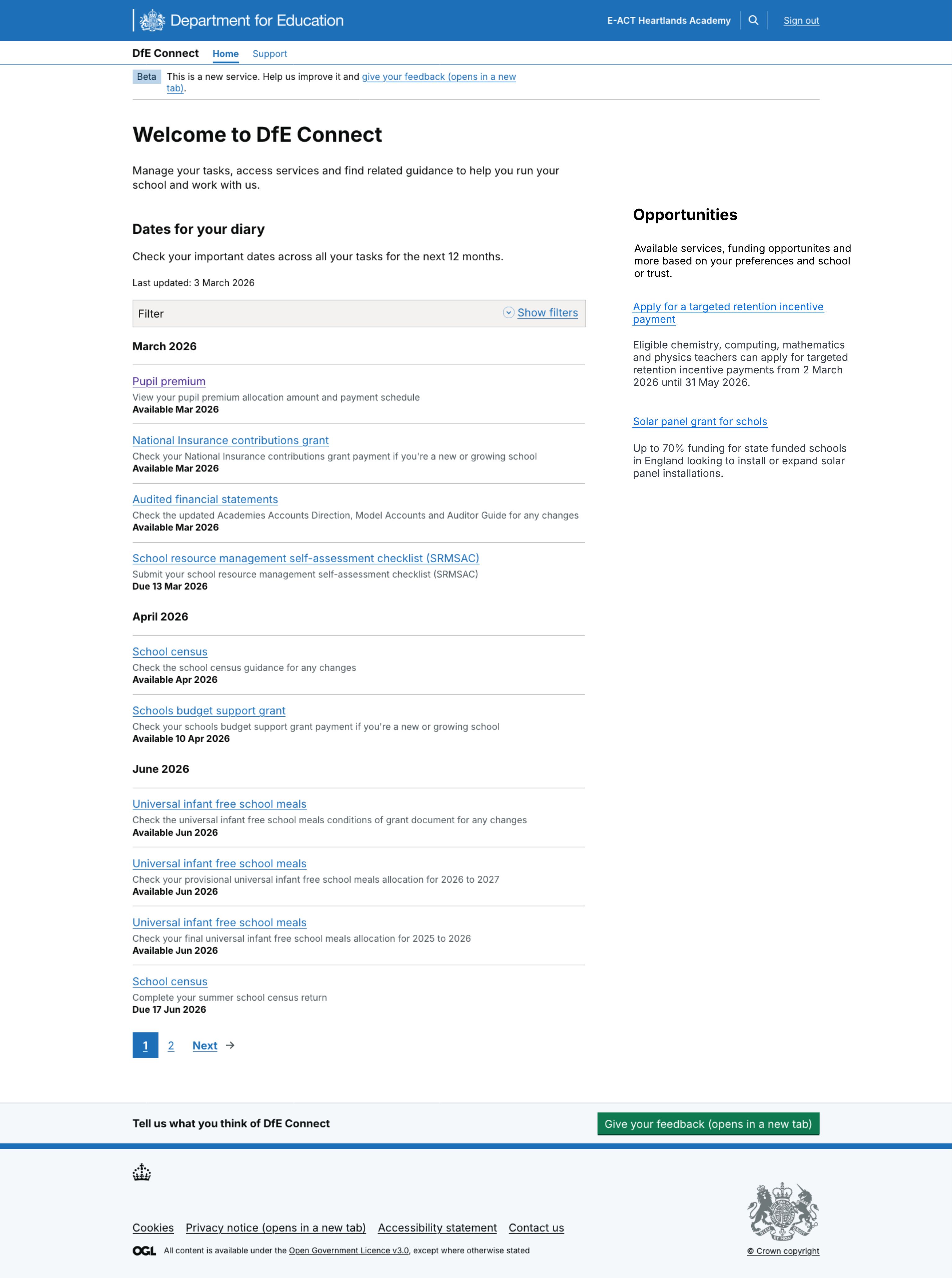
While we're not selling anything to our users, the idea of flagging relevant content and opportunities based upon their situation and their own preferences, holds true.
Emails and notifications
Finally, we spent some time thinking about how notifications might work alongside status tags and the other ideas already outlined, to drive users to School Account so they can take the necessary action.
Again, we know from prior research that emails are a tried and tested way to get information from DfE. But we also know emails, for example those sent by DfE Update, tend to be long, prone to skim reading and likely to cause users to feel overwhelmed by volume and content.
We’d need School Account notifications to be brief, to the point and geared around driving users to the service to complete whatever action is required.
Current thinking is to split emails into ‘Standard’ – those sent immediately to address a change in status, upcoming or missed deadline, or another required action, and ‘Optional’ emails, which users could opt in to, broadly meeting the current DfE Connect task categories.