What is information architecture?
At a broad level, information architecture is about guiding users through a website, webapp, service and more by organising the structure, content, navigation and more in a way that makes sense to them and the context in which they engage with the content.
Information architecture and navigation are related, but not the same. There's more information about that in this article from NN Group.
Traditionally the information architecture of a service could be articulated these ways:
- site maps
- wireframes
- hierarchies
- navigation
- metadata
It can also be useful to explore and define that information architecture working down this list to facilitate capturing at a high level, then adding detail.
Sometimes when teammates say we need to look at the information architecture, they have something very specific in mind, such as a specific UX component or need that they would like considering. In this instance, we wanted to explore how we could restructure information on the home page to support how we imagined different kinds of users might work.
What we did
Between rounds of concept testing and Alpha the team chose to pivot from testing alternate versions of the home page, as defined in the design sprint, to instead look at components that could help users understand:
- the scale of the work they need to do and how much time they may need
- the different kinds of work, so they can choose a category to focus on
- the status of various in-flight work to prioritse what to pick up
Broadly speaking we looked at a:
- task-led homepage
- category-led homepage
- goal-led homepage
- role-led homepage
- time-led homepage
- promotion-led homepage
Task-led homepage
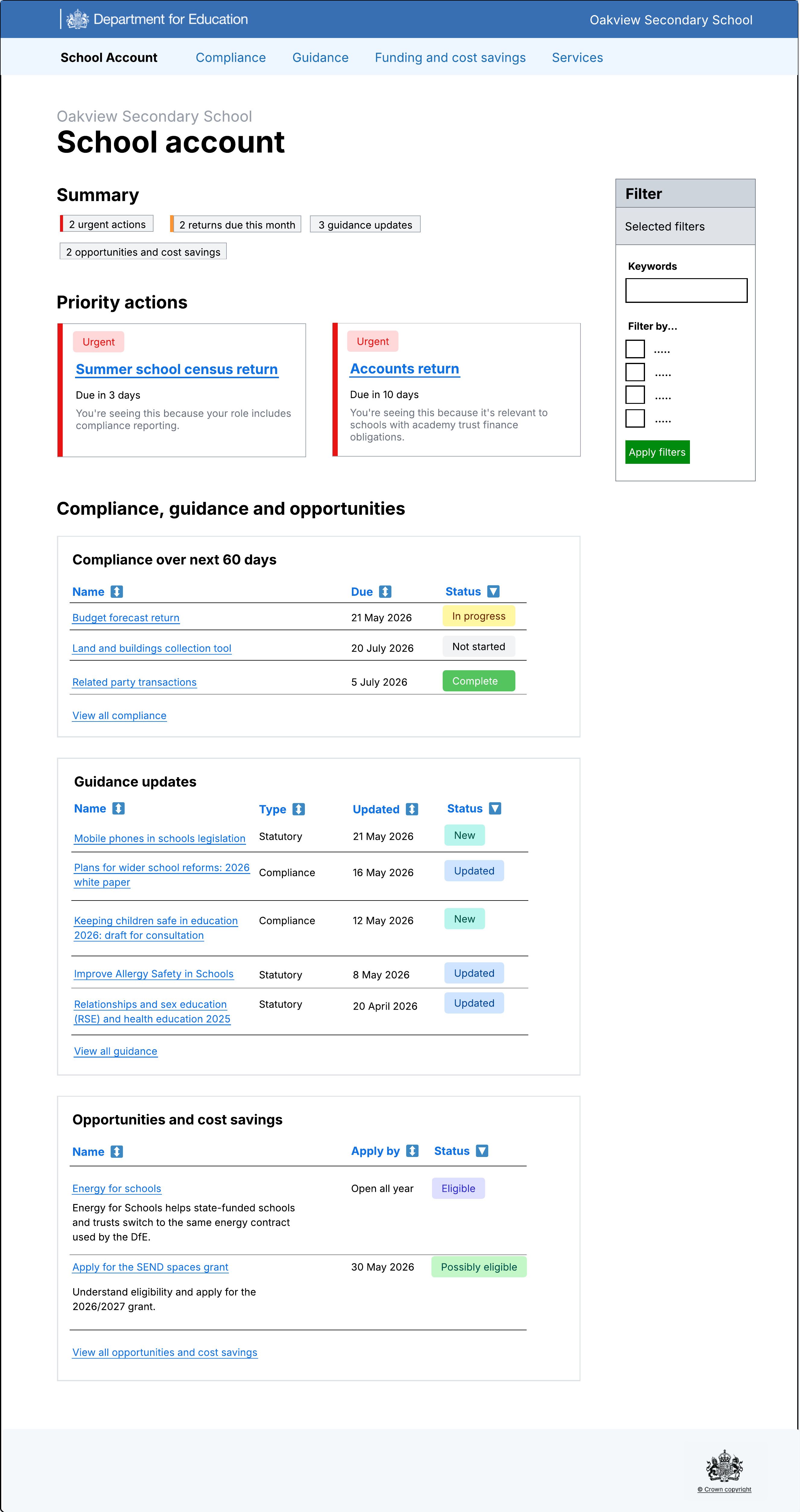
Our first line of thought when considering how school business professionals might identify, understand and carry out work was using tasks as a way to quantify and prioritise. This was the most similar design to the sketch in the design sprint. By separating items by type (compliance, funding and cost saving and guidance) we aimed to create discreet lists that users could focus on.
We also explored how we might highlight certain items that could be considered a priority. Initial thinking was that this could be items that:
- require additional action
- are due soon
- are in an error state
By placing this section above the list, we hoped to remove the effort when deciding what to do in a sea of options. Our expectation was that this priority section would show/hide as needed.
The list of items would have the usual ways of filtering and re-ordering data, for example by header or due date.
Category-led homepage
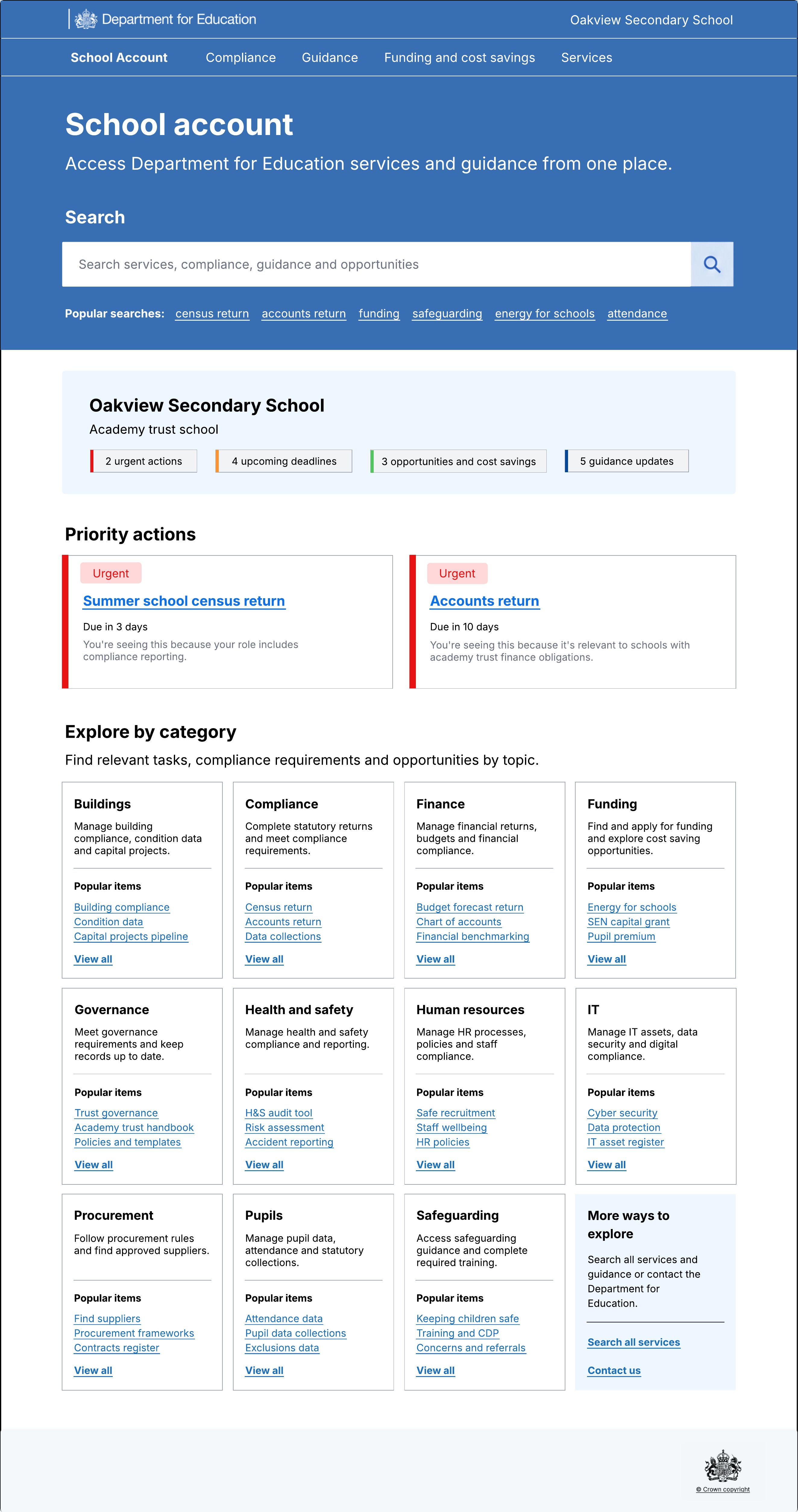
Our next line of thought was around categorisation and how that could be useful as a way to present information and allow users to decide what to do. Options like this could complement user-based preferences to set the categories of items that are shown by default.
It would also help with choice overload that could otherwise have a negative impact on a user’s mental state making the experience hard, before they’ve even got to the bulk of the work. Similar to blank page syndrome.
The main critique of this is that by default the user is presented with so much that it lacks the personalised experience that DfE set as a requirement for the project. This is furthered by showing popular items in each category, rather than what’s relevant to the current user, something that could erode trust in us presenting relevant information when it’s needed and building on that fear of missing out.
Mitigations could include showing in-flight and upcoming items per category, or having a reassuring "empty" state that could encourage completion of items.
Goal-led homepage
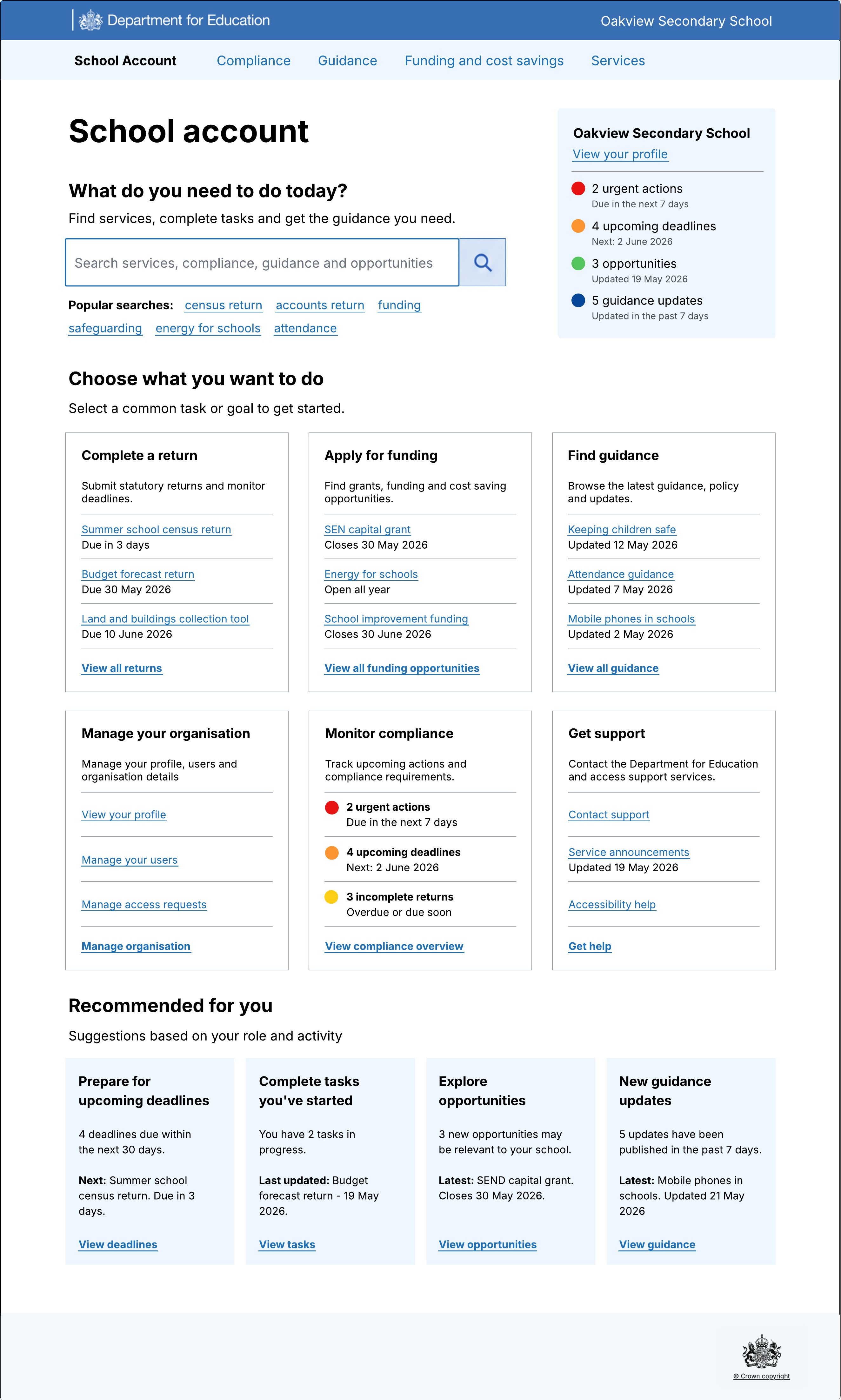
Our goal-led design focussed on the broad action a user may want to take, such as applying for funding, and presents a bespoke mini-list of suggested actions. These are based on organisational-level personalisation.
One advantage of this design is the ability to include overview-level items such as monitoring compliance or getting support for a specific item or school.
This design may be most useful when users are looking to begin a new discreet task. Possible shortcomings due to the decreased emphasis on completing items in flight could be mitigated through other methods of communications, such as consolidated emails with clearly grouped and actionable items.
Role-led homepage
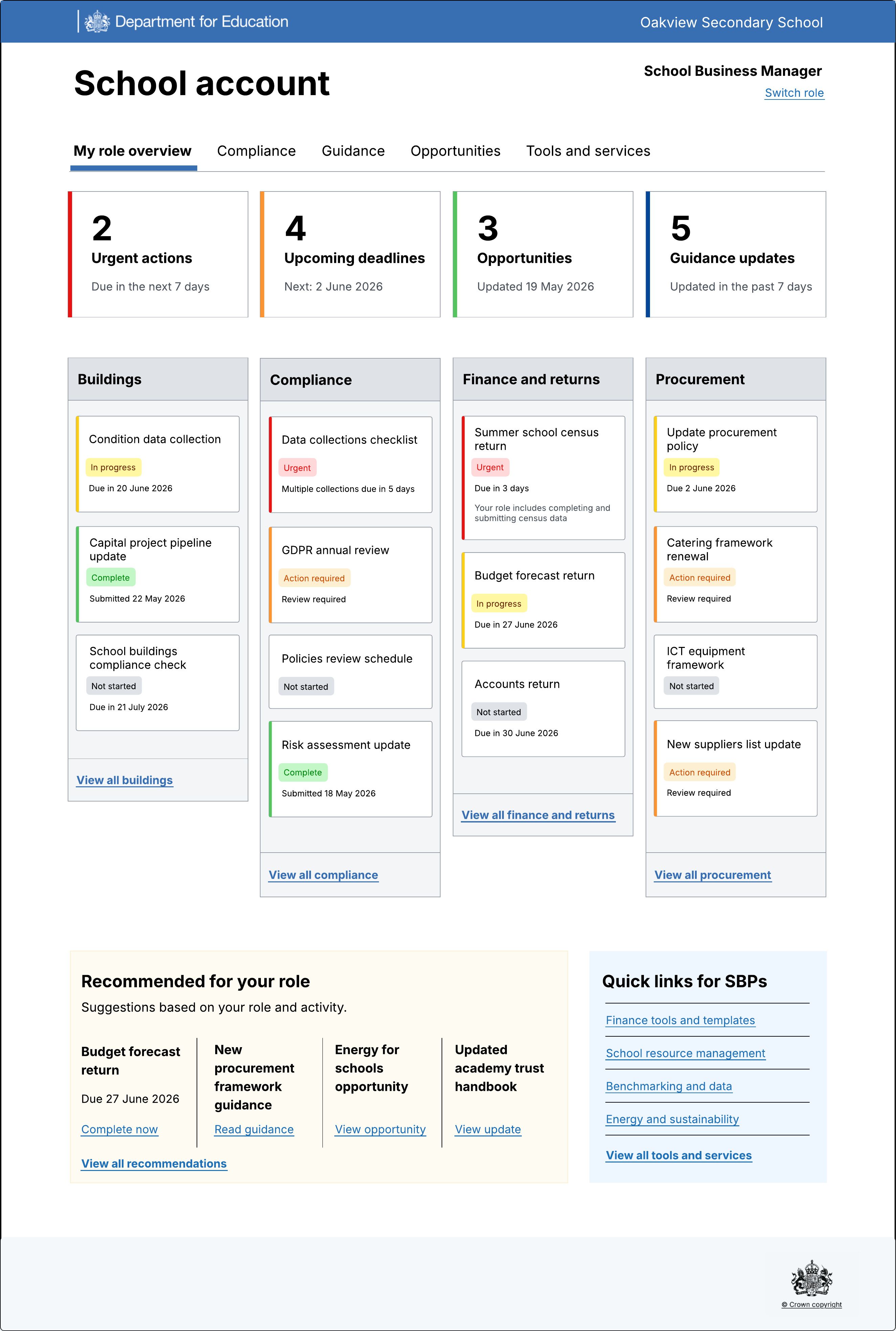
The role-led dashboard uses manual personalisation and shows the categories selected on the preferences screen. This allows for a very personalised homepage that can be customised over time as the user's role changes, due to promotion, for example, or being given additional responsibilities.
This could be especially useful for centralised multi-academy trust (MAT) teams of school business professionals that may have set specialities or areas of responsibility.
Time-led homepage
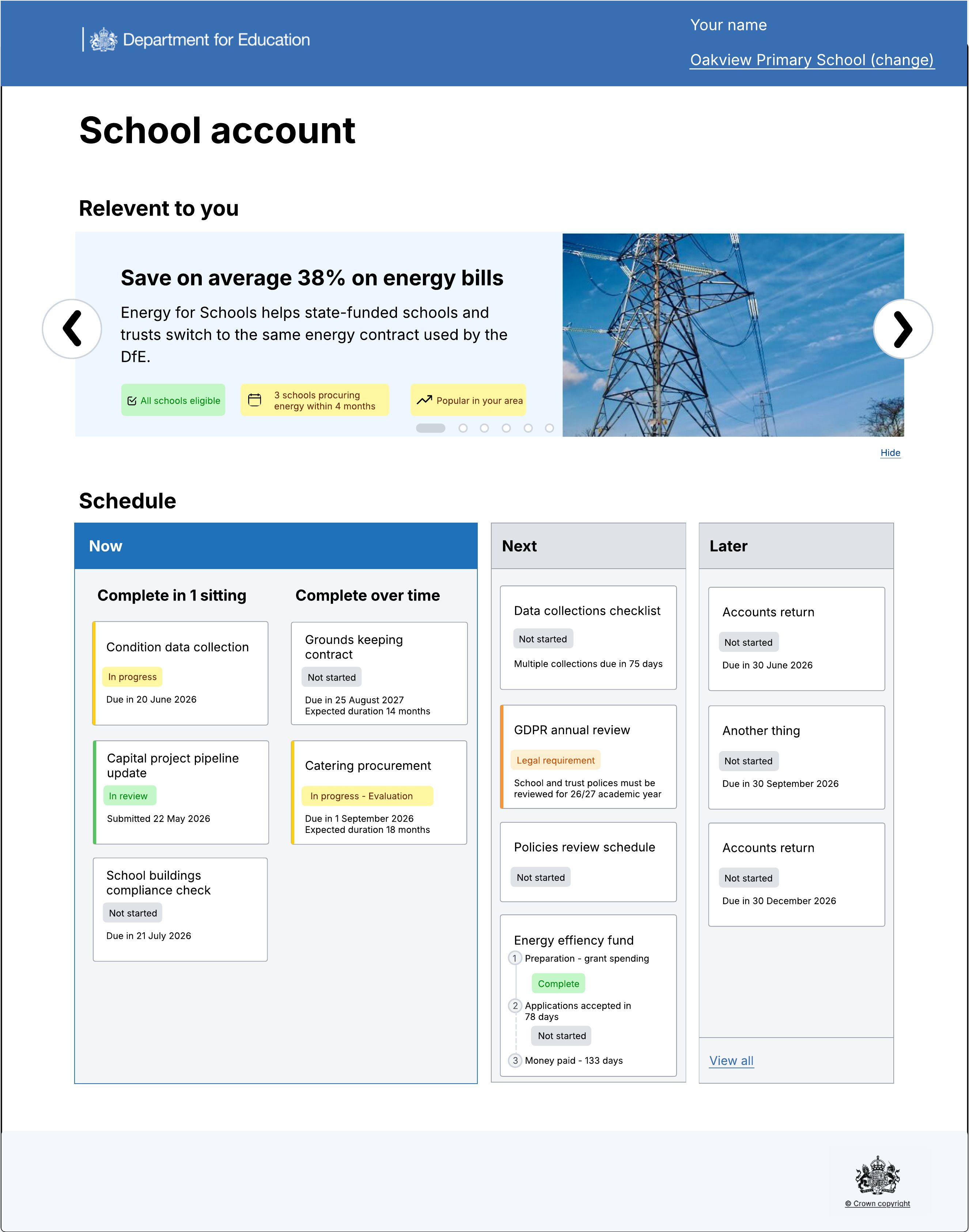
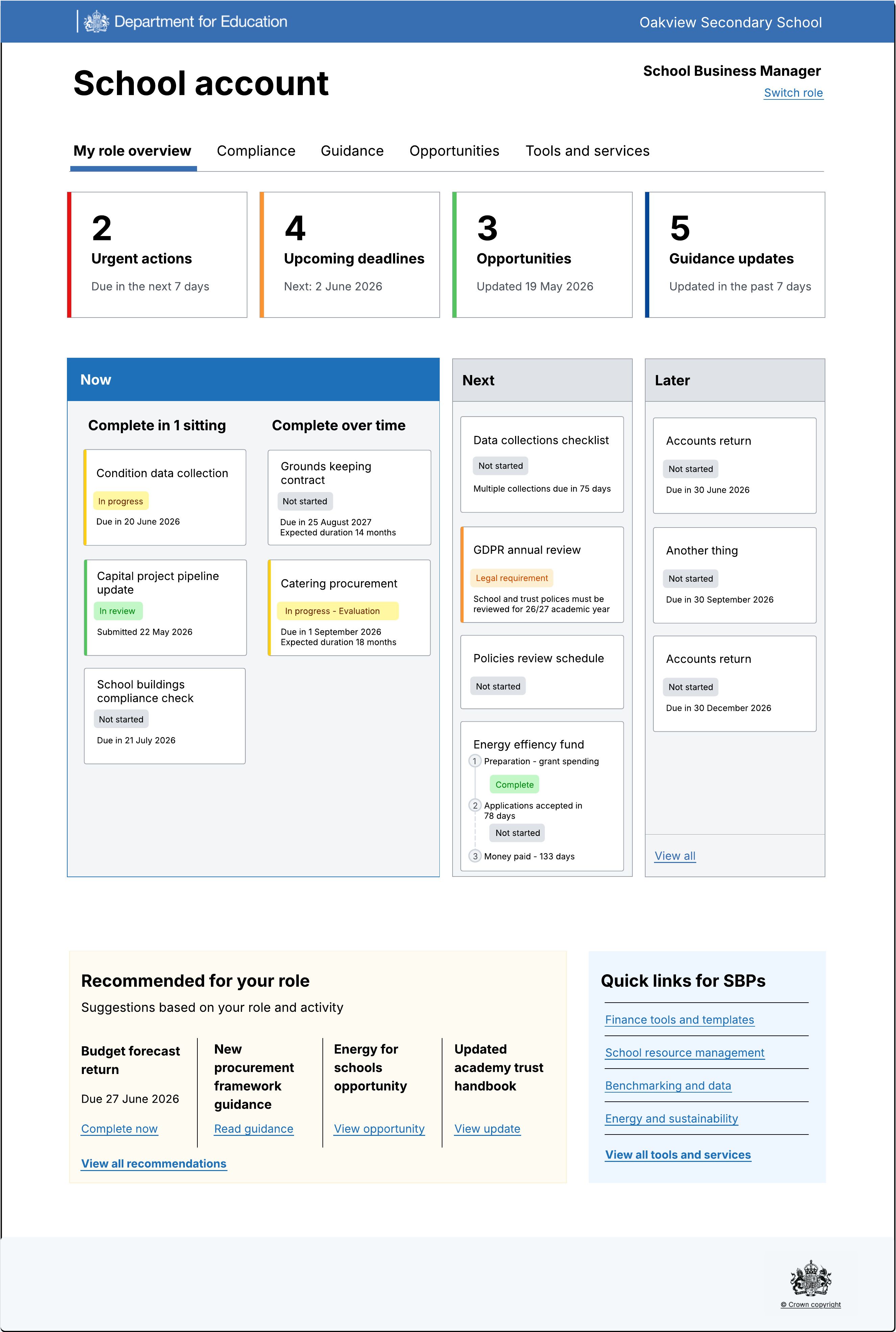
The time-led homepage tried to broadly categorise what users have to focus on now, next and later. The hope is that by showing what’s upcoming we can minimise distress or feeling overwhelmed while helping users plan for what they need to do in the future.
This may work with user-based personalisation to further reduce the amount of information shown at any one time.
This idea also allowed us to start thinking about how we may support users with actions that are completed in one sitting and those that are done over time (such as procurement).
Promotion-led homepage
The last idea we explored was around DfE-based promotion of items and how we may use that to influence uptake to help meet policy decisions. The basic idea is that each service, tool or funding opportunity would be categorised, enabling us to surface relevant items.
A hypothesis for promoted items is that only showing relevant items and tags and explaining why they’re relevant will increase engagement, and we’d know this is true when we can see a meaningful increase compared to non-personalised, and explained promotions.
At this stage, we’re not sure if this will drive the behaviour we may want for promoted items, but research into this may also help us identify useful information, for example, if tags showing relevance will drive engagement with services.