
Context
When researching the needs of support agents, we found they lacked confidence in knowing when they were in the support console vs when they were masquerading as a provider in Publish, and what actions could only be taken by support agents vs actions the provider could self-serve.
User need
As a support agent, I need to know when I am taking actions in the support console and when I am making changes on behalf of a provider in Publish, so that I can update information confidently and accurately.
As a support agent, I need to know what changes can only be made by support agents in the support console, and what changes can be made by the providers themselves in Publish, so that I can take the relevant action on provider enquiries.
What we did
We found support agents were confused because:
- identical forms existed across both the support console and Publish, such as adding a school, user, or accredited provider
- it was not clear on support only forms that providers could not make these changes
- some links would navigate within the support console, and others would navigate to Publish without clear differentiation
To reduce duplication of forms across the support console and Publish we removed the forms from the support console, and navigated support agents to Publish to make changes:
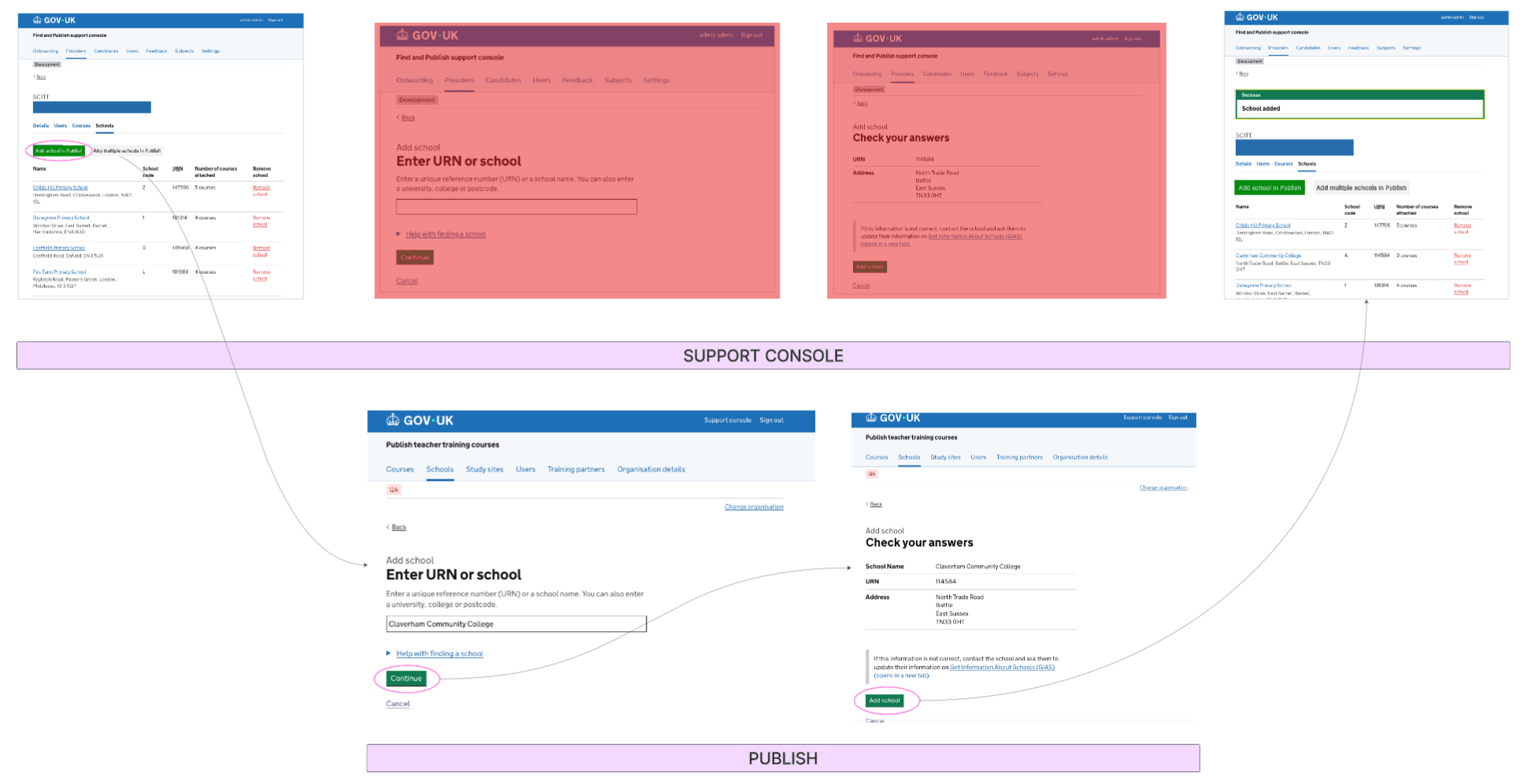
The journeys updated in the support console to direct to Publish include:
- Adding, viewing and removing a school
- Adding and removing a user
- Adding and removing an accredited provider
- Updating provider contact details
To make it clearer that only support agents could change certain information we added a sentence to the top of the forms:
“Providers are not able to change this information in Publish.”
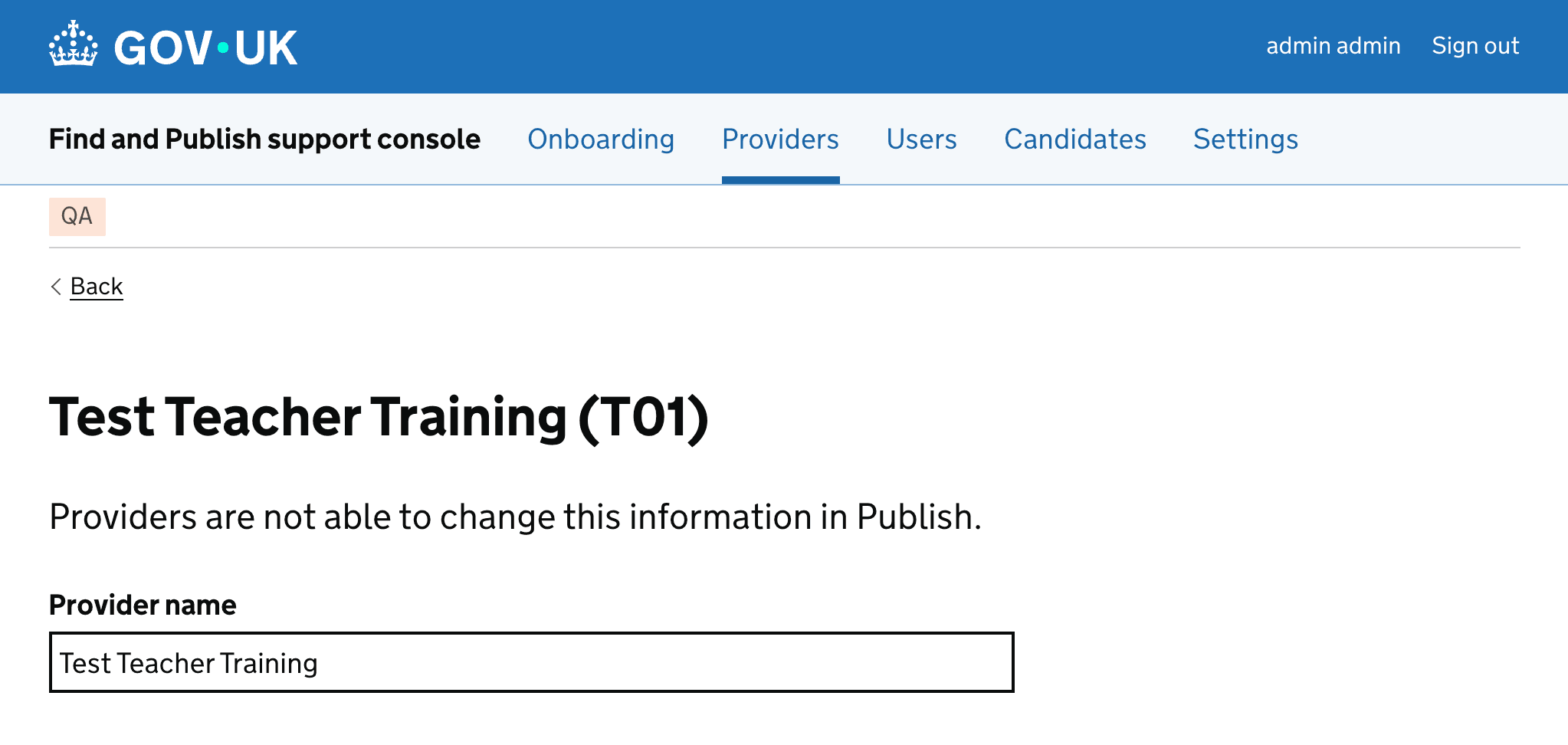
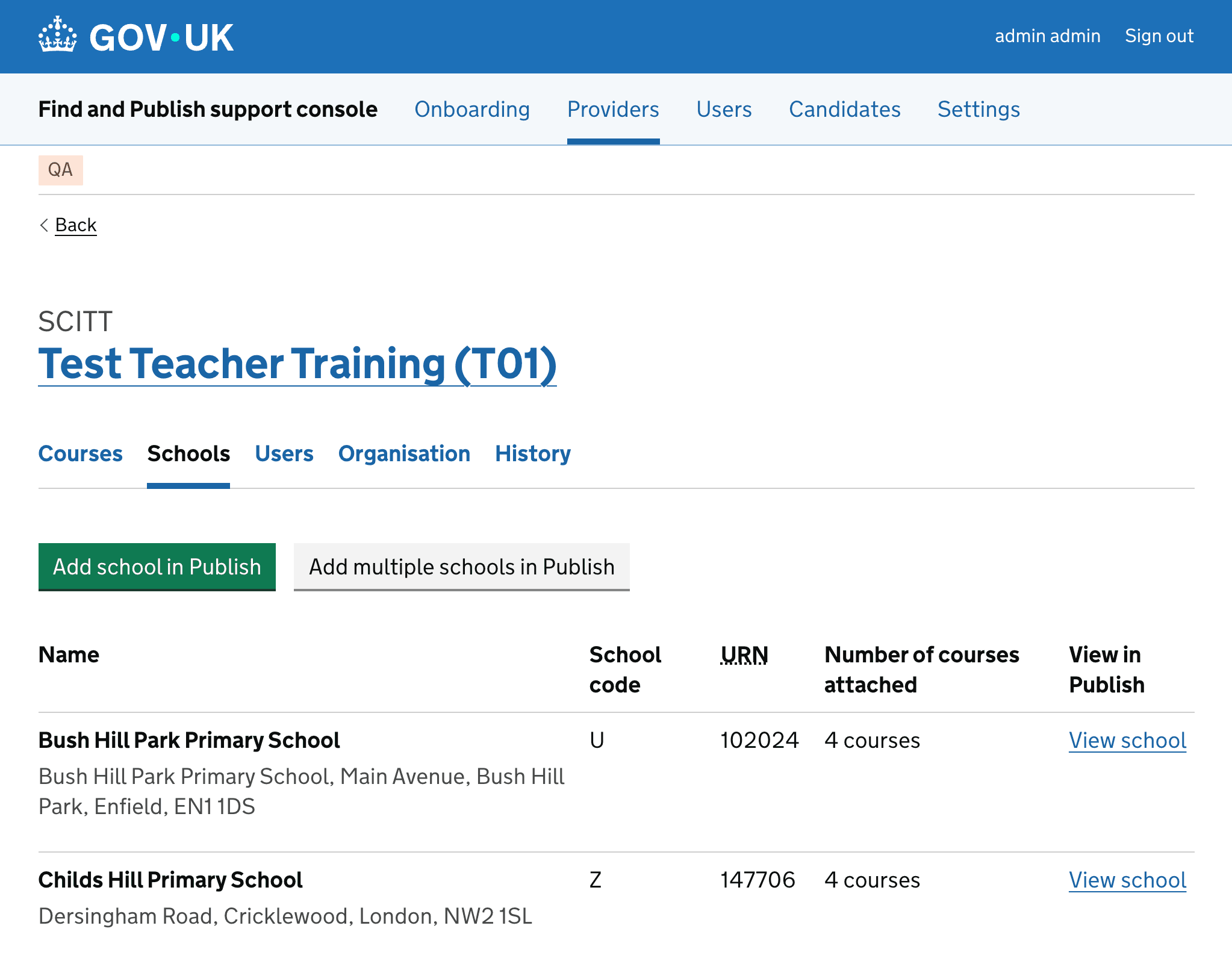
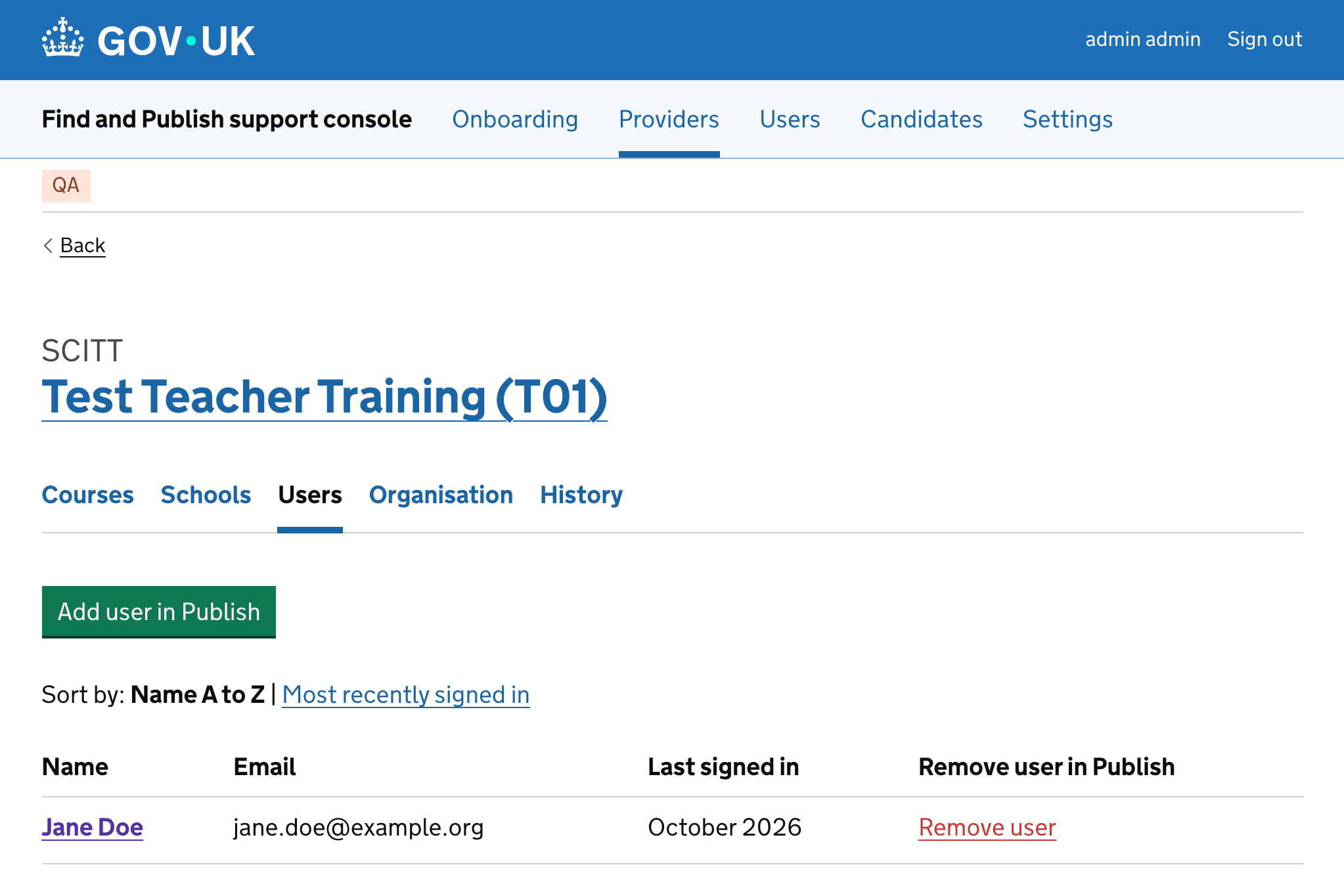
To make it clear where links would navigate to in the support console we created a consistent convention.
- For tables, links on the left would inherently navigate within the support console, and links on the right would navigate to Publish
- All buttons and links that navigate to Publish should be explicitly labelled, or referenced to in the column header the link is associated with
Next steps
We will be building these changes into the service.