
Context
Currently, candidates can search by subject using both a text input and a filter. This can cause usability issues because the 2 ways of selecting a subject do not always behave as candidates might expect.
For example, when a candidate removes a subject from the search input and searches again, the subject remains selected in the filters.
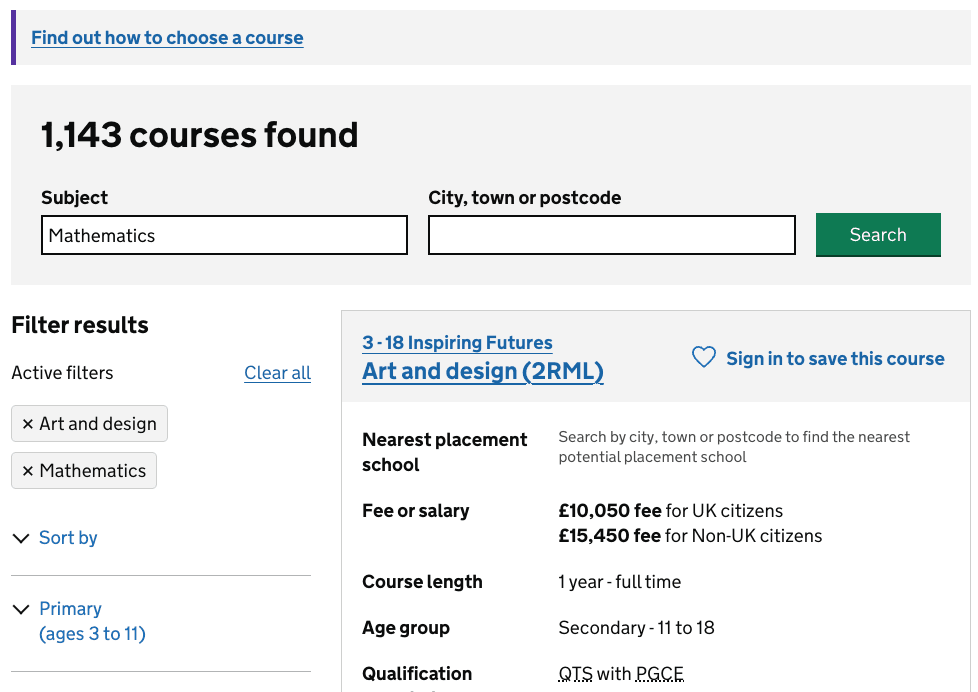
Subjects entered in the search field are also applied as filters, which can result in multiple subjects remaining selected.
Pain points
Candidates can see results for subjects they thought they had removed from their search.
Having subject choices in both the search field and filters can also make it unclear which subjects are currently being searched for.
User need
As a candidate, I need to easily find how to change the subject I am searching for, so that I can find relevant courses.
What we did
The first design moved the search box to the left of the search results and removed the subject input. Candidates could still change their location using the search box but could use the subject filters to change their subject.

In user research, removing the subject input made it harder for participants to find how to change their subject. This exposed a discoverability issue with the subject filters.
Many participants struggled to find the subject filters. Some:
- returned to the homepage to start a new search
- missed the subject filters
- assumed they could not change their subject from the search results page
Participants who found the subject filters were generally able to change their subject successfully, but this was after a significant amount of time, or after prompting from the researcher.
During the research round, we changed the filter headings from ‘Primary’ and ‘Secondary’ to ‘Primary subjects’ and ‘Secondary subjects’ to make their purpose clearer.

This did not make the subject filters discoverable enough. Participants continued to struggle to find them when they wanted to change their subject.
Based on these findings, we decided to add the subject input back into the search box.
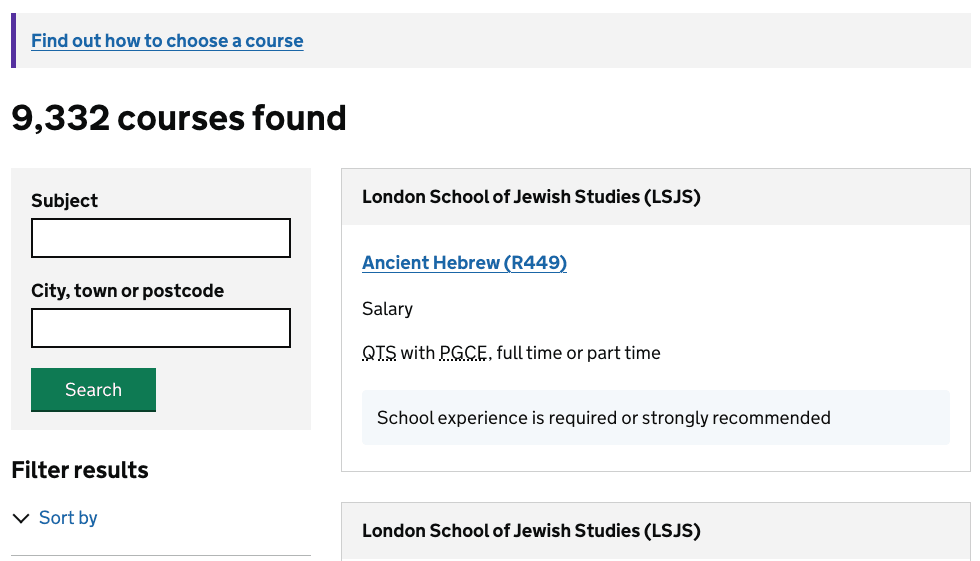
In the final design, the search box contains both the subject and location inputs and remains to the left of the search results. This allows candidates to continue using the subject input to change their search while keeping course results further up the page.
Next steps
We will keep the subject input, which means there are still 2 ways for candidates to change their subject.
We will consider how we can improve the behaviour between the subject input and filters so that candidates can more easily understand which subjects are included in their search.